A Rhino file, path traced
Let's take a .3dm file from Rhino and render it with Field's GPU path tracer, each object in the
colour Rhino shows it in.
Two parts of Field do the work. afield.geometry.rhino reads the file and turns every Brep, SubD
and mesh into triangles, and afield.graphics.scene.fabricated traces them. The file here is the
Save Small sample from Rhino files: a sphere, a capped
cylinder, a plate with a hole, two boxes and two SubD boxes, saved without the render meshes Rhino
usually stores. Every surface in the picture was tessellated from its exact NURBS description when
the file was read.
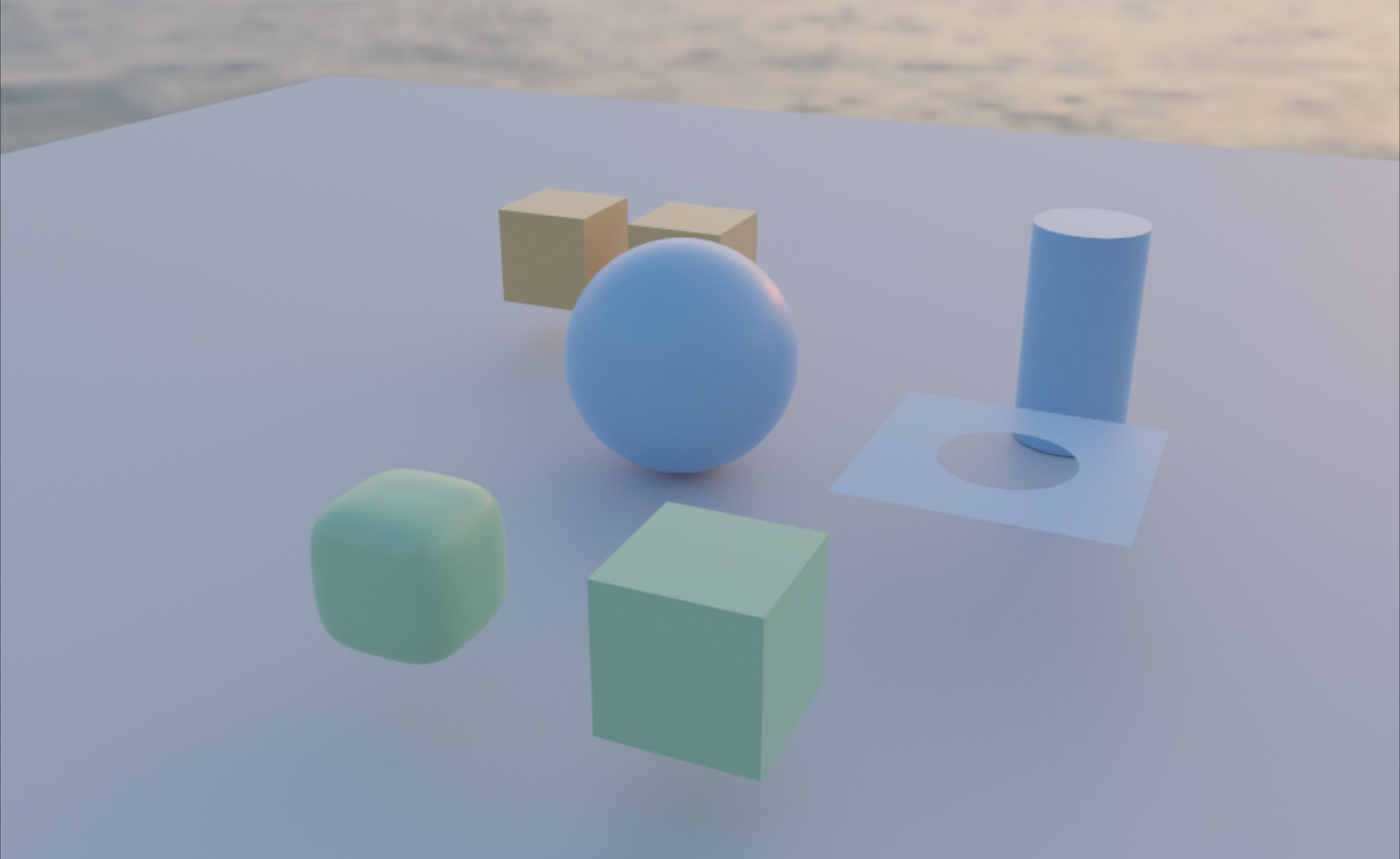
Environment: Venice Sunset by Greg Zaal / Poly Haven (CC0), shared with the Fabricate demo assets.
One call between the file and the scene
val model = Rhino3dm.load("~/Downloads/model.3dm")

val scene = PathTraceScene()
val added = scene.rhino(model, scale = 0.05f)
println("${added.objects} objects, ${added.triangleCount} triangles")
rhino appends each object on its own with
importTriMesh, rather than the single
merged mesh model.mesh() returns. The merged mesh has forgotten which triangle belongs to which
object, and so which colour it should be; kept apart, each object becomes a plastic in its display
colour, and objects of the same colour share one material. scale brings model units to a size a
camera can sit near, and the model is turned from Rhino's Z up to the tracer's Y up.
Hidden objects and objects on switched-off layers are left out unless you pass
hiddenLayers = true. include filters further, and material chooses per object:
scene.rhino(
    model,
    scale = 0.05f,
    material = { o ->
        if (o.layer?.name == "Glass") PathTraceMaterial.thinGlass(1.5f)
        else PathTraceMaterial.plastic(o.color.x, o.color.y, o.color.z)
    },
)
What crosses each hop
| hop | the call | what crosses | what stops here |
|---|---|---|---|
| file to model | Rhino3dm.load |
layers, objects, display colours; Breps and SubDs as triangles | NURBS exactness: a face is triangles within tolerance of its surface |
| model to scene | PathTraceScene.rhino |
positions, normals, one material per object | curves, text and points, which have no area to trace |
| scene to image | PathTracingRenderer |
triangles, materials, an environment map | nothing more: this is the end of the chain |
The numbers the scene owes the file
Run this to check, on your own build, that the scene holds exactly the triangles of the file's merged mesh, split among its objects. It needs no renderer.
:::static
import afield.geometry.rhino.*
import afield.graphics.scene.fabricated.PathTraceScene

val dir = java.nio.file.Files.createTempDirectory("rhino-trace").toFile()
val model = Rhino3dm.load(Rhino3dm.writeNurbsSample(java.io.File(dir, "save_small.3dm")))
dir.deleteRecursively()

val added = PathTraceScene().rhino(model, scale = 0.05f)

:::fold lay the numbers out
val rows = added.materials.entries.joinToString("\n") { (o, slot) ->
    "| ${o.name} | ${o.type.removePrefix("ON_")} | ${(o as RhinoMesh).mesh.triangleCount} | $slot |"
}
markdown(
    "readout",
    """
| object | Rhino type | triangles | scene material |
|---|---|---|---|
$rows

`model.mesh()` has ${model.mesh().triangleCount} triangles; the scene has ${added.triangleCount}
over ${added.objects} objects, with ${added.degenerateCount} dropped and
${added.materials.values.toSet().size} materials.
""",
    width = 820,
)
Unit
:::endfold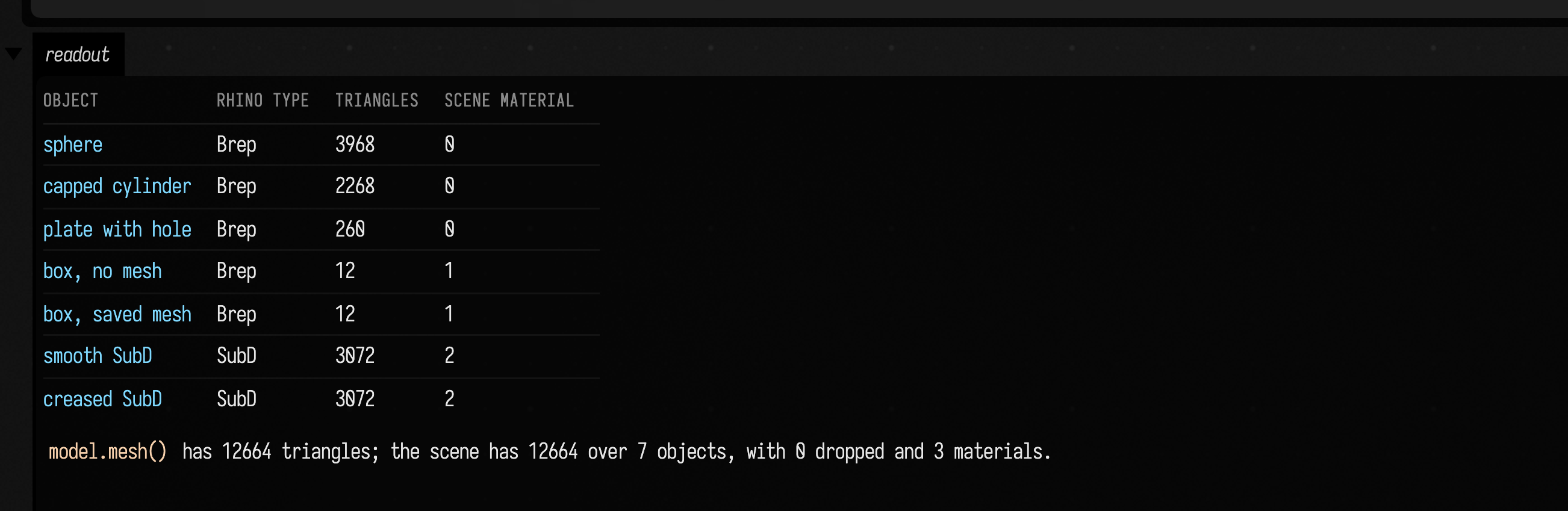
Where to go next
- Rhino files for reading layers, curves and text, writing a
.3dmback, and how Breps without meshes are tessellated. - Three.js output for the interactive viewer the same model draws into with
rhino(model). - Progressive Path Tracing for the tracer: materials, camera, environment maps and convergence.
- A Polytope, Cut Open and Traced ends at the same tracer, with a material chosen per triangle instead of per object.