Syphon: sharing frames on macOS
Syphon is how video applications on a Mac hand frames to each other without
encoding them: Resolume, TouchDesigner, MadMapper, VDMX, Max, OBS (through its Syphon source) and
many more publish and receive it. Field joins in through afield.io.syphon: a box can publish
pictures for any of those to receive, and can receive what they publish.
Syphon is macOS-only, and Field reaches it through a small Objective-C library that is not built by default. Build it once:
./gradlew buildSyphonNativeThat needs Xcode, and the network the first time (it fetches the Syphon framework's source at a pinned revision). If the library is missing, every call below stops with a message saying so.
Publishing
syphonServer(name) makes a server that every Syphon client on the machine lists, under Field's
application name and the name you give it. Publish to it as often as you like; each publish is one
frame:
val out = syphonServer("Field pattern")
val img = BufferedImage(640, 360, BufferedImage.TYPE_INT_ARGB)

loop {
    val g = img.createGraphics()
    // ... draw ...
    g.dispose()
    out.publish(img)
}
publish accepts a BufferedImage, ARGB ints, raw RGBA (or BGRA) bytes, or a RenderToTexture.
Calling syphonServer again with the same name returns the server that is already open, so
re-running the box keeps publishing to the same source rather than adding another. out.close()
retires it; clients see it disappear.
From the GPU
To publish what a Vulkan render target draws, have the server follow the target:
val out = syphonServer("Field render")
out.follow(target) // every frame target renders, until out.stopFollowing()
follow reads each frame back from the GPU once its work has finished and passes it to Syphon,
one frame in flight at a time, so a slow receiver drops frames instead of queueing them. The target
needs 8-bit colour, which the default B8G8R8A8_SRGB is. out.publish(target) sends just the next
frame.
When the box is under a renderer, out.followOnGpu(target) skips the read-back: each frame is copied on the
GPU, on the same command buffer that drew it, into an IOSurface (the macOS shared image Syphon
passes between applications). Nothing is read back to the CPU. It needs a B8G8R8A8 target (the
default) and a driver with VK_EXT_external_memory_host, which both drivers Field uses on Apple
silicon have.
Receiving
syphonClient(match) connects to the first server whose name, application name or uuid is match,
waiting up to two seconds for it to appear. latest() is its most recent frame, png() the same
frame ready for display:
val inp = syphonClient("Resolume Arena")

loop {
    inp.png()?.let { display("main", it) }
    delay(250)
}
latest() returns a SyphonFrame with the RGBA bytes, rgbaAt(x, y), argb() and image().
Syphon.servers() lists everything announced on the machine, Field's own servers included.
To sample another application's video in a shader, inp.texture() gives a texture that follows
the server; bind it as a sampler2D like any texture. Its v = 0 is the top of the picture:
val inp = syphonClient("Resolume Arena")
prop<SyphonTexture>(syphonIn) = inp.texture()
What it costs
followOnGpu and texture() keep frames on the GPU. texture() copies nothing: the shader
samples the IOSurface the sending application draws into. At 1920 x 1080 it takes about 0.05 ms
of Field's frame, against about 4.3 ms for the copying route. inp.texture().path says which
route was taken, and texture(zeroCopy = false) asks for the copy. On the sending side,
out.publishIOSurface(ref) publishes an IOSurface you already have without touching the CPU.
Everything else passes through memory. publish and follow read the frame back, and Syphon
copies those bytes into its shared IOSurface. latest and png copy the server's surface back
into memory. At 1920 x 1080 that is about 8 MB per frame, which is fine at 30 or 60 frames a
second on Apple silicon but is not free.
Try it
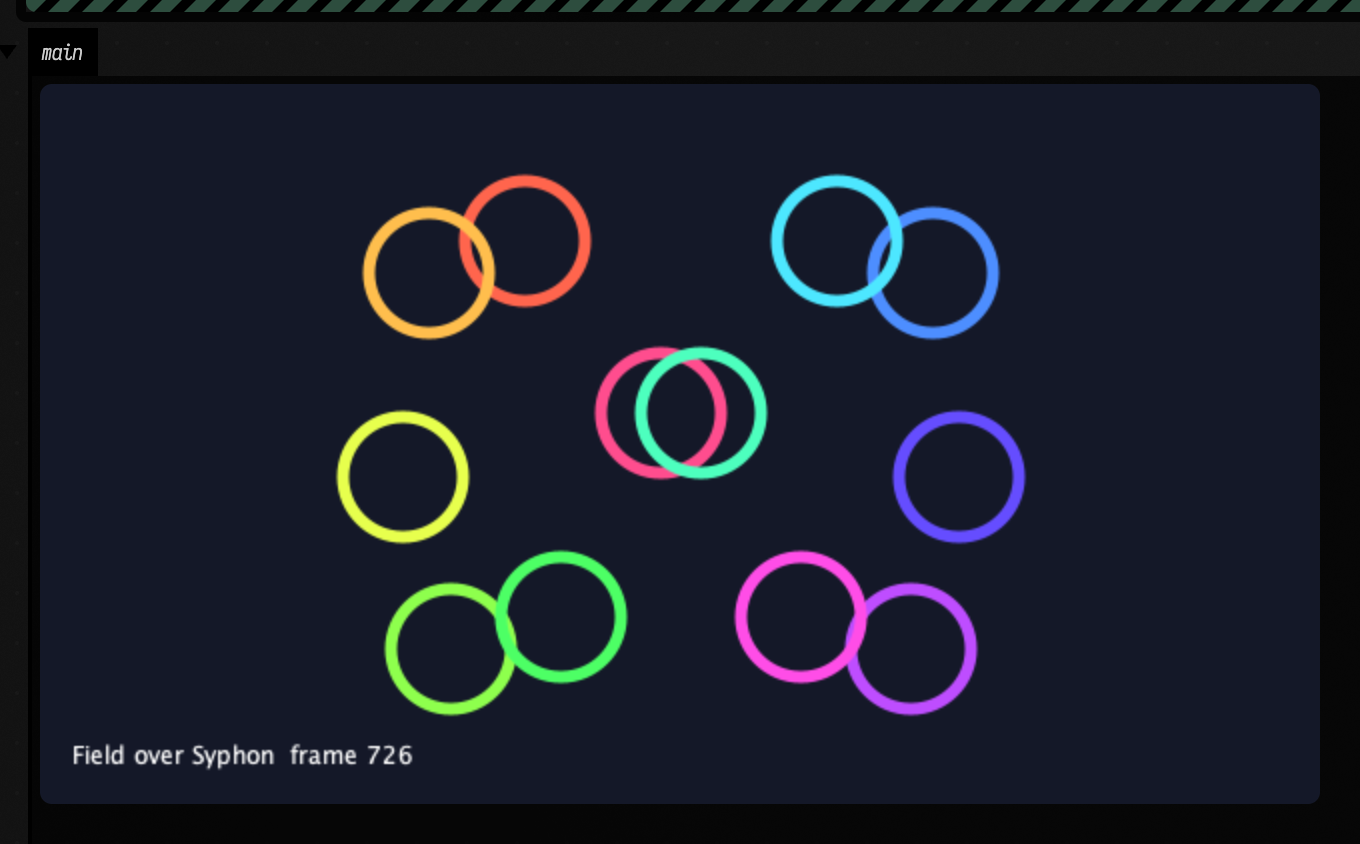
The syphon_bridge starting point has three boxes: one lists the servers on the machine, one
publishes an animated picture as "Field pattern", and one receives "Field pattern" back through
Syphon and shows it, so you can see the whole round trip with nothing else installed. Change the
name in the third box to receive another application.
Here is the third box after a second of the round trip, showing the second box's picture as it came back through Syphon:
import afield.io.syphon.*

// without the library this stops here and says how to build it
check(Syphon.isAvailable) { Syphon.describe() }

/*
Match a server name, app name or UUID; "" takes the first announced server.
This named client is shared across reruns; a closed client is recreated on lookup.
Stop ends this receive loop while leaving the shared connection available.
*/
val inp = syphonClient("Field pattern")

loop {
    inp.png()?.let { display("main", it) }
    delay(250)
}
How this was checked
SyphonTest runs both directions against field_syphon_probe, a separate process built next to
the library: Field publishes a four-quadrant pattern and the probe asserts five exact pixel
values, then the probe publishes it and Field asserts them. Orientation is part of what it pins:
row 0 is the top in both directions. Syphon's discovery rides on macOS distributed
notifications, which arrive on the main run loop; Field's main thread runs Field's own loop, so
afield.io.syphon turns the run loop once per Field frame. Without that, Field's servers were seen
only by clients that were already listening when they started.