ImGui as an in-VR panel
Field can float a live Dear ImGui panel inside a 3D scene: a clickable control surface hanging in space in front of you. ImGui draws into a texture, the texture is mapped onto a quad, the quad is rendered once per eye into a side-by-side stereo image, and a controller ray is hit-tested against it so buttons and sliders respond to it. On a headset the same stereo image feeds the eye swapchains; on the desktop it previews in the window.
For a smaller scene with an editable post-processing pass, start with Stereo RTT composite: desktop preview, an FXAA toggle and optional OpenXR output in five boxes.
The side-by-side stereo target underneath this demo is the same one the Vision Pro front end renders through. See Apple Vision Pro, where those eye matrices can come from an uplinked head pose instead of from OpenXR or the desktop mock.
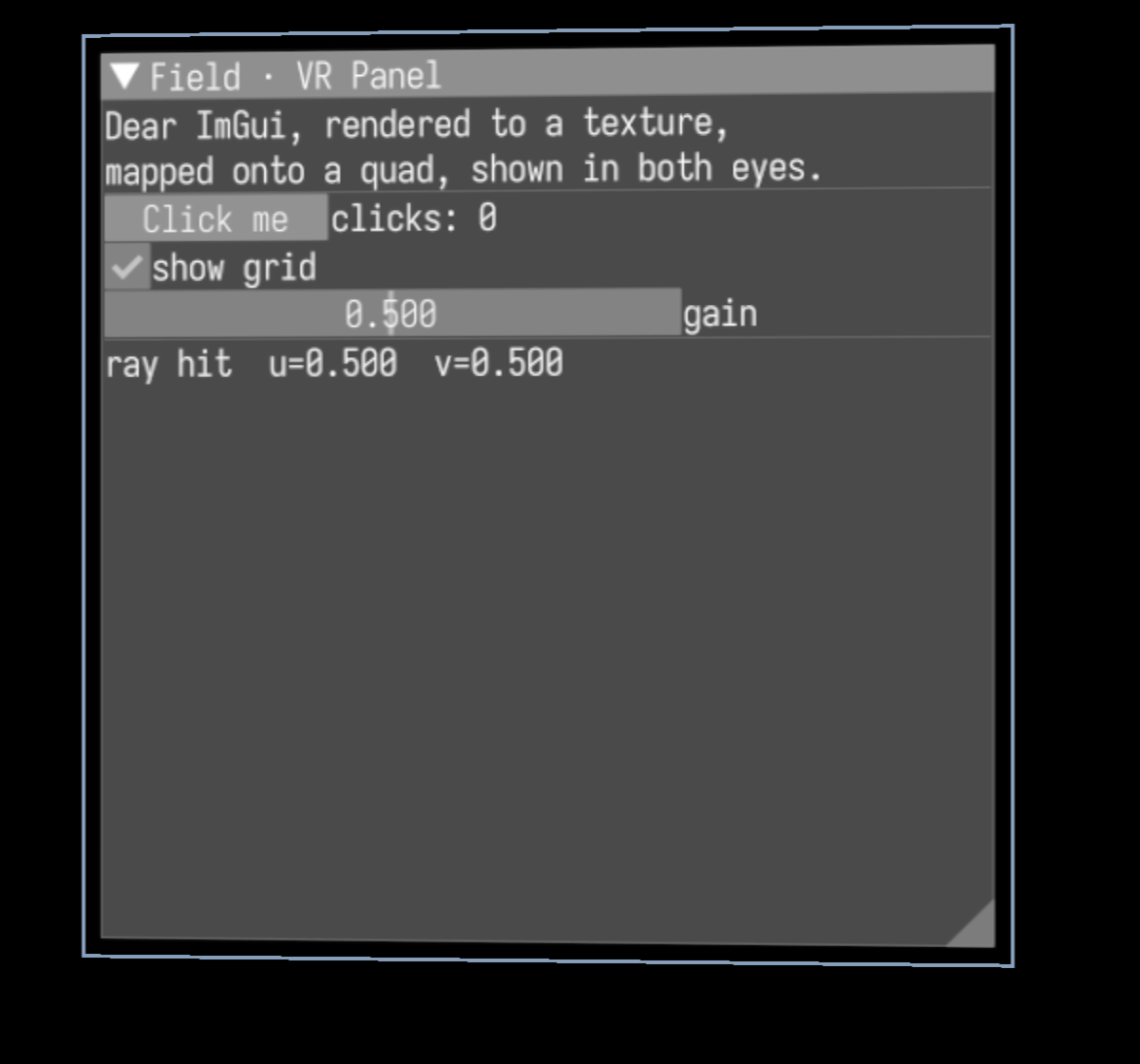
That is one eye of the running demo, cropped for legibility. The panel title, body text, Click me
button, show grid checkbox, gain slider, and the live ray hit u=0.500 v=0.500 readout are all
drawn by ImGui into a texture and sampled onto the quad.
Try it
Run the interactive desktop preview (move the mouse to aim the ray, left-click to press):
./gradlew runImGuiVrPanelDemoOr run the automated smoke, which builds the whole pipeline on a real Vulkan window and checks that a ray aimed at the panel centre lands exactly at its centre:
python3 tools/run_field_tests.py --id examples.four.imgui-vr-panel-smokeThe pipeline
The whole thing is one chain:
Dear ImGui frame
      │  drawn into
      ▼
render-to-texture (a 2048×2048 panel image)
      │  mapped onto
      ▼
a world-space quad, 1.5 m in front of your eyes
      │  rendered once per eye by the side-by-side stereo target
      ▼
one packed side-by-side image
      ├─ blitted to the desktop window (what you see without a headset)
      └─ copied into the OpenXR eye swapchains (what you see with one)
Because the quad is drawn once per eye, you get correct stereo depth: the panel sits at a distance in the scene rather than flat on the screen. Here is the full packed side-by-side frame, the same pixels a headset would show, one panel per eye:
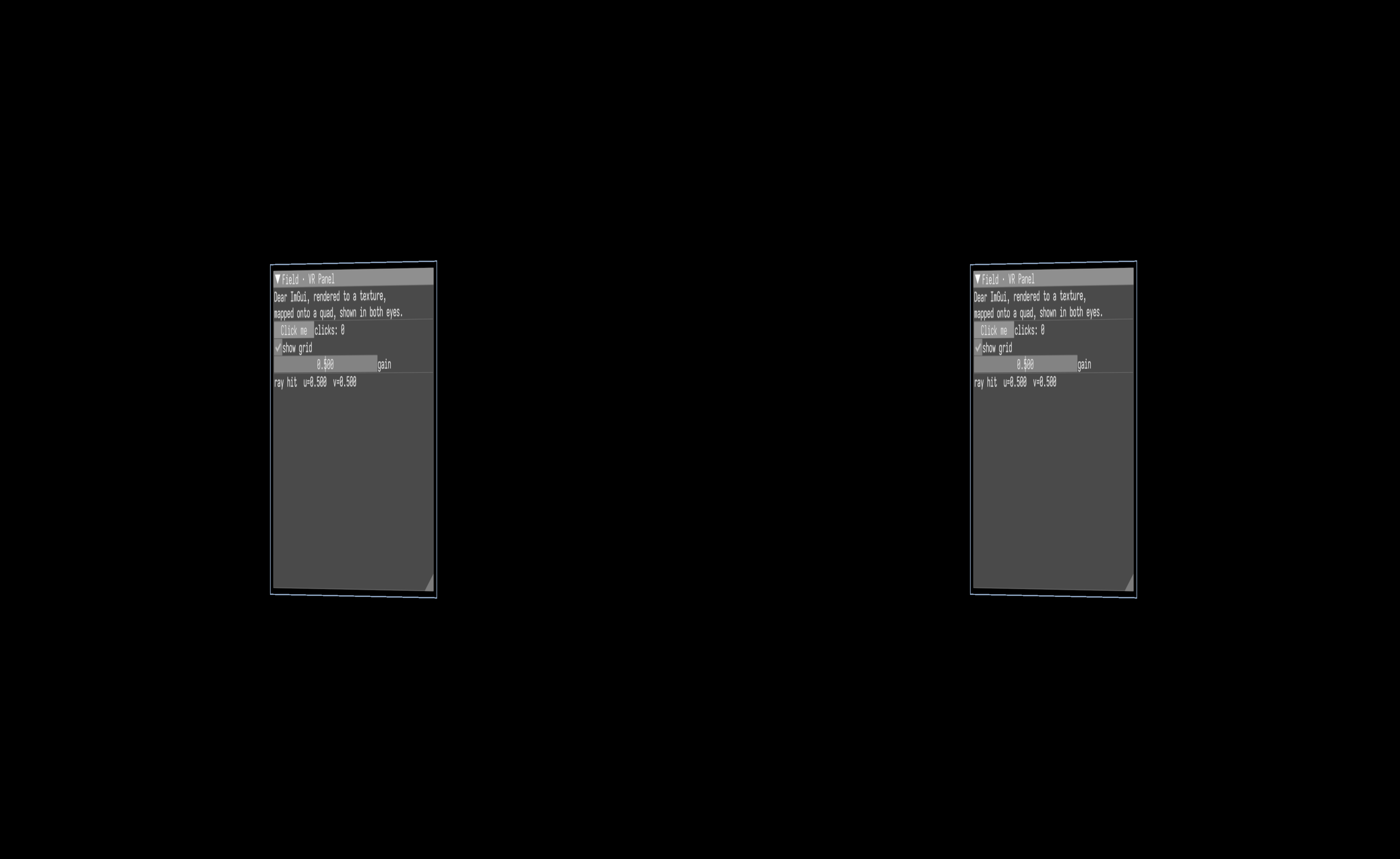
Each eye looks tall and narrow because the two eye views share the window's width, so each is horizontally squished by half; the headset (or the crop above) stretches it back out.
When using OpenXR, let Renderer.run() drive the frame loop. Field samples the current
predicted head and controller poses before rendering the stereo image, then submits that
image with the same poses and display time. Keep custom stereo rendering inside this loop
so the image and the headset's reprojection agree about where your head was.
Aiming and clicking
A controller ray drives the panel. Each frame Field:
- reads the controller pose (a real controller in XR; the mouse on the desktop),
- casts a ray from it and intersects it with the panel plane,
- converts the hit point into the panel's UV coordinates, and
- injects that UV into ImGui as the mouse position, with the trigger as the left button.
So hovering the ray over a button highlights it and pressing the trigger clicks it. When the ray misses the panel, the pointer is parked off-screen so nothing hovers.
If you build your own
Put the panel in the scene with panel.faceToward(position, eye): it turns the panel to face the
eye, upright, so the text reads correctly whichever way the camera looks. The demo places its panel
this way.
The developer-facing writeup (the ImGuiPanel helper API, the render-graph wiring, and the
capture gotchas) lives in dev_docs/imgui_vr_panel.md.