Patchy
Patchy is a layered painting editor. In Field it runs live inside a box's output panel, and your Kotlin code and AI4, Field's AI chat, can edit the same canvas you paint in by hand.
Patchy is optional and has to be built once. Choose Patchy layered painting editor in
./field.sh --setup (Windows: field.bat --setup) and approve its optional BUILD step, or
build it later with ./gradlew buildPatchyWeb (Building Patchy says what that
does). Field picks it up the next time it starts.
This box opens a painting kept in the Field document, gives AI4 tools to inspect, create, paint, and undo, then makes the first mark. Open the box's AI Chat panel and ask it to use the tools.
val p = patchyWeb(width = 900, height = 650, documentFile = "patchy.psd".file, autosave = true)

aiTool("patchy_state") {
    describe("Inspect the open painting and its document and layer IDs.")
    effects(ToolEffect.READ_DOCUMENT)
    action { p.state().toString() }
}

aiTool("patchy_new") {
    describe("Create a new layered painting. Return its document and first layer IDs.")
    effects(ToolEffect.CONTROL_RUNTIME, ToolEffect.MUTATE_DOCUMENT, ToolEffect.FILESYSTEM_WRITE)
    val width by param<Int>("canvas width in pixels", default = 640)
    val height by param<Int>("canvas height in pixels", default = 480)
    action {
        val doc = p.newDocument(width(), height())
        val layer = p.addLayer(doc, "AI marks")
        mapOf("documentId" to doc, "layerId" to layer)
    }
}

val rectangle = aiTool("patchy_rectangle") {
    describe("Paint a solid rectangle on an existing layer.")
    effects(ToolEffect.CONTROL_RUNTIME, ToolEffect.MUTATE_DOCUMENT, ToolEffect.FILESYSTEM_WRITE)
    val documentId by param<String>("document ID from patchy_state or patchy_new")
    val layerId by param<String>("layer ID from patchy_state or patchy_new")
    val x by param<Int>("left edge in pixels")
    val y by param<Int>("top edge in pixels")
    val width by param<Int>("rectangle width in pixels")
    val height by param<Int>("rectangle height in pixels")
    val color by param<String>("colour such as #202020")
    action {
        p.fillRect(documentId(), layerId(), x(), y(), width(), height(), color())
        "painted on ${layerId()}"
    }
}

aiTool("patchy_undo") {
    describe("Undo one edit in an open painting.")
    effects(ToolEffect.CONTROL_RUNTIME, ToolEffect.MUTATE_DOCUMENT, ToolEffect.FILESYSTEM_WRITE)
    val documentId by param<String>("document ID from patchy_state")
    action { p.undo(documentId()) }
}

go {
    if (p.state()["documents"].toString() == "[]") {
        val doc = p.newDocument(640, 480)
        val layer = p.addLayer(doc, "Kotlin ink")
        rectangle.call(
            "documentId" to doc,
            "layerId" to layer,
            "x" to 30,
            "y" to 30,
            "width" to 150,
            "height" to 80,
            "color" to "#202020",
        )
    }
    val title = p.script("patchy.setResult(app.activeDocument ? app.activeDocument.name : null);")
    println("Patchy painting ready: $title")
}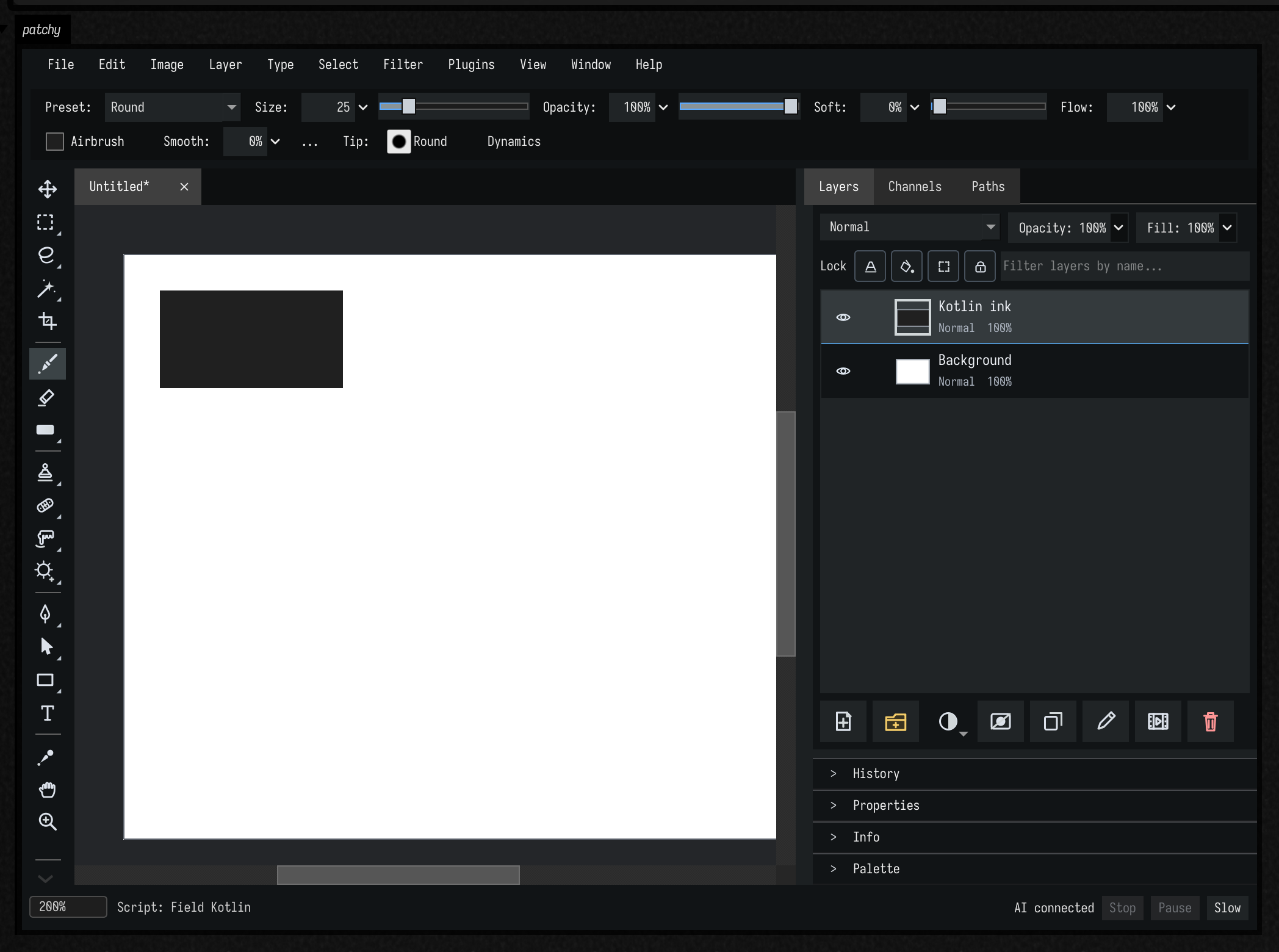
The tools run in the same live Patchy instance as the person painting. Re-running this box
replaces its AI4 tools; before a waiting tool call runs, Field loads the saved PSD back into the
editor. p.state()
reports the current documents, layers, and IDs, including edits made by hand. The four tools
above are box code: change their descriptions or add another operation as your painting evolves.
The final go { ... } makes the first mark when the box runs. Those Patchy calls wait for replies
from the iframe, so ordinary box code starts them in a coroutine. An AI tool's action { ... }
already supports suspend calls and needs no go wrapper.
Kotlin API
Every operation below is on the PatchyWebSession returned by patchyWeb(...). Its methods
are suspend functions, so call them inside go { ... }
or an aiTool { action { ... } }.
| Call | Result |
|---|---|
state() |
Live documents, layers, IDs, active document, and edit token as JSON. |
newDocument(width, height) |
Create a painting and return its document ID. |
addLayer(documentId, name) |
Add a paint layer and return its layer ID. |
fillRect(documentId, layerId, x, y, width, height, color) |
Paint a solid rectangle. |
undo(documentId), redo(documentId) |
Change one history step; return whether anything changed. |
script(code) |
Run Patchy's JavaScript API and return the value passed to patchy.setResult(value). |
script(...) is the route to Patchy operations beyond these Kotlin helpers: brush strokes,
selections, vector shapes, text, masks, filters, and other layer edits. The box above uses it to
read the active document's name. The visible iframe is the live view; this Kotlin session has no
separate preview snapshot method.
Patchy's scripting guide
describes the JavaScript objects and methods. Before each script call runs, Field
records which edit the painting is at; if you paint by hand in between, Patchy rejects the call
rather than overwriting your stroke.
p.connected reports whether the iframe is ready, and p.close() ends this Kotlin session;
stopping the box closes it automatically.
Saving in the Field document
"patchy.psd".file resolves to <document>/files/patchy.psd. With documentFile and
autosave = true, Field restores that PSD before Kotlin edits and writes changes after a short
idle period. The painting stays outside metadata.edn. A changed PSD on disk is reported as a
conflict in the output status line rather than silently overwritten. Patchy's own Save/Save As
still downloads through the browser.
patchyWeb() also accepts channel (the output panel name), width and height in pixels.
Without documentFile, the painting is only in the live browser session. Setting
autosave = false with a documentFile loads the PSD but does not write later edits to it.
Building Patchy
./gradlew buildPatchyWebThe task fetches a pinned upstream Patchy revision, applies Field's small bridge patch, and
builds the threaded WebAssembly editor. Its source, Qt and Emscripten toolchains, and finished
site are cached under ~/.field4/patchy-web/, outside the Field checkout. Expect several GB of
downloads and a long first build. Rebuilds reuse the cache. Field finds the finished site on its
next launch and serves it from /patchy/. The task is not part of Field's normal build.
To use a separately built site while developing, set AFIELD_PATCHY_WEB_ROOT to its directory
before starting Field. It must contain patchy.html, patchy.js, patchy.wasm, and patchy.data.