Lua in a Box
Lua is the scripting language inside monome norns, Renoise, Reaper, LÖVE and
Defold. Field runs it through LuaJIT, Mike Pall's implementation of Lua 5.1,
loaded straight into Field's own process. A Lua box can print, show HTML in its output, read and
write its own properties and other boxes', and draw lines, and a launched Lua box gets an
update(dt) every frame, the way a LÖVE game or a norns script does.
Installing LuaJIT
Field does not ship LuaJIT. On a Mac:
brew install luajitOn Debian or Ubuntu, apt install libluajit-5.1-2. Field looks in Homebrew's and the usual Linux
library directories; AFIELD_LUA_LIBRARY (or -Dafield.lua.library) points it anywhere else. Until
it is installed, a Lua box says so and says how to install it, and the rest of Field does not notice.
Making a Lua box
Set a box's Main Language to Lua (the command palette's Set Main Language: Lua) and the boxes
connected under it are Lua boxes. The root itself stays Kotlin. Run a Lua box the way you run any
other box: the whole box, or a selection. A selection that is a single expression is shown with its
value, so selecting x * 2 and running it answers 84.
local greeting = "hello from " .. field.version
print(greeting)
x = 6 * 7
print("x is", x)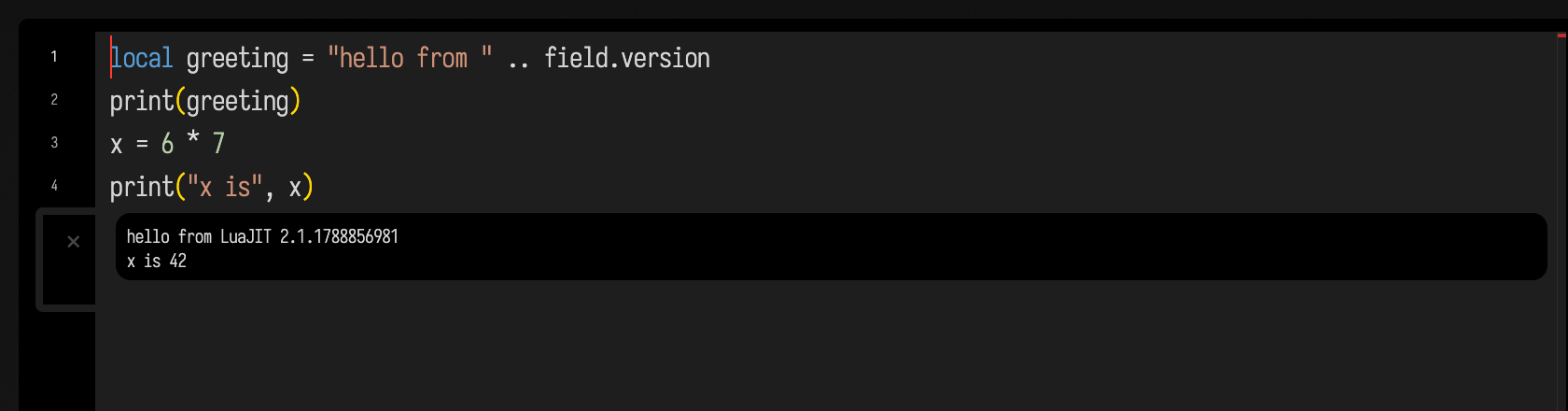
Each Lua box has a Lua of its own, made the first time it runs and kept until the box is deleted or stops being a Lua box. Globals survive from one run to the next, so a box can define a function in one run and call it from a selected line in the next. Two Lua boxes never share globals.
What a Lua box can reach
box (also field.box) is the box the code is in. Its properties are read and written by name, a missing one is read
from the nearest parent that has it, the way Field's inherited properties are, and box.children
and box.parents are lists of boxes. field.named(name) finds another box in the document.
box.counter = (box.counter or 0) + 1
print("this is", tostring(box), "run", box.counter)
print("my frame is", box.frame.w, "wide")
for _, parent in ipairs(box.parents) do print("a parent:", parent.name) end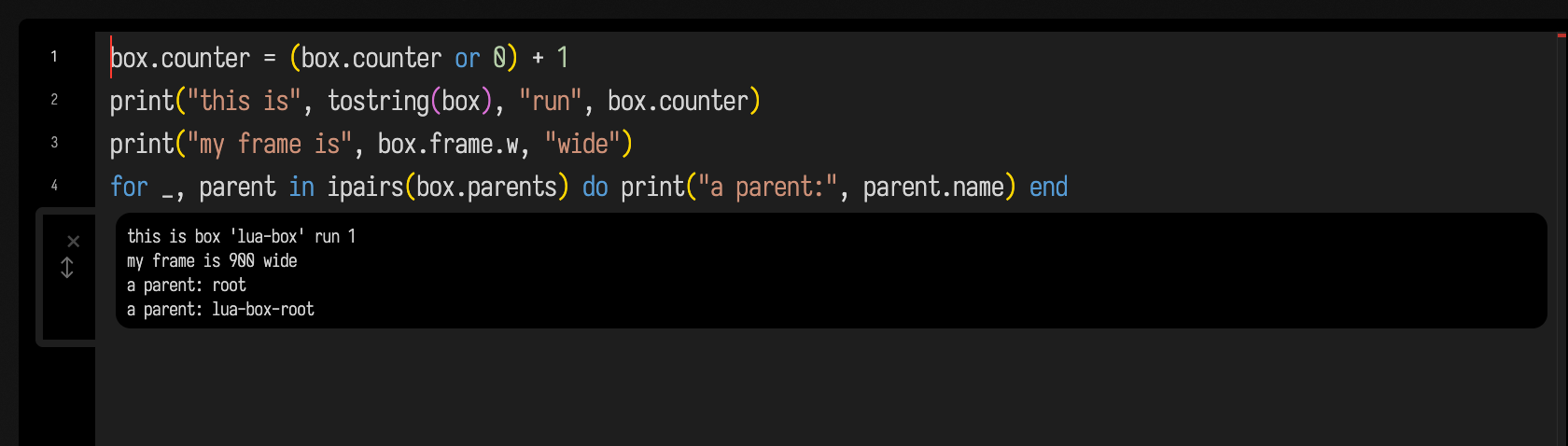
Values cross as plain data: Lua numbers, strings and booleans become Kotlin Double, String and
Boolean, a table with keys 1..n becomes a list, any other table a map, and box.frame is a table
with x, y, w and h. A box stored in a property, box.friend = field.named("drums"), is the
box itself on the Kotlin side, and a Lua function stored in one comes back as that function. Any other
Kotlin value, a Vec3 or an FLine, arrives in Lua as its text: a Kotlin vec(1.0, 2.0, 3.0) reads
as the string "(1.0, 2.0, 3.0)". Assigning nil removes a property. children, parents, id and
code_language are read-only; writing one is an error on that line.
print writes to the box's output, with its arguments separated by tabs as Lua's own print does,
and display(channel, html) puts HTML into one of the box's output panels; display(html) alone
uses the panel called output. field.describe(value) gives a value back as a line note shows it
({1, 2, 3}, a table of 5 entries), and field.clock() is wall-clock seconds, for timing.
Drawing
line() starts a line and its methods add to it: moveTo, lineTo, cubicTo, close, rect,
circle, and color(r, g, b, a), width(w), fill() and stroke(false) for its style. Each returns the line, so they
chain. line{{x, y}, …} is a polyline through those points. lines(...) draws any number of them in
the box's lines panel, and a table at the end sets its size (w, h), another panel
(channel = "sketch"), or fit = true to scale the drawing to that size.
local shapes = {}
for k = 0, 23 do
  local a = k * math.pi / 12
  local r = (k % 2 == 0) and 130 or 80
  shapes[#shapes + 1] = line()
    :moveTo(200, 150)
    :lineTo(200 + r * math.cos(a), 150 + r * math.sin(a))
    :color(k / 23, 0.45, 1 - k / 23)
    :width(3)
end
shapes[#shapes + 1] = line():circle(200, 150, 42):color(1, 0.8, 0.2, 0.9):fill()
shapes[#shapes + 1] = line():rect(20, 20, 360, 260):color(0.6, 0.6, 0.6):width(1)
lines(shapes, {w = 400, h = 300})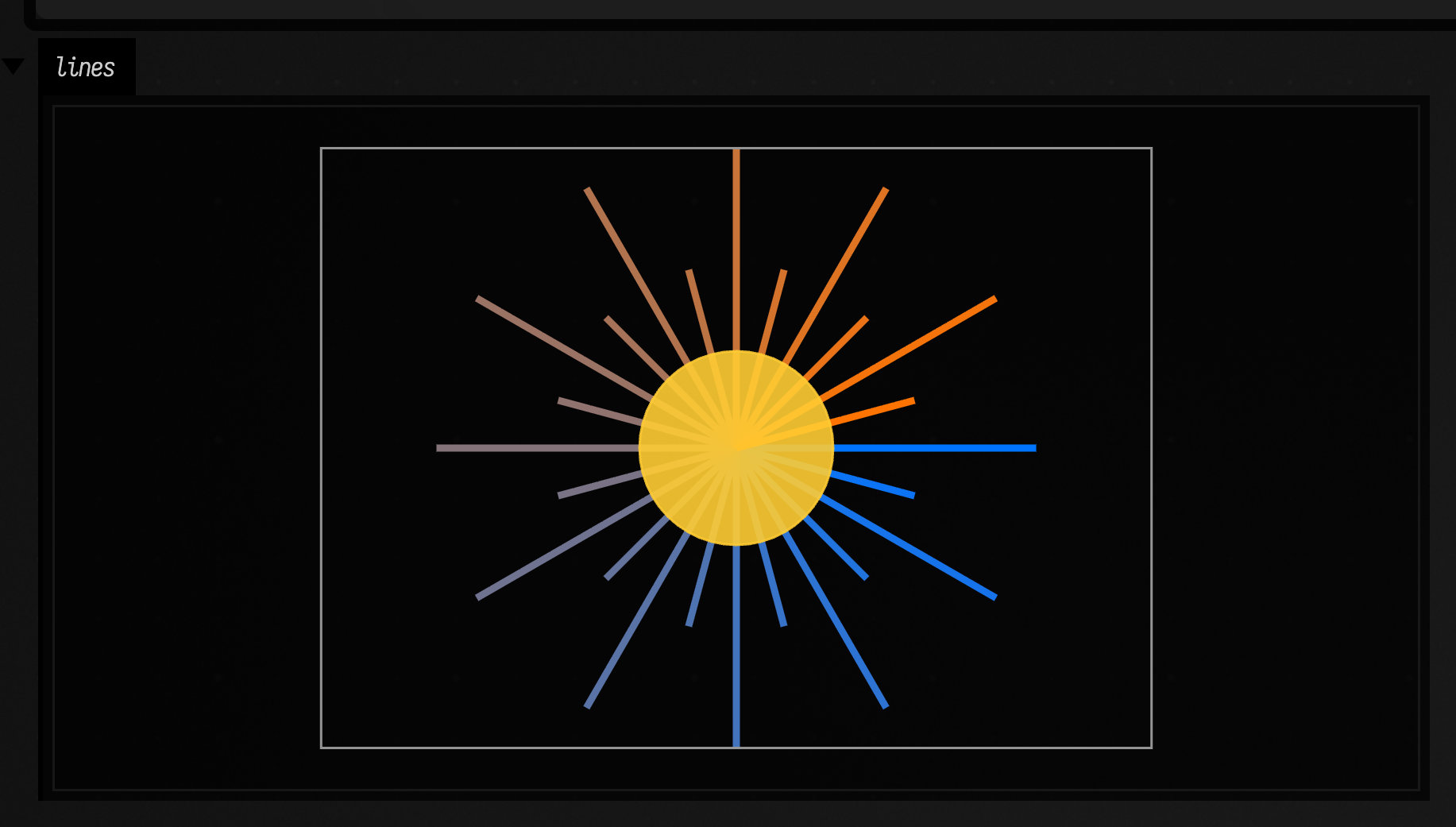
As in all of Field's 2D output, y grows downwards.
Every frame: update, spawn and wait
Launch a Lua box, rather than running it, and after the chunk has run Field calls its global
update(dt) once a frame, with the seconds since the last one, until the box is stopped. This draws a
travelling wave:
local t = 0
function update(dt)
  t = t + dt
  local l = line()
  for i = 0, 100 do
    local x, y = i * 4, 100 + 60 * math.sin(i / 8 + t * 3)
    if i == 0 then l:moveTo(x, y) else l:lineTo(x, y) end
  end
  lines(l:color(0.3, 0.8, 1):width(2), {w = 400, h = 200})
end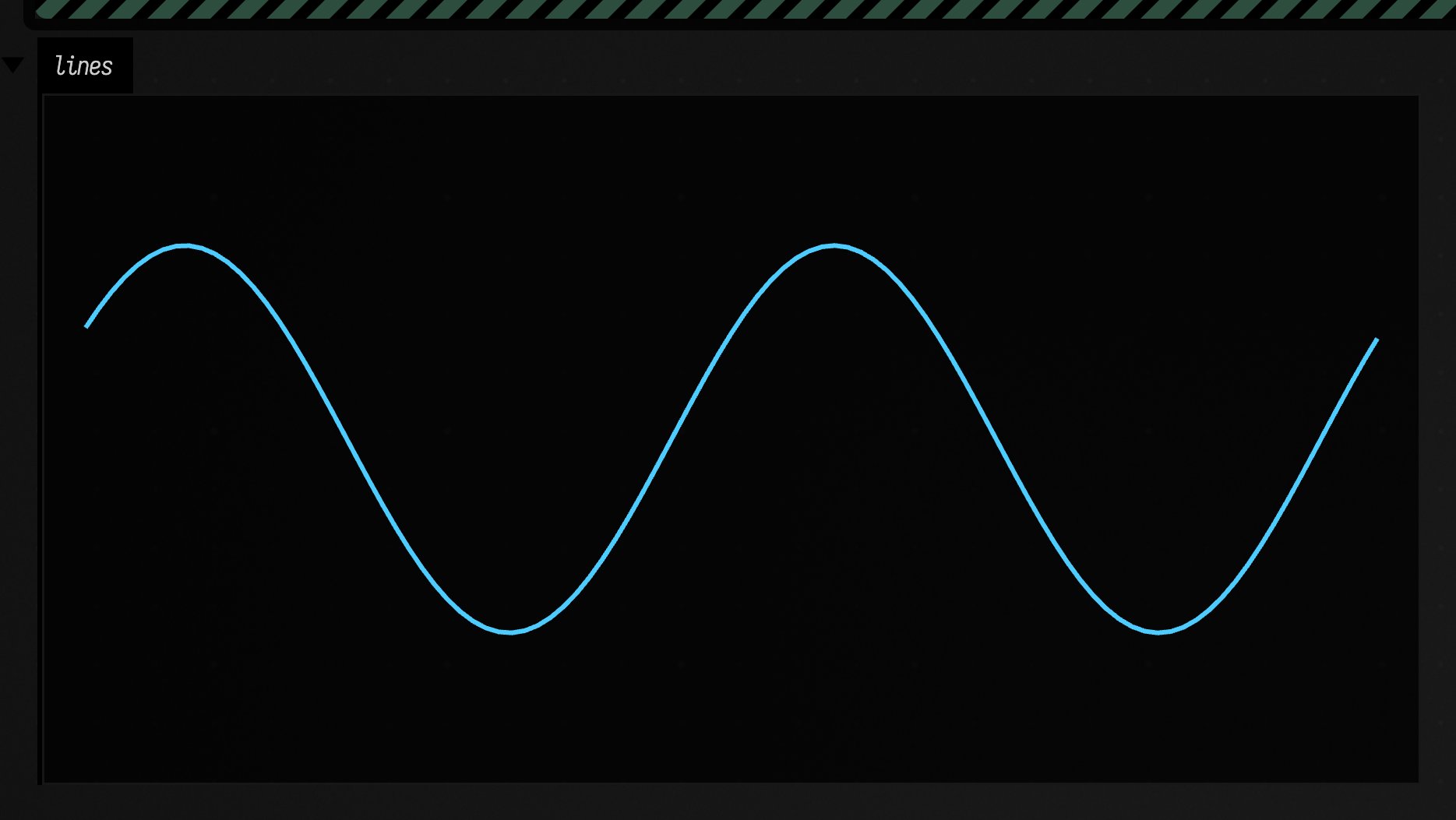
spawn(fn) runs a function as a coroutine alongside update, resumed once a frame, and wait(s)
inside it pauses it for that many seconds, or a single frame when s is left out. Arguments after
the function, spawn(fn, a, b), are passed to it. A launched box with
no update stops by itself when its last spawned function returns.
spawn(function()
  for i = 1, 4 do
    print("tick", i, "frame", field.frame())
    wait(0.5)
  end
  print("done")
end)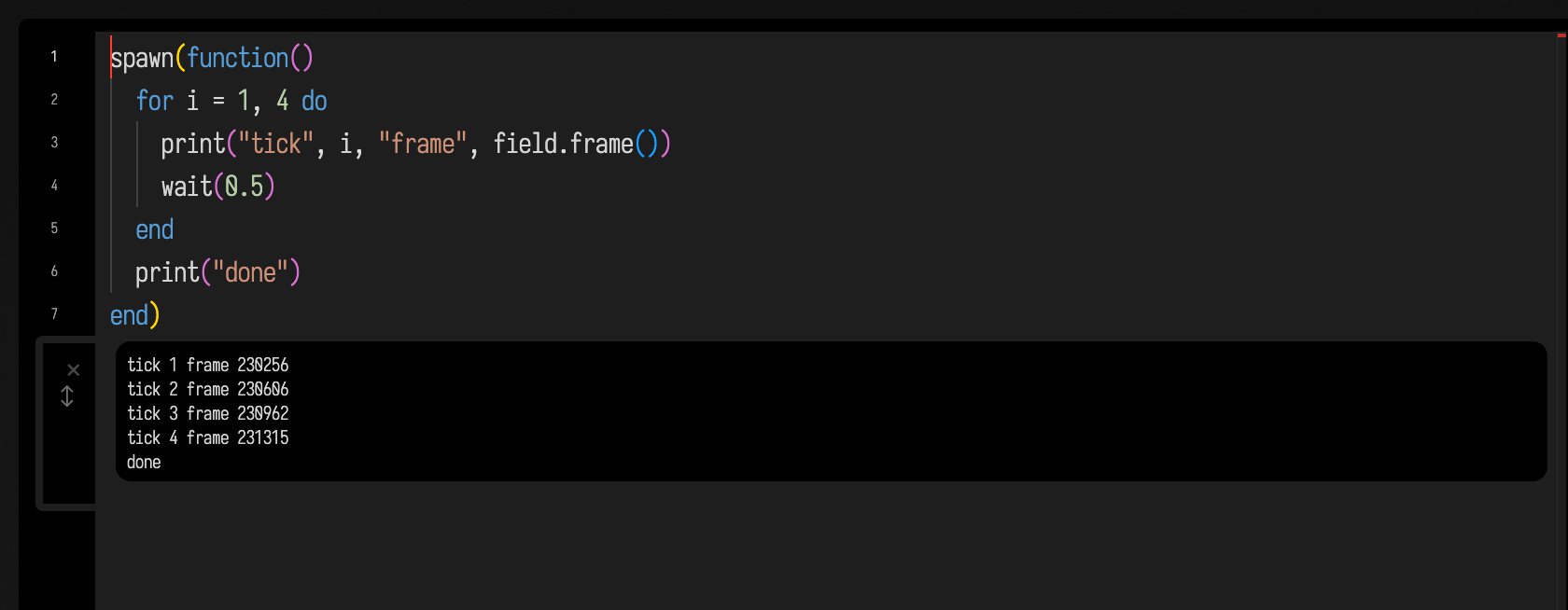
Running (rather than launching) a box that defines update or spawns a function says it needs a
launch. Stopping the box ends update and drops its spawned functions, but its globals stay.
Sliders
slider(label, min, max, initial, fn) puts a slider in the box's controls panel and calls fn
with its value each time it moves; it returns initial, so the first drawing and every later one can
go through the same function. checkbox(label, initial, fn) is the same for a checkbox. The callback
runs in the box's Lua, on Field's main thread, under the frame budget. Leaving out initial starts
a slider halfway between min and max and a checkbox unchecked.
local function draw(r)
  local frame = line():rect(0, 0, 300, 200):color(0.5, 0.5, 0.5):width(1)
  lines(frame, line():circle(150, 100, r):color(1, 0.5, 0.2):fill(), {w = 300, h = 200})
end
draw(slider("radius", 5, 90, 40, draw))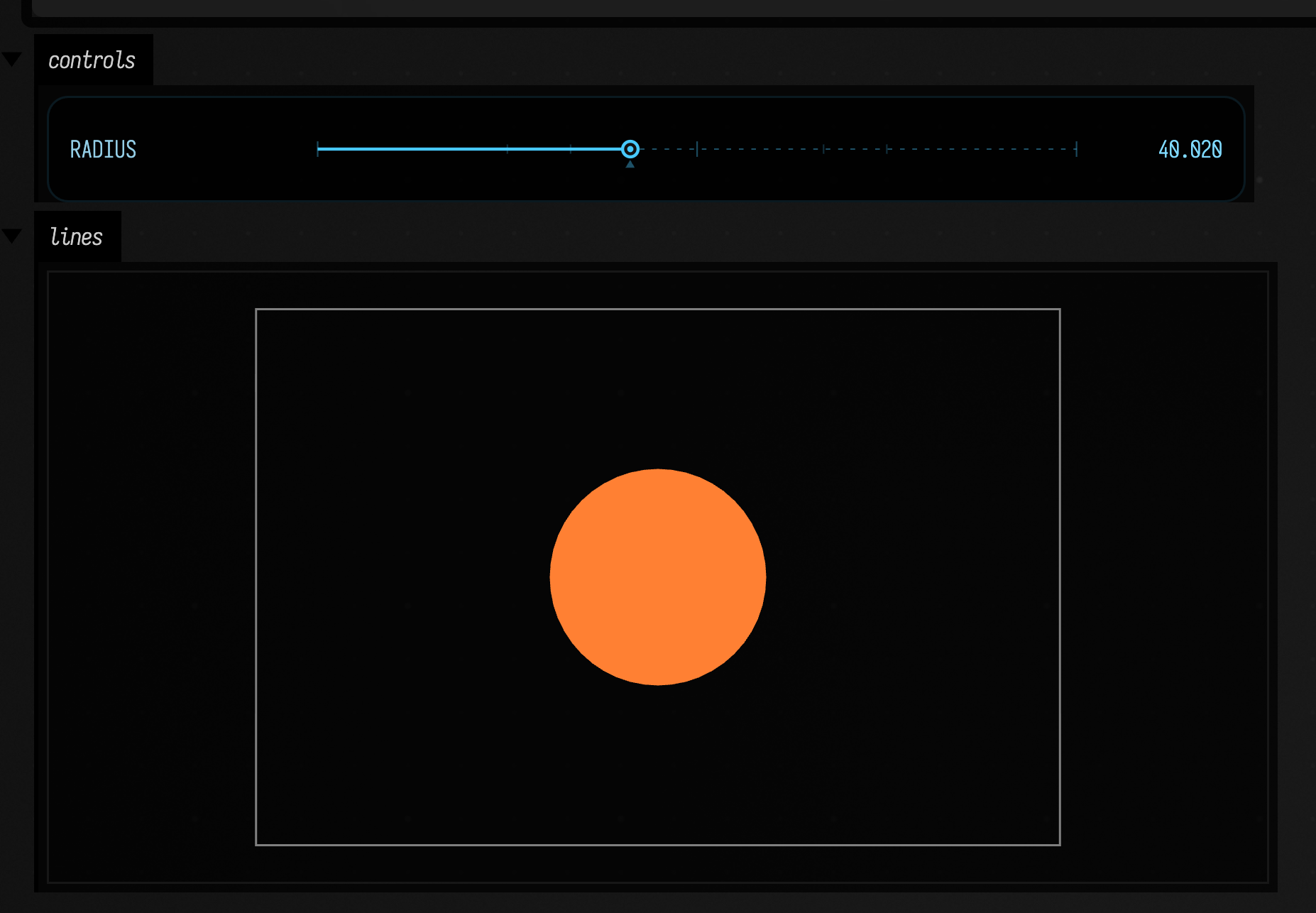
Sound
A Lua box can decide the notes and let Field's pattern voice play them, much as a norns script
sends notes to its engine. A sequence is a list: a number is a MIDI note, false
or "~" a rest, and a nested list a step divided ({60, {64, 67}, false, 72}). A string is taken as
mini-notation as it stands.
play(sequence, options) loops it through the same voice a Kotlin box's patSynth(pat(…)) uses,
until the box stops or plays something else, and returns whether an audio device is open; hush()
stops it. field.render(sequence, options)
renders the same voice offline, shows it as a player in the box's sound panel, and returns what it
measured: frames, seconds, peak, rms, and crossings, the upward zero crossings a second.
Both take cps (cycles a second, 1 unless given), wave (sine, saw, square, triangle,
noise), attack, decay, sustain and gain, and field.render also cycles, a wav path to
write, channel for another panel and show = false to measure without showing a player.
local scale = {0, 3, 5, 7, 10}
local notes = {}
for i = 1, 8 do notes[i] = 57 + scale[(i * 3) % #scale + 1] + (i % 4 == 0 and 12 or 0) end
local heard = field.render(notes, {cps = 0.5, wave = "triangle", decay = 0.3})
print(string.format("%s: %.0f s, peak %.2f, rms %.3f", field.mini(notes), heard.seconds, heard.peak, heard.rms))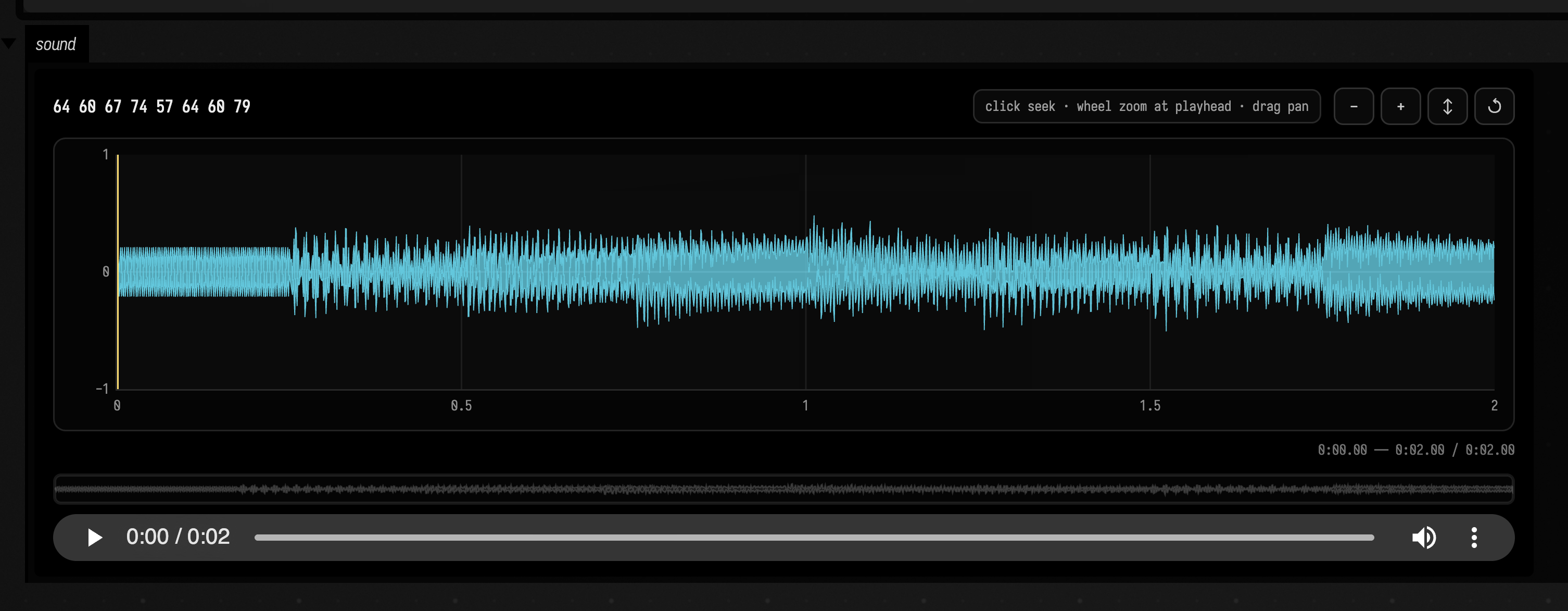
crossings is a quick check that the voice played the pitches you asked for: MIDI 60 rendered with
wave = "sine" crosses zero about 260 times a second.
Errors
An error is marked on the line it happened on, after whatever the run printed first:
local t = {}
print("before the error")
print(t.missing.field)
print("never printed")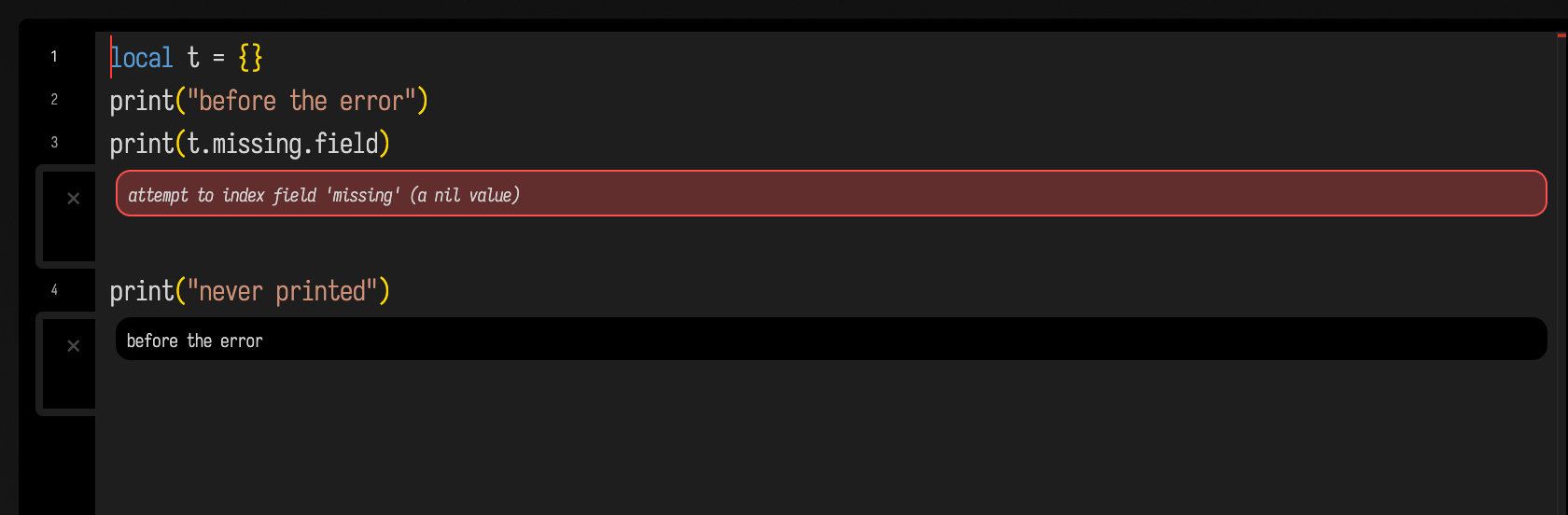
A run that is still going after field.budget seconds (5 unless the box sets it) is stopped with an
error on the line it had reached, and so is one frame of update that takes longer than
field.frameBudget (1 second). Box code runs on Field's main thread, so without this a loop that
never ends would freeze Field until it was killed.
field.budget = 1
local n = 0
while true do n = n + 1 end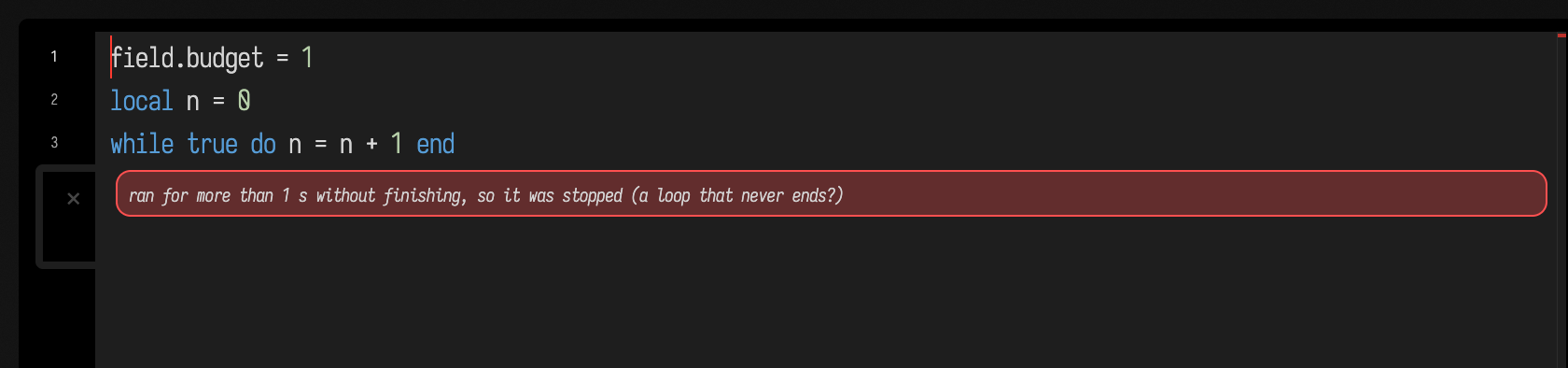
The JIT starts off
LuaJIT's speed comes from compiling hot loops to machine code, and compiled code never calls the hook
that notices a run has gone on too long. So in a Lua box the compiler starts off, and the
interpreter, which LuaJIT also makes fast, runs everything. jit.on() turns the compiler on for that
box's Lua, for code you trust to finish: a loop that never ends, once compiled, cannot be stopped.
local function work(n) local s = 0 for i = 1, n do s = s + i % 7 end return s end
local t0 = os.clock(); work(3e7); local interpreted = os.clock() - t0
jit.on()
t0 = os.clock(); work(3e7); local compiled = os.clock() - t0
jit.off()
print(string.format("interpreted %.3f s, compiled %.3f s: %.0fx", interpreted, compiled, interpreted / compiled))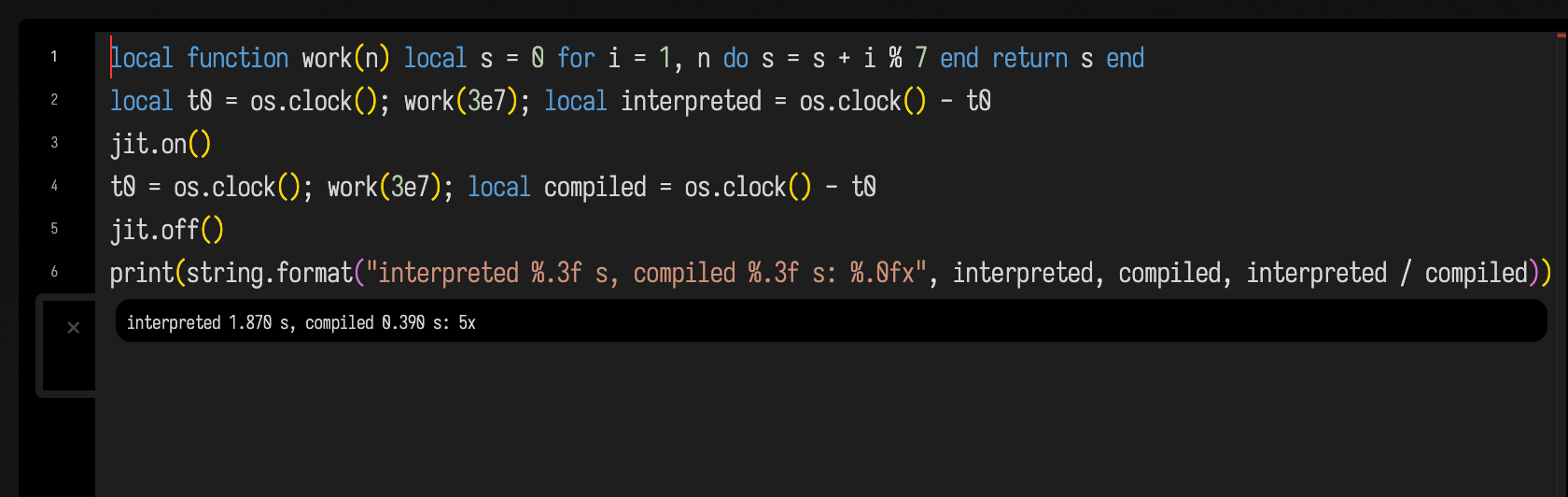
Line notes
Rest the cursor on a line of a Lua box that has run and its line note
says what the line came to on the last run: the value of each name it assigned (x = 42), how many
times it ran when that was more than once, defined twice for a function, where a failed run stopped,
and which lines it never reached. Recording costs something for each line the top level runs, up to a
limit, after which the run goes on unwatched. AFIELD_LUA_LINE_NOTES=0 in Field's environment turns
it off.
Completion
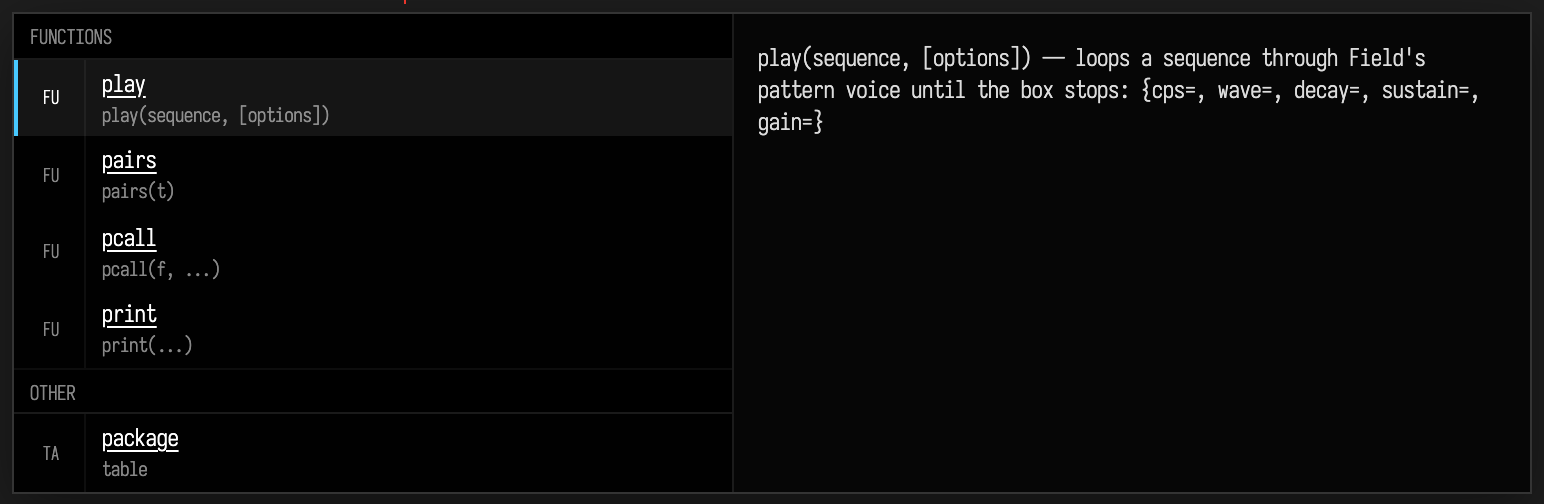
Completion offers Lua's keywords and the globals the box's Lua has defined, the members of a table
after name. (so string. lists the string library and field. Field's own), a line's methods, and
after box. the box's properties. A library function comes with its signature under its name and a
line on what it does in the panel beside, for Lua 5.1, LuaJIT and the functions Field adds. Here the
popup is open on p inside a loop, where Field's play sits beside Lua's own pairs, pcall and print:
The demo scene
Everything on this page is also in one Field document: a Kotlin root, the Lua boxes from this page and a Kotlin box that reads their line notes. Browse it here, read-only, box by box. To run it, open lua_demo from the welcome screen's starting points.
Limits
LuaJIT's own ffi library is present, but nothing on this page is built on it. require searches
LuaJIT's usual package.path (./?.lua, then Homebrew's and /usr/local/share/lua/5.1/), so a
pure-Lua module installed there loads. A Lua box reaches only
what Field's
Lua prelude
defines, so its sound goes through the pattern voice
rather than a DSP graph of its own.