Aperture playground
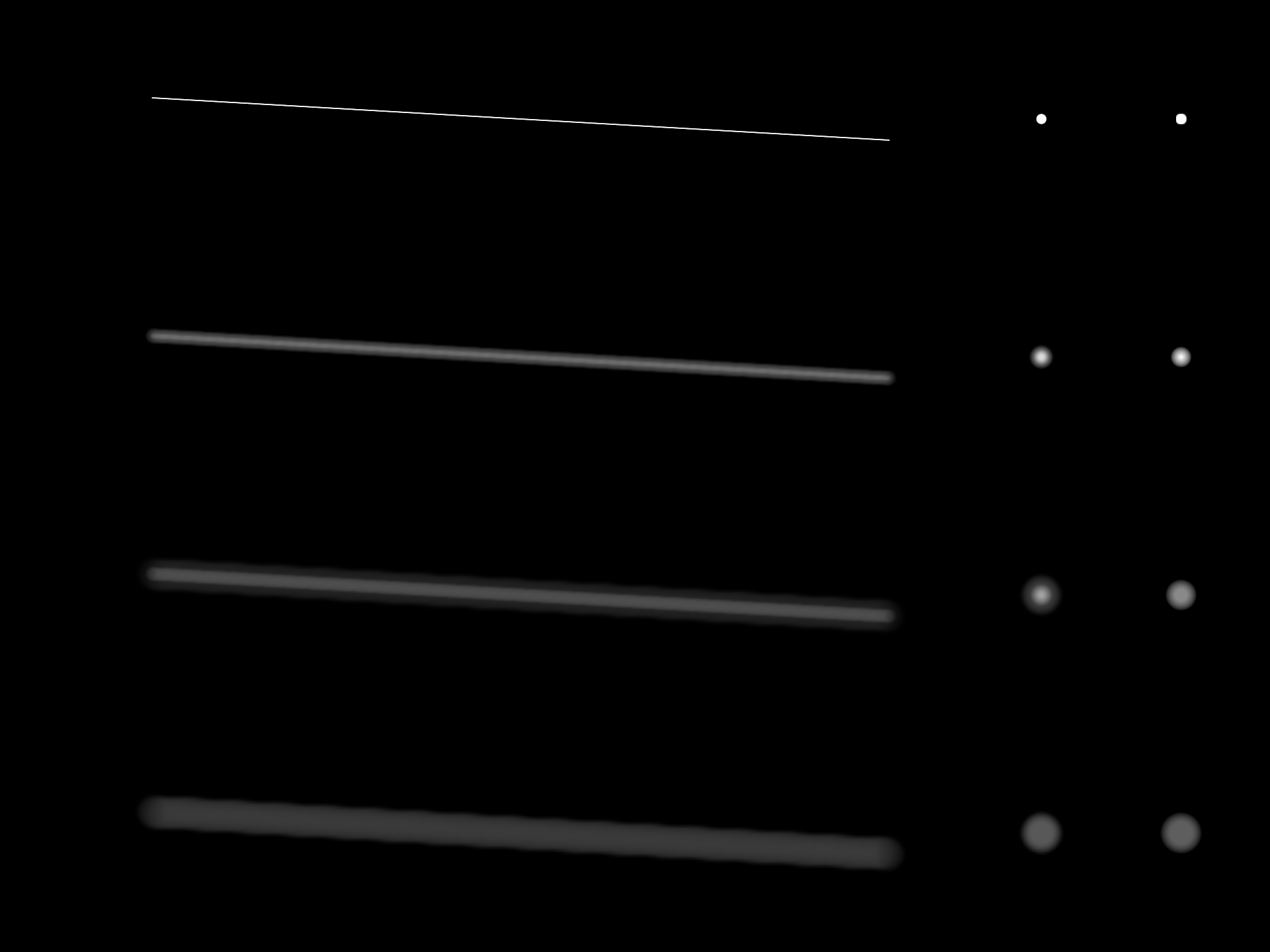
Defocus spreads light over an aperture-shaped footprint. A thin line should become wider and dimmer as it loses focus; decreasing its alpha alone leaves a dim, sharp line. This starting point is a set of render passes you can edit to see the difference.
Open aperture_playground from the welcome screen, or browse its boxes and shaders. To start the whole graph, hold Shift–Alt and drag a short launch stroke through 1. Renderer. The stroke launches the renderer and then its descendants, in order. Use Stop Box (Alt–Down in the renderer's editor) to stop. Repeat the same Shift–Alt stroke to rebuild and restart the passes, preserving your shader edits.
You can also launch the renderer alone, then execute boxes 2–8 in number order.
The shaders are ordinary shader properties: edit and reload them as you would in any box. Change a
texture's size and execute its box again, and the passes that read the texture are rebuilt with it,
in order: each texture is a propDown slot.
What each box owns
| Box | Owns | Try changing |
|---|---|---|
| 1. Renderer | Window and renderer | Window size |
| 2. Source RTT | RGBA16F source and one shader pair | mesh.look radius and energy; line and disc shapes |
| 3–4. Reductions | One shader pair and one reduced texture each | Sampling footprint |
| 5. Medium aperture | One shader pair and a filtered texture | Disc sampling and weights |
| 6. Broad aperture | One shader pair and a filtered texture | Aperture shape or sampling pattern |
| 7. Composite | One shader pair | Sharp source, defocused result, or guide display |
| 8. Analytic sprites | One shader pair | Disc/aperture overlap and sprite radius |
The reduction boxes nest inside the source box when it runs. All the wiring is in the document, so every shader stage is a box you can open.
The four RGBA channels store four independent light bands, corresponding to radii 0, 4, 10 and 24 framebuffer pixels. A source with an intermediate blur radius distributes its energy between neighbouring bands. Half-resolution and quarter-resolution reductions make the larger footprints affordable. Circular filters spread each band, and the final pass adds them. Alpha carries the broadest band, so intermediate blending is disabled.
The rows increase defocus from top to bottom. The right-hand column evaluates circular
sprite/aperture overlap directly, alongside the RTT result. Use it to compare thin-line
and point behaviour. In Composite, controls.x sets exposure; controls.y chooses 0 for filtered output, 1 for the
sharp source, or 2 for the radius guide. The filters preserve integrated energy approximately,
so a very broad line can become faint. Increase source energy separately to inspect it.
The four bands approximate defocus for additive light. There is no depth buffer, so the passes do not handle one layer occluding another. For a scene with opaque depth layers, keep those layers separate or introduce depth-aware compositing. Radius is measured in framebuffer pixels and must be reconsidered when rendering at a different resolution.
See also: the render-to-texture and blur lessons, which introduce the APIs these boxes use, and frame budgets for timing the CPU side. The renderer inspector shows the render passes themselves.