StackSL examples
uv fbm palette saturate is a complete StackSL program: four words, lowered to GLSL. Assign that string to a shader module's slot while the window is up and the picture changes without a teardown. That is the shape the language is built around: short enough to type into something already running, and forgiving enough that a mutation makes a strange image rather than a compile error.
Each section below puts a short program next to the image or clip it renders. The words, their stack signatures and the arity conventions are in the StackSL cheatsheet; driving the language from Kotlin and mutating it under a search loop come at the end.
To write StackSL in conversation with AI4, with the program running live in a window and tools that check and record each change, see Talking a shader into existence.
Every stack value is a vec4. Numbers become vec4(n), swizzles repack into vec4, and most operators work component-wise. In a Field box the program text lives in the stackSL property, saved beside the document as a .stacksl file.
Rendered gallery
Each program below runs in a fullscreen fragment shader that passes it
vec4(uv, hash, time), and the image is what the same program shows in a
window. Every program is a box in one Field document, the
stacksl_gallery starting point, which you can browse
here: each box holds the StackSL, a fullscreen fragment and vertex, and the
code that binds module.program = stackSL.
Normalized coordinates — the initial stack value, clamped.
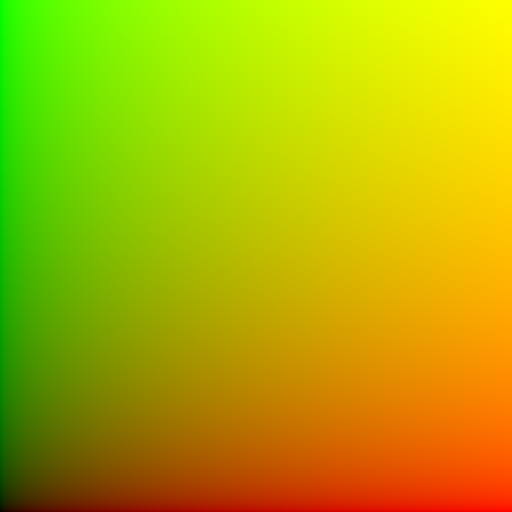
uv saturateFBM into a cosine palette — distort coordinates, make a scalar field, color it.
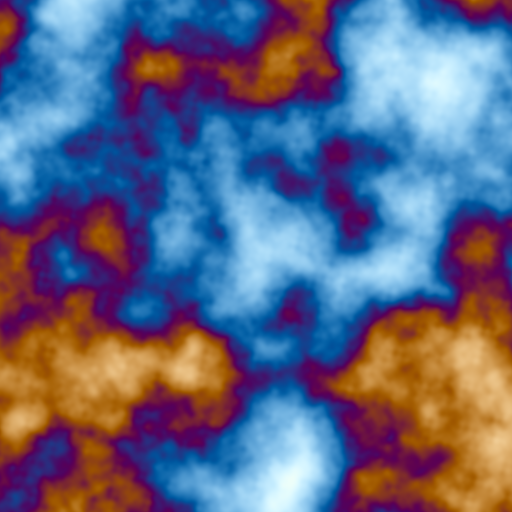
uv 5.0 *
time 0.12 *
+
fbm
palette
saturate
Centered soft ring — pulse around a radius.

p length 0.5 0.08 pulse white *Kaleidoscope and twist — domain transforms stacked before the field.
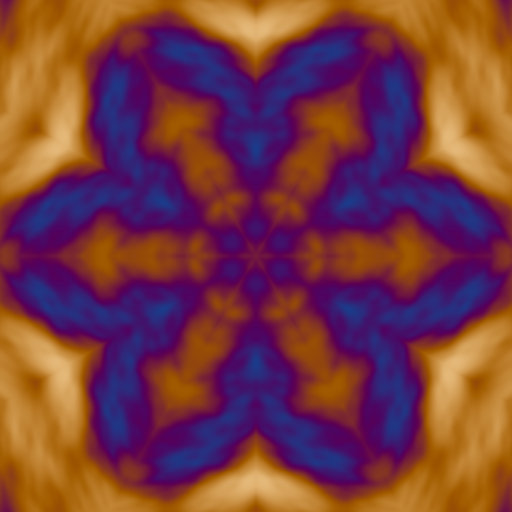
p 6 kaleido
1.7 twist
3.0 *
fbm
palette
saturate
Polar warp through a sigmoid — rotate in polar space, then shape.

p polar
dup y 0.2t + >y
cart
fbm
sigmoid
palette
Ramp, posterize, bias — quantized shaping.
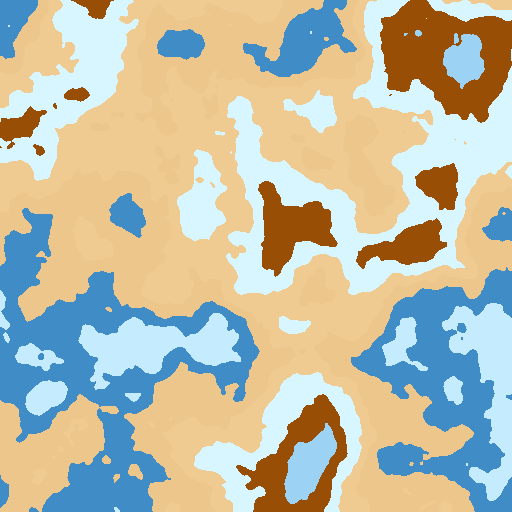
uv 5 * fbm
0.2 0.8 ramp
6 posterize
0.62 bias
palette
Frequency modulation — a compact phase modulator.
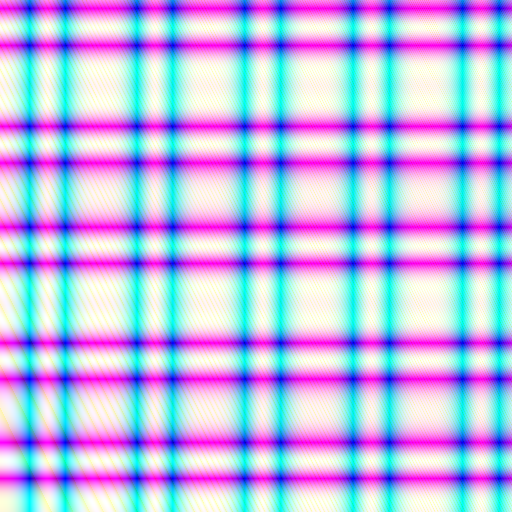
uv 14.0 * time +
fm
palette
Reusable definitions — warp and field become prefixed GLSL functions.
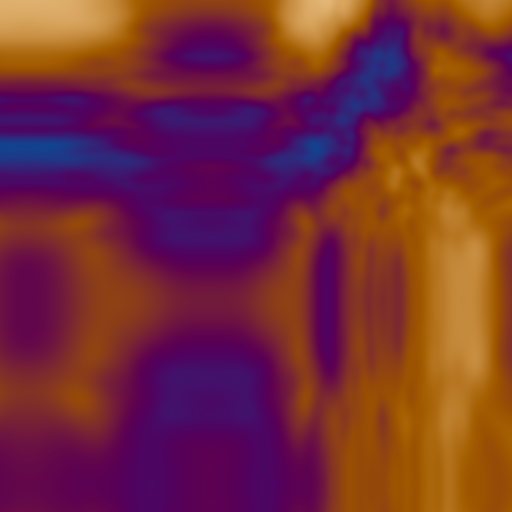
: warp
  drop uv 6.0 * time + sin
  0.35 *
  uv +
;

: field
  warp fbm
;

field palette saturate
One subroutine, two coordinates — call ridge twice and blend.
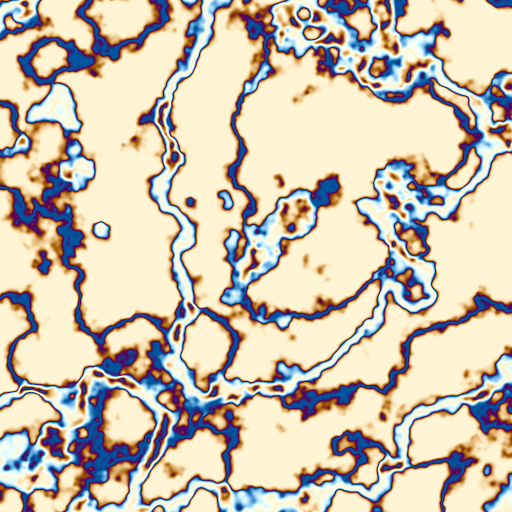
: ridge
  fbm 0.45 0.08 pulse
;

p 5.0 * 0.2t + ridge
p 7.0 * 0.13t - ridge
0.5 * +
palette
Perturb lightness in OKLab — do the math in a perceptual space, return to RGB.
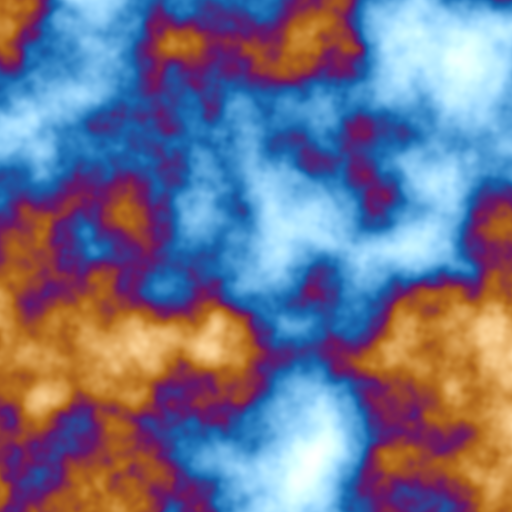
uv 5.0 * fbm palette
rgb2oklab
time sin 0.05 * 0 0 0 vec4
add
oklab2rgb
saturate
RYB paint mixing — treat the value as red/yellow/blue and convert.

uv 0.5 + ryb saturateExplicit color grade — lift/gain/gamma over an FBM palette.
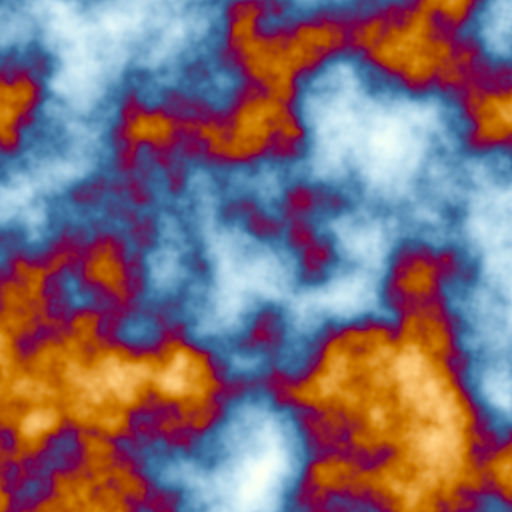
uv 6.0 * fbm palette
0.02 0.00 -0.01 0.0 vec4
1.15 1.05 0.95 1.0 vec4
0.85 0.95 1.10 1.0 vec4
grade
saturate
Directional phasor noise — phacelle builds oriented cellular structure.
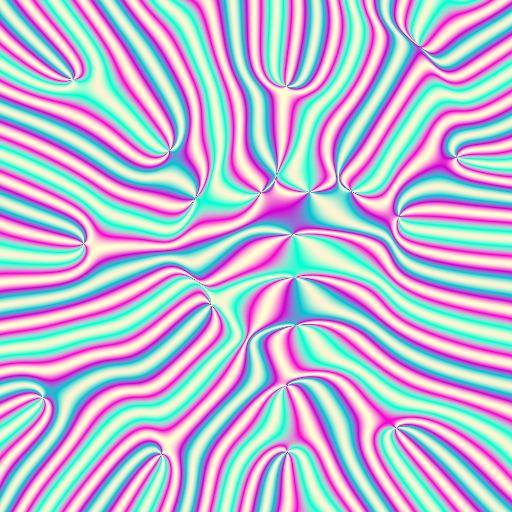
p 40 * phacelle palette saturateRadial standing waves — a wave modifier driven by radius.

p ]wr14 palette saturateMirrored tiling — mirror folds coordinates into a symmetric weave.
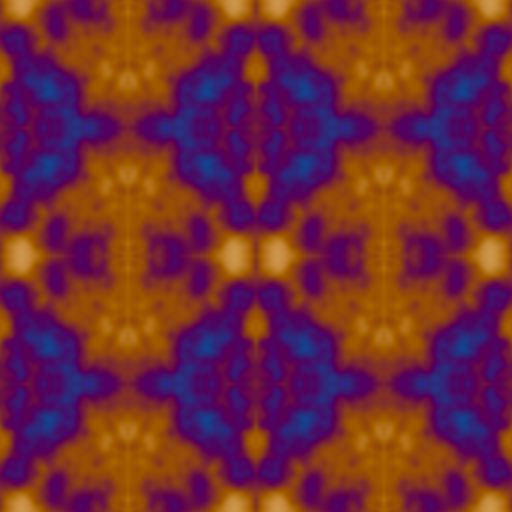
uv 4 * mirror fbm palette saturateTiled repetition — tile wraps coordinates into a repeating grid.
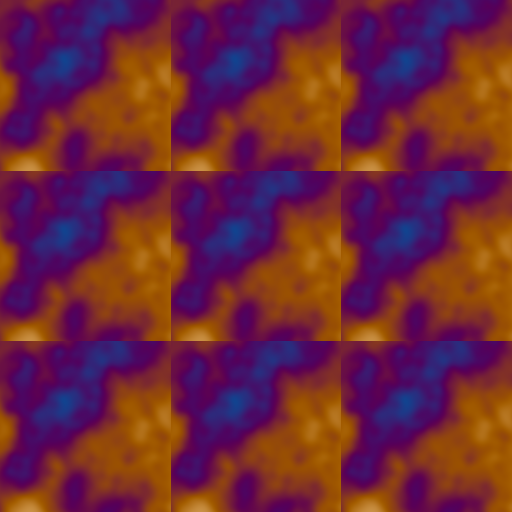
uv 3 tile fbm palette saturateHard threshold mask — a two-tone cut of the noise field.
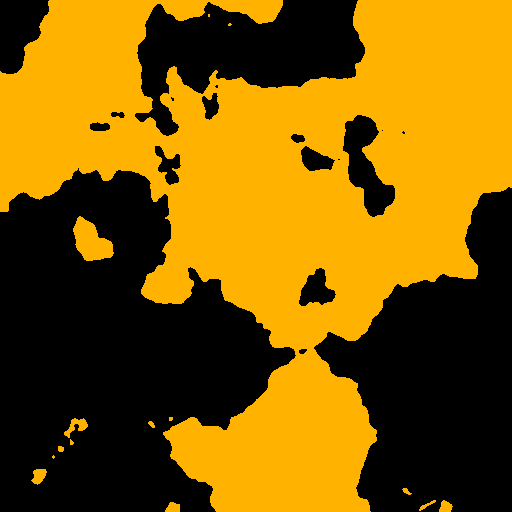
uv 5 * fbm 0.45 threshold orange * saturateCustom cosine palette — supply t a b c d for your own color scheme.
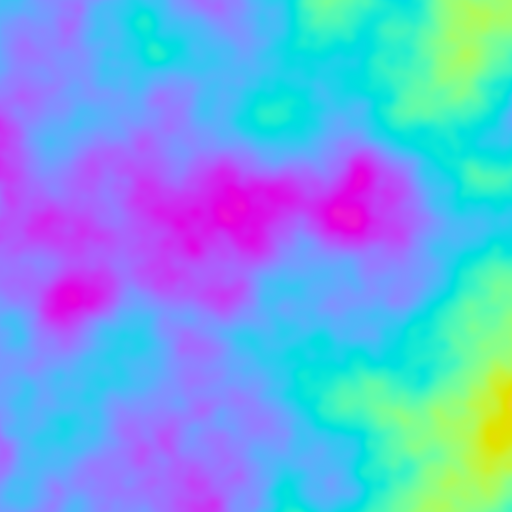
uv 3 * fbm
0.5 0.5 0.5 1 vec4
0.5 0.5 0.5 1 vec4
1.0 1.0 1.0 1 vec4
0.0 0.33 0.67 1 vec4
palette
Sigmoid contrast — push the field through a logistic S-curve.
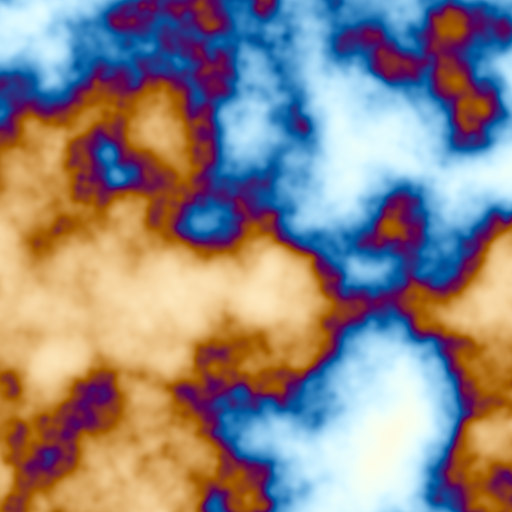
uv 4 * fbm 8 sigmoid palette saturateTwisted swirl — rotate coordinates by radius before the field.
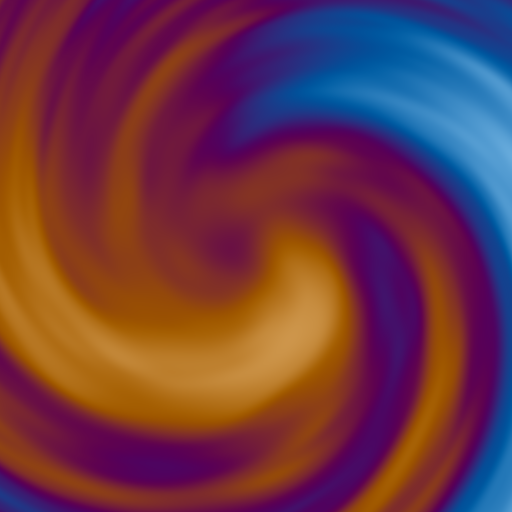
p 5.0 twist fbm palette saturateLog-spiral flow — spiral twists by radius and log-radius.
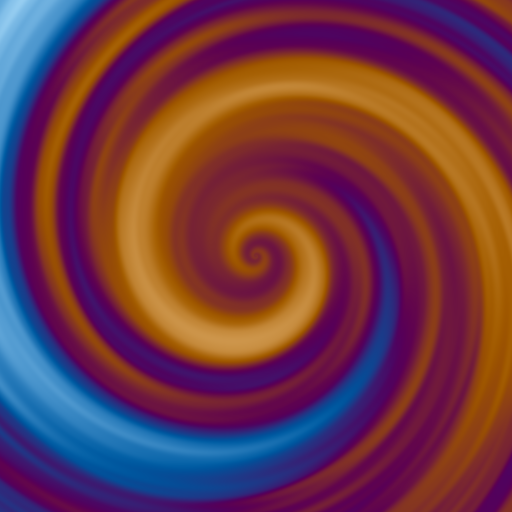
p 3 spiral fbm palette saturateSingle-octave value noise — noise is smoother/blockier than fbm.
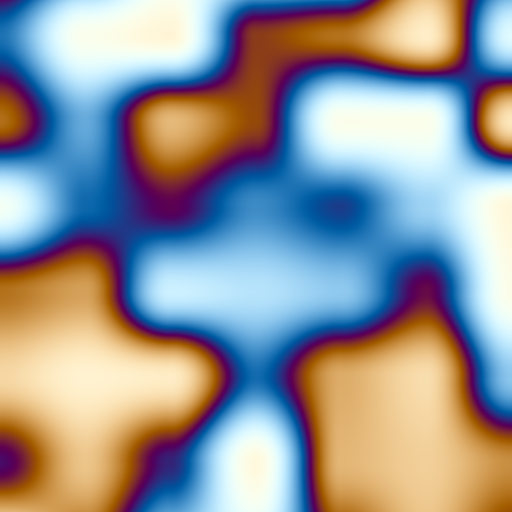
uv 6 * noise palette saturateSample-and-hold blocks — sh steps a hashed value across space.
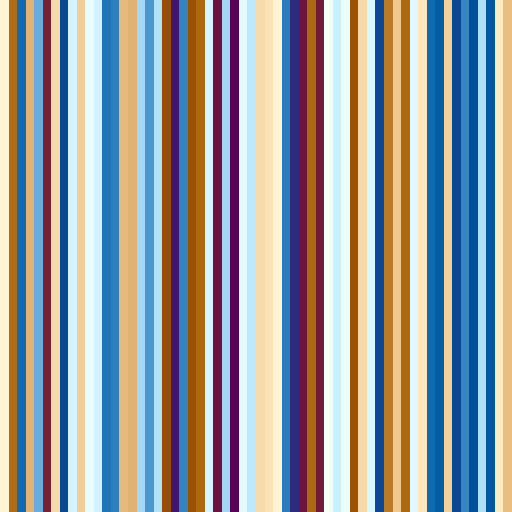
uv 6 * ]sh10 palette saturateWord references — 'ridge ... apply inlines a named word as a value.
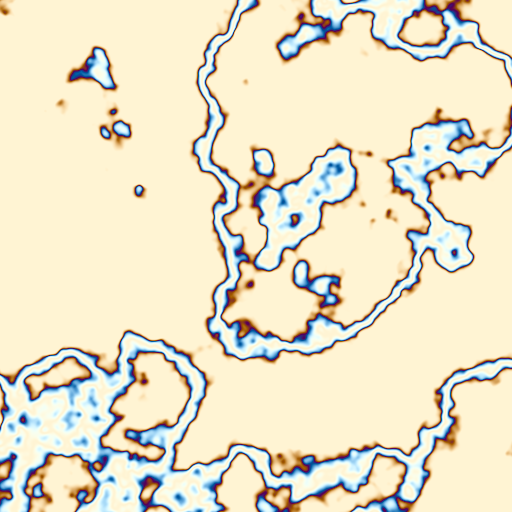
: ridge fbm 0.42 0.08 pulse ;
'ridge p 5 * apply palette saturate
Local marks — =c names a value, reused twice without a definition.
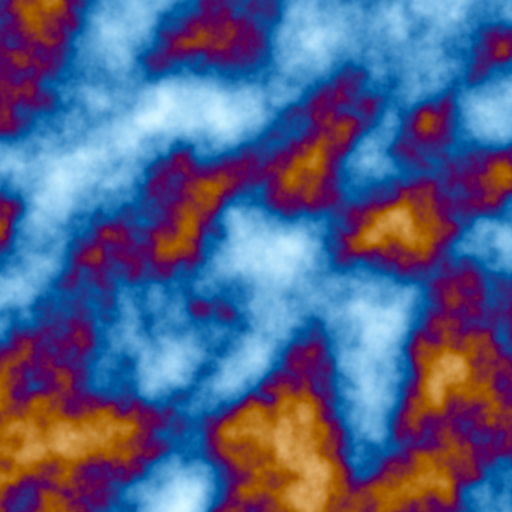
uv 8 * =c
c fbm
c 0.35 + fbm
0.5 mix
palette saturate
Sine stripes — a plain function of uv.x colored by the palette.

uv x 18 * sin 0.5 + 0.5 * palette saturateContrast and tone map — grade the palette output.
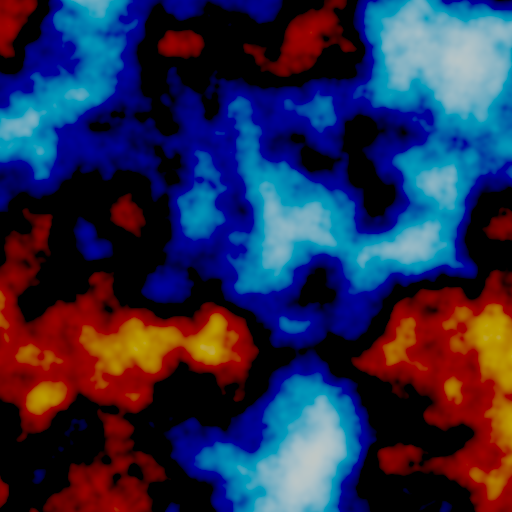
uv 5 * fbm palette 1.7 contrast tonemap saturateAnimated
A program that reads time (time, or input.w) animates. These clips are the
same fullscreen shader with time running.
FBM drifting through a palette — uv 5.0 * time 0.12 * + fbm palette saturate
Frequency modulation — uv 14.0 * time + fm palette
Polar rotation — p polar ... 0.2t ... cart fbm sigmoid palette
Definitions warping over time — warp folds time into a sine domain offset
Drifting ridges — one subroutine sampled at two time-shifted coordinates
Feedback trails (ping-pong): this program samples the previous frame through
source, decays it, moves it, and adds a moving coloured band, so each frame is
built from the last. It runs in a PingPongRenderToTexture, which keeps the
previous frame readable while the current one is written.
0.0025 0.004 vec2 sample.w
0.94 *
uv y 0.15t fract 0.02 pulse 0.15t palette * 0.8 *
+
saturate
Diffusion (blur feedback): blur reads the previous frame, so each step
spreads the last one out while sparse noise is added and fades. The other
neighbourhood words (laplace, sobel, curl) work the same way, and are
what reaction and growth patterns are built from.
0.004 blur
0.975 *
uv 5 * 0.25t + fbm 0.62 threshold 0.05 *
+
saturate
The input convention
The input vector is usually read as:
| Component | Meaning |
|---|---|
input.x |
Carries x, usually the normalized horizontal texture coordinate u. Words such as uv derive their first component from it. |
input.y |
Carries y, usually the normalized vertical texture coordinate v. Together x and y locate the sample in the image. |
input.z |
Carries the third coordinate or a host-provided hash, seed or auxiliary value. Its interpretation depends on the shader that calls StackSL. |
input.w |
Carries the host’s time, frame or phase value. StackSL’s time word reads this channel, so its units follow the host convention. |
The stack starts with input already on it. You can also push explicit views:
uv      # vec4(input.xy, 0, 1)
p       # vec4(input.xy - 0.5, 0, 1), also: pos, center, centered
time    # vec4(input.w)
hash    # vec4(input.z)
input   # vec4 input exactly
Short programs stay valid. If a normal operator needs more values than the stack has, it wraps around and reuses the available values. If the stack is empty, it uses a default value such as input, vec4(0), or a neutral color. Creative words such as palette, ema, grade, and pulse have short forms that consume one primary value and default the rest.
Tiny programs
Identity is just the initial stack value:
# returns inputTint the input toward blue:
blue mixBuild a normalized coordinate color:
uv saturateTurn time into a grayscale pulse:
time sin 0.5 * 0.5 +Swizzles and constructors
Swizzles always return a vec4.
uv xy       # vec4(v.x, v.y, 0, 1)
input z    # vec4(input.z)
input rgb  # vec4(input.rgb, 1)
Constructors consume scalar .x components from the stack:
0.2 0.8 vec2
0.2 0.8 time vec3
red hash vec4
Stack-selector literals combine swizzles from multiple stack values. The index counts down from the top of stack, so 0 is the top value:
1 2 3 4 [3x,2x,1x,0x]  # vec4(1,2,3,4)
uv prev [1xy,0zw]       # vec4(uv.xy, prev.zw)
FBM into a cosine palette
This is the basic creative-coding move: distort coordinates, make a scalar field, then color it.
uv 5.0 *
time 0.12 *
+
fbm
palette
saturate
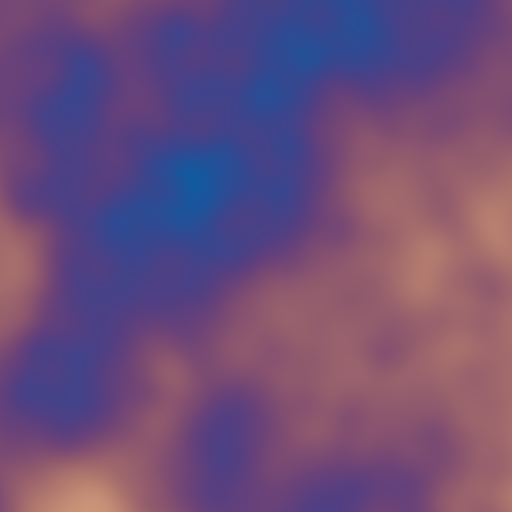
palette can be used with one value. It defaults to a balanced cosine palette. To provide a full palette, put t a b c d on the stack before the word:
uv fbm
0.50 0.50 0.50 1.00 vec4
0.50 0.45 0.35 0.00 vec4
1.00 1.00 1.00 1.00 vec4
0.00 0.10 0.20 0.00 vec4
palette
Reusable StackSL definitions
Definitions are written with : name ... ;. Inside StackSL, a definition behaves like a word that consumes one vec4 and pushes one vec4. In GLSL, it becomes prefix_name(vec4 prefix_in).
: warp
  drop uv 8.0 * time + sin
  0.18 *
  uv +
;

: field
  warp fbm
;

field palette contrast tonemap
With prefix fx, this emits fx_warp, fx_field, and the root function fx.
Calling a definition twice with the same input costs no more than calling it once: the compiler inlines each call, and identical samples and math are computed a single time.
: ring
  0-> 0.982 *
  p length 0.42 0.035 pulse 0.08 *
  +
;

drop
input ring
input ring
+ 0.5 *
dup ->0
palette
saturate
Local named marks
When a phrase gets larger, local marks let you name a value without turning it into a reusable definition. =name copies the current top into a mark and leaves the stack alone. After that, bare name pushes the marked value.
uv 8 * =coord
coord fbm
coord 0.2t + fbm
0.5 mix
palette
saturate
If you want the mark to clear the working stack, use the explicit move/read form:
uv 8 * >coord
<coord fbm
<coord 0.2t + fbm
0.5 mix
palette
saturate
Marks are local to the program or definition they appear in. A mark is only a name for a value, so it costs nothing, and a marked value nothing reads is dropped from the shader.
Ping-pong RTT sampling
Sample words need a texture environment. If the compiler is called with sampleTextures = listOf("state"), sample reads from uniform sampler2D state. Function and helper names are prefixed; sampler names are not, so several StackSL expansions can share the same texture.
uv 0.003 * sample
uv 4.0 * time + fbm palette
0.08 ema
saturate
In the short form, ema consumes the current value and defaults the previous value to input and alpha to 0.08. For a ping-pong update, the explicit form is usually clearer:
uv 4.0 * time + fbm palette   # current
prev                          # previous at input.xy
0.06                          # alpha
ema
saturate
Relative sampling uses the top stack value as an offset:
uv time + sin 0.006 * sampleAbsolute sampling ignores input.xy:
uv 0.5 + sample-absgather returns textureGather(..., 0) for small neighborhood probes:
uv 0.002 * gather
luma
Sampler dimensions are available from the configured sampler environment. texelSize pushes vec4(1/width, 1/height, 0, 1) for the first sampler, and textureSize pushes vec4(width, height, 0, 1). Numbered variants such as texelSize1 mirror sample1.
uv texelSize gradient.rPer-pixel store channels
0->, 1->, 2->, and 3-> read the x/y/z/w channel of the per-point vec4 store and push it as vec4(channel). In the ping-pong harness, that store aliases the previous output at the current pixel, so 0-> is a compact red-memory read.
->0, ->1, ->2, and ->3 pop the top value and write its .x component into the corresponding output channel. Explicit channel writes win at the end of the generated function; unwritten channels still come from the ordinary top-of-stack vec4.
0-> 0.985 *
p length 0.5 0.08 |sh10 pulse
0.08 *
+
dup ->0
dup 0.65 * ->1
dup 0.35 * ->2
saturate
Difference of EMA
ema-diff is useful for extracting motion or change energy:
uv 7.0 * time + fbm palette   # current
prev                          # previous state
0.04
ema-diff
abs
saturation
For a softer trail:
sample
uv 3.0 * fbm palette
0.025 ema
tonemap
Pulses, rings, and FM
pulse can be used as x pulse, defaulting center and width:
p length
pulse
white *
length and len measure the .xy channels by default. This keeps coordinate idioms like p length from accidentally including the z/w filler channels of StackSL's vec4 values. Use length3 or length4 when those components should contribute.
With explicit x center width:
p length
time sin 0.15 * 0.3 +
0.035
pulse
palette
fm is a compact phase modulator. In short form it consumes one phase value:
uv 14.0 * time +
fm
palette
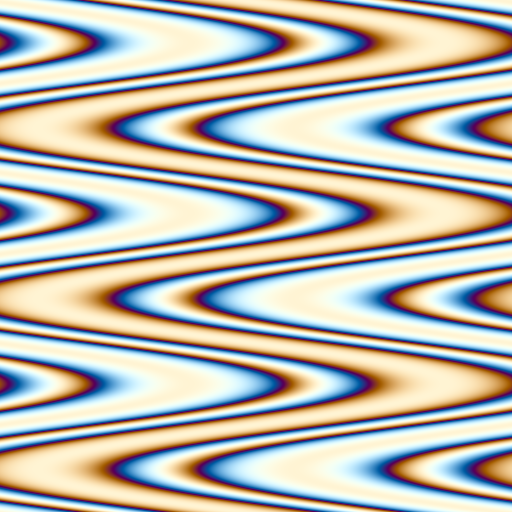
Explicit form is phase carrier modulator fm:
uv x tau * time +
uv y tau * 3.0 *
2.5
fm
palette

Modifiers, ranges, and memories
Number suffixes keep common channel and time products compact:
0.12t        # time * 0.12
0.7r 0.2g +  # channel-weight vectors
Range literals spread a scalar interval across RGBA, which is useful when a framebuffer stores four memories:
uv 4.0 * 0.06t + fbm
prev
0.015_0.18
ema
Modifiers come in three forms:
0.4c1.8p0.2   # amount * normalized cos(time * 1.8 + 0.2)
0.4s3q8        # amount * sine wave quantized to eight levels
0.5sh4         # amount * sample-and-hold random, 4 buckets per time unit
0.25 |fbm3q6   # top-of-stack as amount, quantized fbm factor
p length ]sh20q4 # top-of-stack as scalar driver, amount is 1
Wave modifiers are c, s, sq, saw, tri, and pulse; pulse also supports duty with d, as in 0.5pulse3d0.2. Sample-and-hold is sh: it hashes floor(driver * frequency + phase) and stays stable inside each bucket. Spatial/noisy modifiers are sh, n, j, x, y, cx, cy, hash, rad, ang, wx, wy, wr, wa, grain, noise, and fbm. Suffixes can be stacked left-to-right; each later suffix uses the previous suffix result as its driver. The q suffix quantizes that result, so q8 gives eight levels.
Reducers collapse a vec4 to a scalar splatted back to vec4: average, vmin, vmax, and median. Bare min/max are binary GLSL min/max; use min.1, max.1, vmin, or vmax when you want an RGBA channel reducer.
prev
dup xy 0.012 * sample
swap zw 0.009 * sample
+ 0.5 *
p ]wr9 0.006 * 0.004c0.17 +
p ]wa7 0.006 * 0.004s0.11 +
vec2 sample
0.65 * +
uv 5.0 * prev 0.4 * + 0.02t + fbm
dup 0.23 + dup 0.37 + dup 0.61 + vec4
0.08 * +
prev 0.006_0.09 ema
dup average 0.015pulse0.23d0.09 + +
mirror saturate
Domain transforms and shapers
Coordinate transforms are normal words, so they can be mixed into short shader phrases without definitions:
p 7 kaleido
1.7 twist
4 tile
fbm
0.35 gain
0.45 0.12 band
palette
saturate
polar and cart use radians in the .y lane. That makes polar offsets explicit:
p polar
dup y 0.2t + >y
cart
fbm
sigmoid
palette
The scalar shapers are direct. Reach for smooth, sigmoid, softplus, threshold, band, ramp, posterize, bias, and gain when the program is saying "shape this mask" rather than "do generic math".
uv 5 * fbm
0.2 0.8 ramp
6 posterize
0.62 bias
palette
Neighborhood fields
Neighborhood words read the first configured sampler. With one explicit value, that value is treated as the radius and the center is the current input coordinate; with two values, use center radius word.
prev
0.002 blur
0.0015 laplace 0.35 * +
p 0.003 sobel 0.2 * +
tonemap
For vector-state feedback, divergence and curl look at the texture's xy channels:
p 0.004 divergence
p 0.004 curl
vec2
0.5 + 0.5 *
gradient uses luminance. Use channel variants when the scalar field is stored in a specific channel:
uv texelSize gradient.rThis is equivalent to a red-channel cross sample followed by vec4(+x - -x, +y - -y, magnitude, 1).
Color grading
The one-value forms are boring and safe:
uv fbm palette
saturation
contrast
grade
tonemap
For explicit grading, use color lift gain gamma grade:
uv 6.0 * fbm palette
0.02 0.00 -0.01 0.0 vec4
1.15 1.05 0.95 1.0 vec4
0.85 0.95 1.10 1.0 vec4
grade
saturate
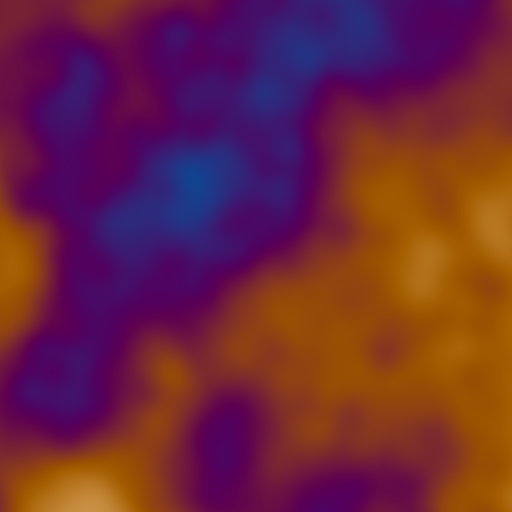
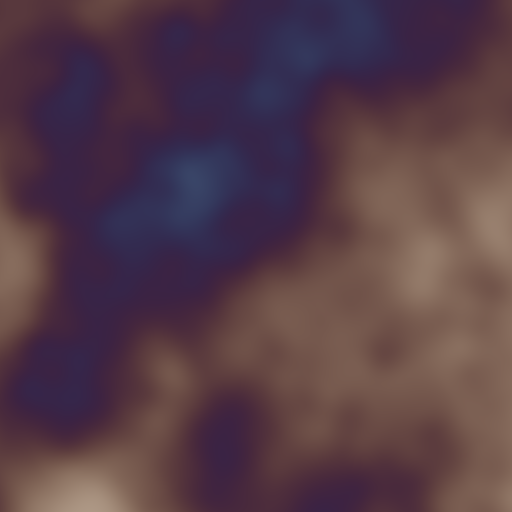
Saturation uses color amount saturation:
uv fbm palette
0.35
saturation

Color spaces
ryb treats the top value as red/yellow/blue channels and converts it to display RGB. rgb2ryb is the inverse approximation.
uv 0.5 + ryb
saturate
OKLab words use native, linear OKLab values. rgb2oklab moves a color into the perceptual working space; oklab and oklab2rgb convert back to RGB.
red rgb2oklab
blue rgb2oklab
0.5 mix
oklab
saturate
You can perturb lightness and chroma in OKLab before returning to RGB:
uv 5.0 * fbm palette
rgb2oklab
time sin 0.05 * 0 0 0 vec4
add
oklab2rgb
saturate
Kotlin and template use
The compiler turns a program into one GLSL function named by a prefix you choose:
vec4 prefix(vec4 prefix_in) {
    ...
}
Named StackSL definitions become GLSL functions whose names start with the same prefix, which keeps them out of the rest of your shader's names:
vec4 prefix_warp(vec4 prefix_in) {
    ...
}
vec4 prefix_paletteMist(vec4 prefix_in) {
    ...
}
The low-level compiler is in afield.lang.stacksl:
val result = StackSLCompiler.compile(
    source = stackSL ?: "",
    options = StackSLCompileOptions(
        prefix = "ping",
        entrypoint = "main",
        sampleTextures = ["state"],
        externalizeConstants = true,
    ),
)

if (!result.ok) {
    println(result.diagnostics.joinToString("\n"))
}

val glsl = result.glsl
When externalizeConstants is true, numeric literals become entries in result.analysis.danglingWires and the generated GLSL initializes a float prefix_wires[...] array. By default those wires contain the source literal values, but deployment code can provide different values to tune or evolve the generated function.
From a box, the stdlib helper is shorter:
val glsl = stackSLToGlsl(
    prefix = "ping",
    sampleTextures = ["otherView"],
    declareSamplers = false,
)
A fragment shader can splice the result into a ping-pong update:
// generated StackSL goes above this line

layout(location = 0) out vec4 outColor;
layout(location = 0) in vec2 uv;
layout(set = 0, binding = 0) uniform sampler2D otherView;

void main() {
    vec4 stackInput = vec4(uv, hash12(uv), time);
    outColor = ping(stackInput);
}
If the surrounding shader already declares the sampler uniforms, call the compiler with declareSamplers = false and keep the generated helper/function code only. With sampleTextures = listOf("otherView"), sample words call helpers with otherView directly.
For shader templates using stack.auto, the sampler can be selected inline. {{ stack.auto.foo }} keeps the default sampler name source; {{ stack.auto.foo@otherView }} compiles the same generated function but points sample words at otherView. This also composes with entrypoint selection: {{ stack.auto.foo:bar@otherView }} uses the StackSL word bar and its dependencies while sampling otherView.
stack.auto: push-constant-style injection
{{ stack.auto.NAME }} is the shader-side of live coding. You write a slot in
GLSL and drive it from Kotlin, the same way a push constant is a slot you write
from the host. The difference is that this slot is a whole
vec4 NAME(vec4 NAME_in) function whose body is StackSL.
Put the slot in a fullscreen fragment shader. It goes in the box's fragment
property, the shader tab beside code:
#version 450
layout(location = 0) in vec2 fragUV;
layout(location = 0) out vec4 outColor;

{{ stack.auto.program }}

void main() {
    vec4 stackInput = vec4(fragUV, 0.0, 0.0);
    outColor = vec4(program(stackInput).rgb, 1.0);
}
The fragment reads fragUV, so the box's vertex property has to write it.
There is no vertex buffer: the three vertices, numbered by gl_VertexIndex, make
one triangle big enough to cover the window, the same trick shadertoyHere uses.
#version 450
layout(location = 0) out vec2 fragUV;

void main() {
    vec2 pos = vec2((gl_VertexIndex << 1) & 2, gl_VertexIndex & 2);
    gl_Position = vec4(pos * 2.0 - 1.0, 0.0, 1.0);
    fragUV = pos;
}
Template expansion emits the program function exactly once per stage. Until
Kotlin binds it, the slot expands to vec4 program(vec4 program_in) { return vec4(0.0); },
so an unbound slot still contributes a compilable function.
Every discovered stack.auto.* name becomes an assignable property on the
shader module. Assigning it compiles the StackSL first and only swaps the
running shader if that succeeds, so a bad program leaves the previous one in
place and you can type into a running window. The box's code builds the
module from those two properties and binds the slot. Connect the box beneath
the renderer box that opened the window; renderer is then in scope:
val module = moduleHere {}
val mesh = Mesh()
module += mesh named "fullscreen"
mesh.resize(3) // three vertices and no attributes: the vertex shader makes the triangle
renderer += module

module.program = "uv 4.0 * fbm palette saturate" // binds and hot-reloads
Put the GLSL in the box's properties
moduleHere { fragment = … } compiles, and the assignment is thrown away.
moduleHere builds its module from the box's vertex and fragment
properties, and when they are empty it fills them with a default shader that
has no {{ stack.auto.program }} slot, so module.program is never generated.
To supply the shaders from code instead, set the properties with
once.vertex { … } and once.fragment { … } above a //%- line, so that they
have run by the time moduleHere expands; Running code in a
box explains why the line is needed.
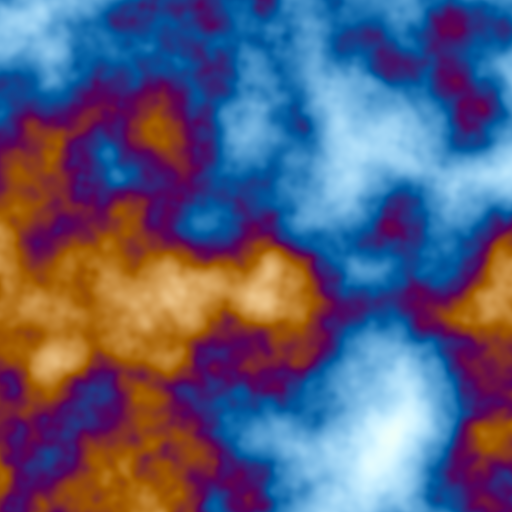
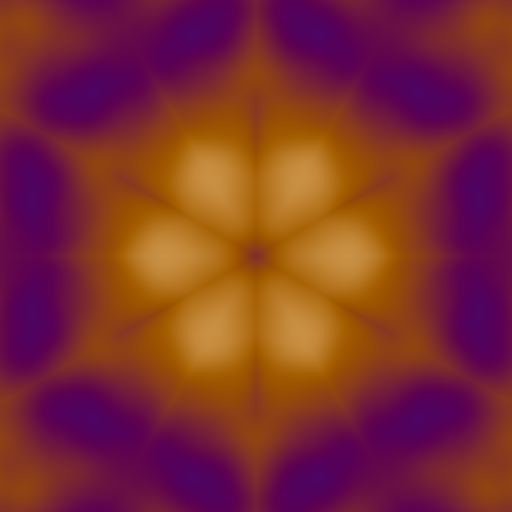
The two stills below are what this box draws, cropped to a square; in a window the same picture is stretched to the window's shape.
How this snippet was checked
The stills come from the gallery harness. The docs build runs this code
beneath its renderer through assets/transcripts/stackauto_numbers_setup.yaml,
for the card and editor figures further down.
Before, running uv 4.0 * fbm palette saturate:
Re-assigning the same slot swaps the function in place, with no new module and no
window teardown. Edit the string and run that one line with alt/option-return, which
runs it against the module the box already built. alt/option-0 runs the whole box
again from the top, which builds a new module:
module.program = "p 6 kaleido fbm palette saturate"After:
Rebuilding the whole module also works: a module added under a name already in use replaces the previous one. Do that when you are editing the surrounding GLSL, not only the StackSL.
Its numbers, live
Every number typed in a slot's StackSL is compiled into a uniform block of the
slot's own, so it can be turned without recompiling anything. For the slot
program the block is program_numbers, with a member program_live and one
member per number, program_wire_0, program_wire_1, …, in the order the
compiler meets them. Until something turns a number, program_live is 0 and
every number reads as the literal it was compiled from, so a slot nobody touches
draws exactly what it drew before.
The box shows its slots' numbers on a card of their own, stack.auto numbers.
Each slider is labelled with what the compiler took its number as (smoothstep
low, multiplies), or with a name the fast model gives it once the document is
one a person opened. Dragging a slider writes the block, so the window redraws
with your whole shader, the host's own part included. Clicking a label selects
the number where it sits inside the Kotlin string. Keep these numbers writes
what you see back into that string, and Reset puts the literals back. Keys
capture every number of the slot at once and blend between them, as on the
StackSL study card.
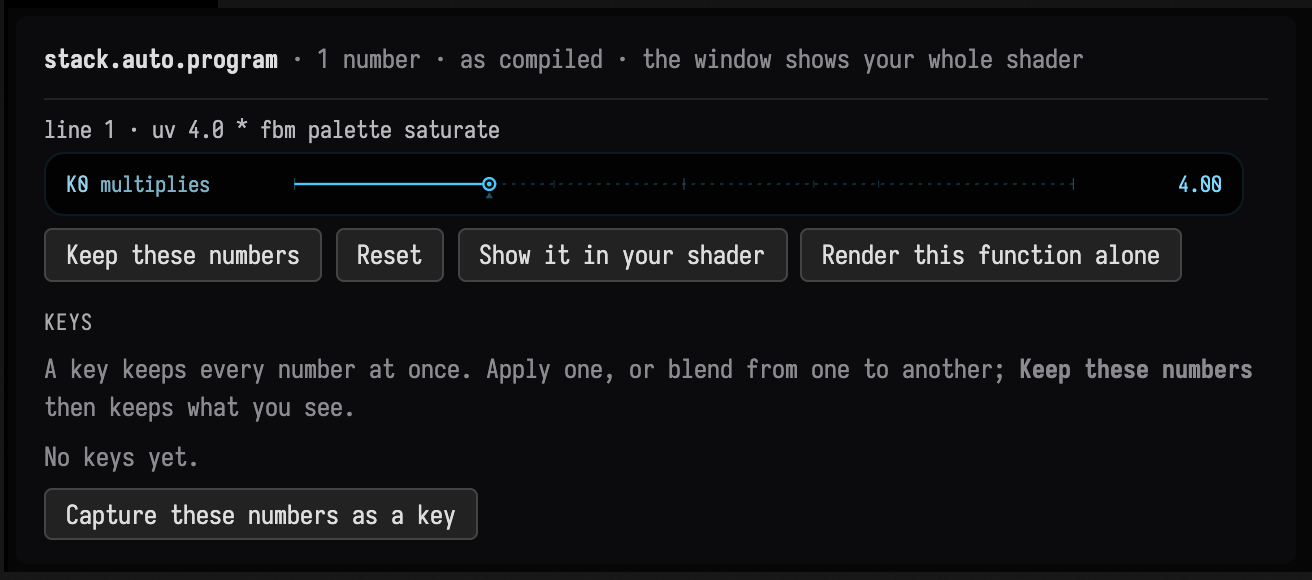
Here is the card for the fullscreen example above. Its program has one number, the 4.0 that
* multiplies uv by, so the card has one slider. A program with more numbers gets one slider per
number, grouped under the line each is on.
Show it in your shader captures the end result: the picture wherever the
slot's module is drawn, at its current numbers. Field finds that by walking what
the renderer draws, so it is the window when the module was added with
renderer += module (the whole window, with everything else it draws), or the
render target the module is in when it was added with target += … to module,
even one that is never shown on screen. Some targets can't be read back
directly: a ping-pong target, a stereo target, or a module drawn nowhere the
renderer can find. For those the card draws the module once more by itself,
with the same state but without whatever else draws beside it, and says so. A
compute module writes buffers rather than a picture, and the card says that
too.
Render this function alone draws the slot's program by itself, at its current
numbers, on your renderer. Its input is the study's, vec4(uv, hash, 0, time)
on a unit square, not what your shader passes it, so it is a debugging view of
the function and not a preview of the result. A slot that samples a texture or
reads your push constants cannot be drawn alone, and the card says so.
From Kotlin, the block is an ordinary uniform of the module:
module.program_numbers["program_wire_2"] = 9f // taking hold of the block makes the slot live

val scope = KeyframeScope()
scope.stackAuto(module, "program") // the slot's text, which recompiles when a key applies
scope.stackAutoNumbers(module, "program") // its numbers, as lanes program.k0, program.k1, …
stackAutoNumbers registers one lane per typed number, numbered as the card
numbers them, so applying or blending keys moves the numbers on the GPU with no
recompile. scope.target("zoom@program_wire_2", module.program_numbers) keys a
single member directly, the way any uniform is keyed.
The block's layout never changes, whatever the program: program_live and 128
numbers. That is what lets an edit to the StackSL still update the running
pipeline in place, since Field refuses an in-place update that changes a uniform
block. A program with more than 128 numbers compiles with its numbers baked in,
and its report says so. Assigning new StackSL re-seeds the numbers from its
literals; assigning the same text again leaves them alone, so a box can re-run
without losing what was turned. A full shader reload carries the values over.
Set AFIELD_STACK_AUTO_LIVE_NUMBERS=0 to compile every slot with its numbers
baked in.
Talking to a slot
An AI4 conversation opened on the box's code gets tools for its slots, the StackSL
study's loop pointed at StackSL that lives in your shader. InspectStackAutoSlot reads
the slot's program, the lines of your GLSL that declare and call it (what its input and
output mean), where the module is drawn, and each number with what it does.
EditStackAutoSlot and PatchStackAutoSlot check that a program compiles into the slot,
bind it live and write it back into the Kotlin string it sits in; SetStackAutoNumbers
turns numbers through the live block, with no recompile, and keeps them only when asked;
SweepStackAutoNumber shows one number at several values, each in the real shader;
ObserveStackAutoSlot shows it now; RestoreStackAutoRevision goes back. Every picture
these return is the end result in your shader, as Show it in your shader captures it,
and the program drawn alone is offered only as a debugging view. Revisions are kept in
the box's studies/, beside the slot's knob names and keys.
A slot your shader animates, by a time it pushes, is one moment per picture, and the tools
cannot move your time for you. Give Edit, Patch or Observe over (seconds) and the picture
is a numbered sheet of real frames across that long instead. An edit returns once the new
pipeline is drawing, which MoltenVK can take seconds to build, and says so with
boundLive; there is then nothing to reload.
Talking to the StackSL in your shader follows a recorded conversation of this kind step by step: a snub dodecahedron whose vertex shader's slot sends its faces flying in a wave, and whose fragment shader's slot heats them and burns them out to ragged frames at the peak.
In the editor
The StackSL inside the box's Kotlin gets the editor's StackSL help where it sits:
a string assigned to one of the box's slots (module.program = """…""", or a
one-line module.program = "uv 4 * fbm"), or any string whose first line is
#stacksl. Completion opened inside it offers the StackSL vocabulary, with each
word's stack effect and cheatsheet entry, and the program's own definitions. Rest
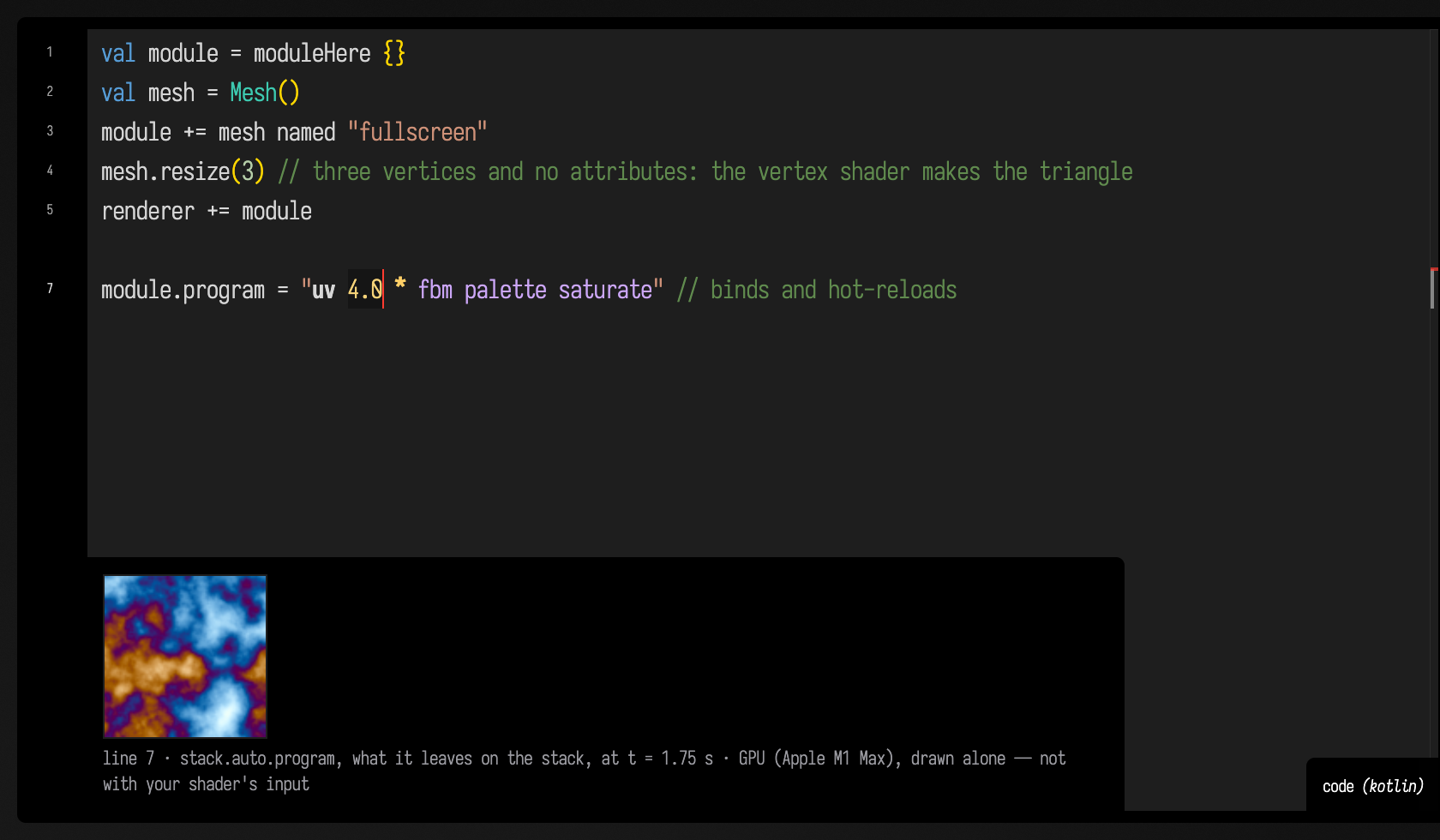
the cursor on a line and the note beside it shows that line's stage, drawn alone
as Render this function alone draws it, which the caption says. Both kinds of
string are coloured as StackSL.
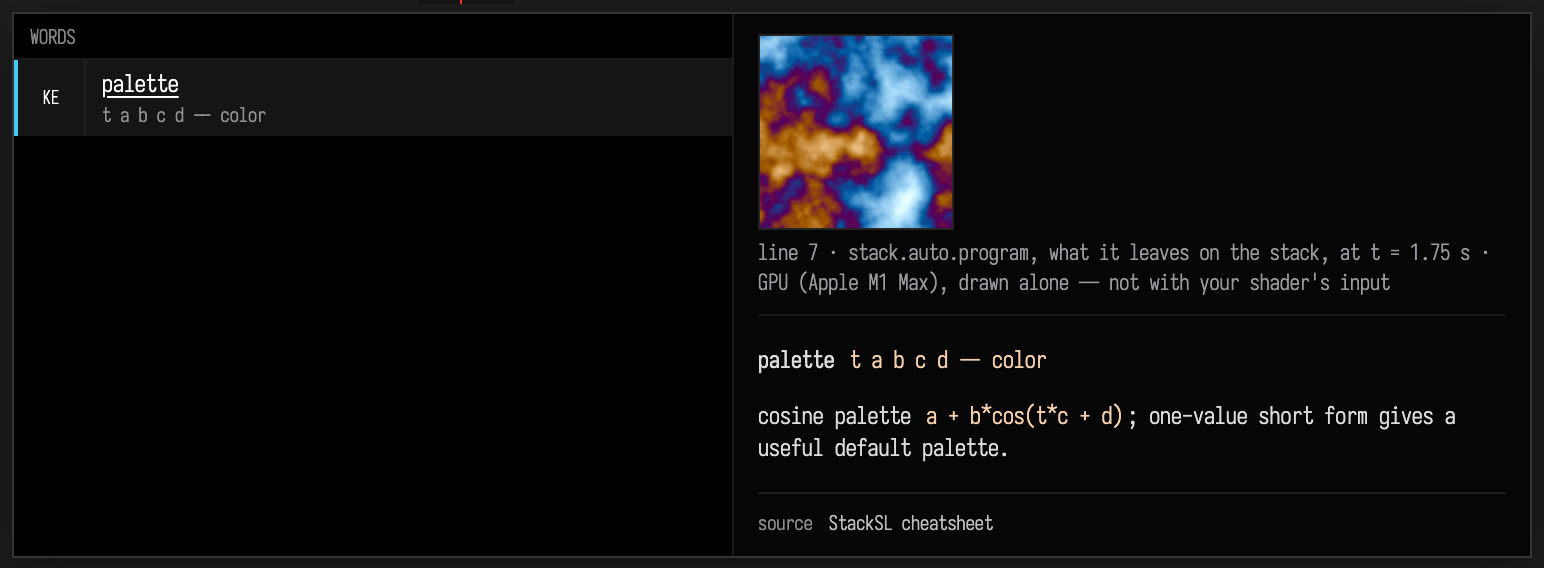
Above, completion was opened in the example's one-line string with the caret after pal. It offers
palette with its stack effect and cheatsheet entry, and above them the note for the line. Below,
the caret rests in the same string, and the note shows at the foot of the editor:
How this was checked
On 2026-09-27, the fullscreen example above, with a vignette added to the host
shader, ran in a real window. Turning k2 from 4 to 9 re-zoomed the noise in
the window and not the vignette, and render-alone drew the function without
it. Unit tests pin that the expanded GLSL compiles, that a blank slot and a
bound one declare the same block, and that values carry across a rebuild.
The card and editor figures come from capture="ui" fences with graphics-context=true:
assets/transcripts/stackauto_numbers_setup.yaml builds this example under the docs renderer,
and the drive waits for the real card and note. Making them found that a one-line slot followed
by a comment had no line note, and fixed it (EmbeddedStackSLTest).
Volumetric noise
The volumetric word reference records arities, defaults and output channels. The examples here show how those channels behave in a volume.
noise and fbm are two-dimensional. They fold z and w into the plane as a
small offset, so feeding them a 3D position gives you one picture, sliding slightly
sideways as depth changes, not a volume. Use the words below when you want a
volume.
The top row below is the 2D fbm sampled at six values of z: almost the same image
six times.
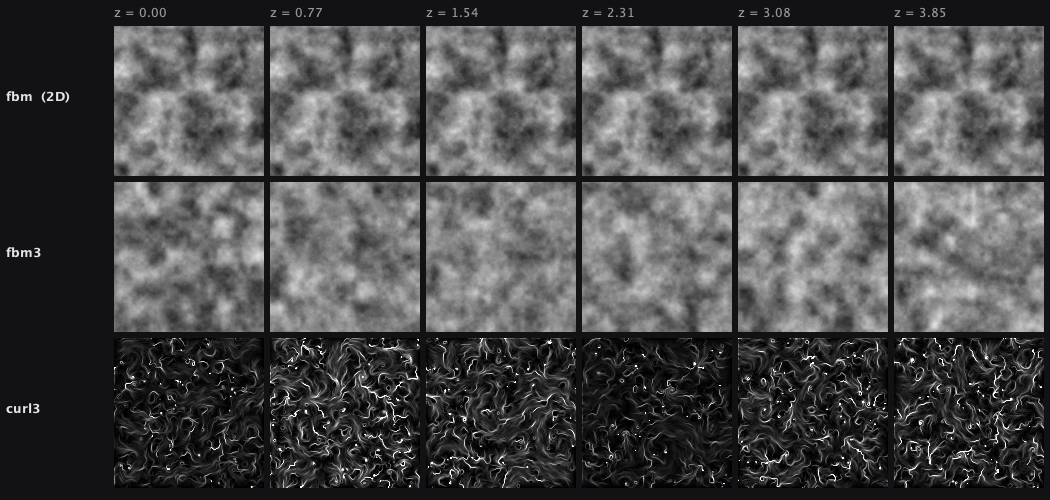
The middle row is fbm3 over the same six slices: six different fields, which is
what a volume should look like.
The bottom row is curl3, drawn by moving tracers through it. It has closed swirls
and no bright knots or holes, because it is divergence-free. That matters for
particles: a force field with sources and sinks collects particles into the sinks
and empties the sources, while a divergence-free one keeps them circulating.
| Word | Stack | What it does |
|---|---|---|
noise3 |
coord -- s |
3D value noise over coord.xyz, exactly 0..1. |
noise4 |
coord -- s |
4D value noise over coord.xyzw — a volume that animates in w. |
fbm3 |
coord octaves lacunarity gain -- s |
fractal noise3. Arities 1..4; defaults 5, 2.0, 0.5. |
fbm4 |
coord octaves lacunarity gain -- s |
fractal noise4. |
curl3 |
coord epsilon octaves -- vec |
divergence-free curl noise; .xyz is the vector. |
worley3, voronoi3 |
coord -- vec |
cellular: .x F1, .y F2, .z F2-F1 (cell walls), .w a per-cell constant. |
fbmd3 |
coord epsilon octaves -- vec |
.x is fbm3, .yzw its gradient — a surface normal in one word. |
warp3 |
coord strength octaves -- s |
domain-warped fbm3: filaments and folds instead of clouds. |
The range of fbm3 is exactly 0..1 for any octave count, lacunarity and gain.
The 2D fbm falls slightly short of 1, so fbm 0.5 - is not quite centred on
zero; used as a force, that small bias adds up to a drift. Use fbm3 when the
centre matters.
curl3 is divergence-free to rounding error. A particle simulation can still accumulate
error from its timestep and integration method.
A particle force:
input xyz 2.2 * curl3 xyz 0.4 *Cell walls, which worley3 hands you directly:
input 6 * worley3 z 1- 8 powA cheap two-octave field for something evaluated per particle per frame:
input 2 fbm3.2Fitting a program's literals
StackSLFit adjusts the numbers in a program until its image matches a target
image. It runs the program on the CPU and follows the exact gradient of the
difference, computed by automatic differentiation. Take this palette program,
whose every number is a parameter the fit can move:
uv 3.0 * fbm
0.5 0.5 0.5 1 vec4
0.5 0.5 0.5 1 vec4
1.0 1.0 1.0 1 vec4
0.0 0.33 0.67 1 vec4
palette
Here the target is the same program with some of its palette numbers changed, so a correct answer exists. The figure shows the target, the starting image, the fitted image, what is left of the difference, and the loss falling over the steps:
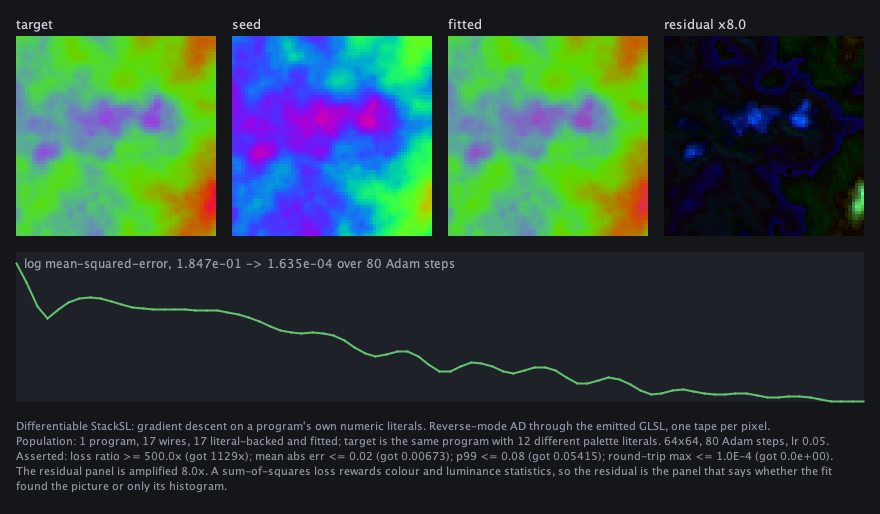
The fit takes a starting program and a target image rendered at the same size:
val template = StackSLCpu.stillTemplate()
val target = StackSLCpu.renderProgram(targetProgram, template, 64, 64)
val result = StackSLFit.fit(seedProgram, target, template, dim = 64, iterations = 80)

println(result.fittedProgram) // StackSL source, with the fitted numbers in place
result.report().forEach(::println) // wire #1  '0.5' at 2:1  0.5 -> 0.59025836
The result is a program: the fitted values are written back where the original
numbers were, so result.fittedProgram can be pasted into a stackSL box and
run on the GPU, where it draws the same image.
Fitting works when the target is something a StackSL program could have drawn. A photograph, or any other target, has not been tried. Before fitting, know what the gradient can and cannot pass through:
threshold,floor,ceil,round,posterize,hash,selectand the comparisons pass no gradient, so numbers before them cannot be fitted. Words that replace the stack value, such asuv,p,time,piand the named colours, likewise cut off what came before.- A noise frequency does fit, although
fbmusesfloorinside: the gradient flows through the smooth blend between lattice cells. saturateclamps, and a clamped pixel contributes nothing. A starting image that is mostly blown out leaves the fit almost nothing to follow.
The loss is a per-pixel sum of squares with no term for structure, so judge a
fit by the residual panel rather than the loss number. The
stacksl_fit_demo starting point runs this fit.
Built-in vocabulary
Stack and input:
dup drop swap over rot nip tuck
input in uv time t hash h
=name >name <name
Math:
+ - * / mod pow min max neg abs floor ceil fract
sqrt inversesqrt exp log sin cos tan asin acos atan atan2
normalize length len length2 len2 length3 len3 length4 len4
sum prod any all x+y xylen rgbnorm
dot cross standoff standoff2 standoff3 mix lerp step smoothstep
lt lte gt gte eq neq and or not
Domain:
tile repeat polar cart spiral twist kaleidoCreative:
noise perlin fbm pulse fm palette cos-palette
noise3 noise4 fbm3 fbm4 curl3 worley3 voronoi3 fbmd3 warp3
luma saturate clamp mirror smooth sigmoid softplus threshold band ramp posterize bias gain tonemap
ryb ryb2rgb from-ryb rgb2ryb to-ryb
oklab oklab2rgb from-oklab rgb2oklab to-oklab
saturation contrast grade
ema ema-diff diff-ema dema
sample sample0 sample1 sample2 sample3
sample-abs prev state gather gather0 gather1 gather2 gather3
texelSize textureSize
laplace laplacian blur blur5 blur9 sobel gradient gradient.r gradient.g gradient.b gradient.a divergence curl
Volumetric noise:
noise3 noise4 fbm3 fbm4 curl3 fbmd3 warp3 worley3 voronoi3Phase noise:
qnoise phnoise phrotWord references:
apply call invokeConstants:
pi tau e
black white gray red green blue cyan magenta yellow orange
Notes for LLMs and genetic search
Prefer short, valid fragments. uv fbm palette saturate is better seed material than a long fragile program.
Use definitions to protect useful motifs:
: motif uv 6.0 * time + fbm ;
motif palette
Leave dead experiments in the source if you want. The compiler lowers pure expressions through SSA and emits only values that feed the returned top-of-stack color:
1 2 + drop      # computed, then pruned
uv fbm palette  # returned
Use tolerant = true for mutation runs. Unknown words become no-ops with warnings; strict mode reports them as errors for authoring.
When a program becomes too short, it still returns a valid vec4, so mutation makes strange images rather than broken shaders.