Render Field music, then analyse it
Write a Pat pattern in a box, render twelve cycles of it, and there is a finite WAV file on disk
before you have heard it play. That file is all Field Audio ever sees of the music. Pat, Dirt,
Dough and Faust render faster than real time and Sonic Pi records a real-time performance, but
every one of them hands back the same RenderedAudioFile. Pass it to
FieldAudioClient.analyzeRenderedAudio(...), which uploads the file, starts the analysis jobs,
reports their progress and returns the results.
To run the examples on this page, open the audio_render_analysis starting point.
The loop:
Field code (Pat / Dirt / Dough / Faust / Sonic Pi)
    → finite WAV + Field-owned render provenance
    → content-addressed Field Audio asset
    → beat, pYIN and Basic Pitch jobs
    → synchronized waveform and analysis views
    → revise the generating code
The source code stays in its box and the render's provenance map stays in Field; the server
only sees the WAV. Two programs that render identical audio therefore share one uploaded asset
and its cached analyses.
Rendering a Pat pattern and analysing it
This box renders twelve cycles of a Pat pattern through the Dirt samples, sends the file for
analysis and shows each job's progress, then the combined view. Swap renderDirtWav for any
renderer in the table below and the rest stays the same.
import java.nio.file.Path

val client = FieldAudioClient()
display("all jobs", fieldAudioJobMonitor(heightPixels = 330))

val music = (pat("{60 64 67 71, bd ~ sd ~, hh*8}") with gain(sine().range(0.22, 0.72)) with pan("0.2 0.8"))

val render = renderDirtWav(
    Path.of(System.getProperty("java.io.tmpdir"), "field-audio-renders", "pat-study.wav"),
    music,
    cycles = 12,
    cps = 1.6,
    provenance = mapOf("field_box" to "pat-study"),
)

client
    .analyzeRenderedAudio(
        render,
        requests = { region ->
            standardAudioAnalyses(region, requestedBy = "field:pat-study")
        },
        onAccepted = { named, accepted ->
            display("${named.label} job", fieldAudioJobStatusHtml(accepted))
        },
        onProgress = { named, accepted, event ->
            display("${named.label} job", fieldAudioJobStatusHtml(accepted, event))
        },
    )
    .thenAccept { completed ->
        display("analysis", completed.visualizationHtml(panelHeight = 230))
    }
    .exceptionally { error ->
        display("analysis error", error.cause?.message ?: error.message ?: error.toString())
        null
    }
This captured drum pattern uses pat("{bd ~ sd ~, hh*8}") with the pinned Dirt samples. Its
7.5-second render goes through the real beat, pYIN and Basic Pitch workers.
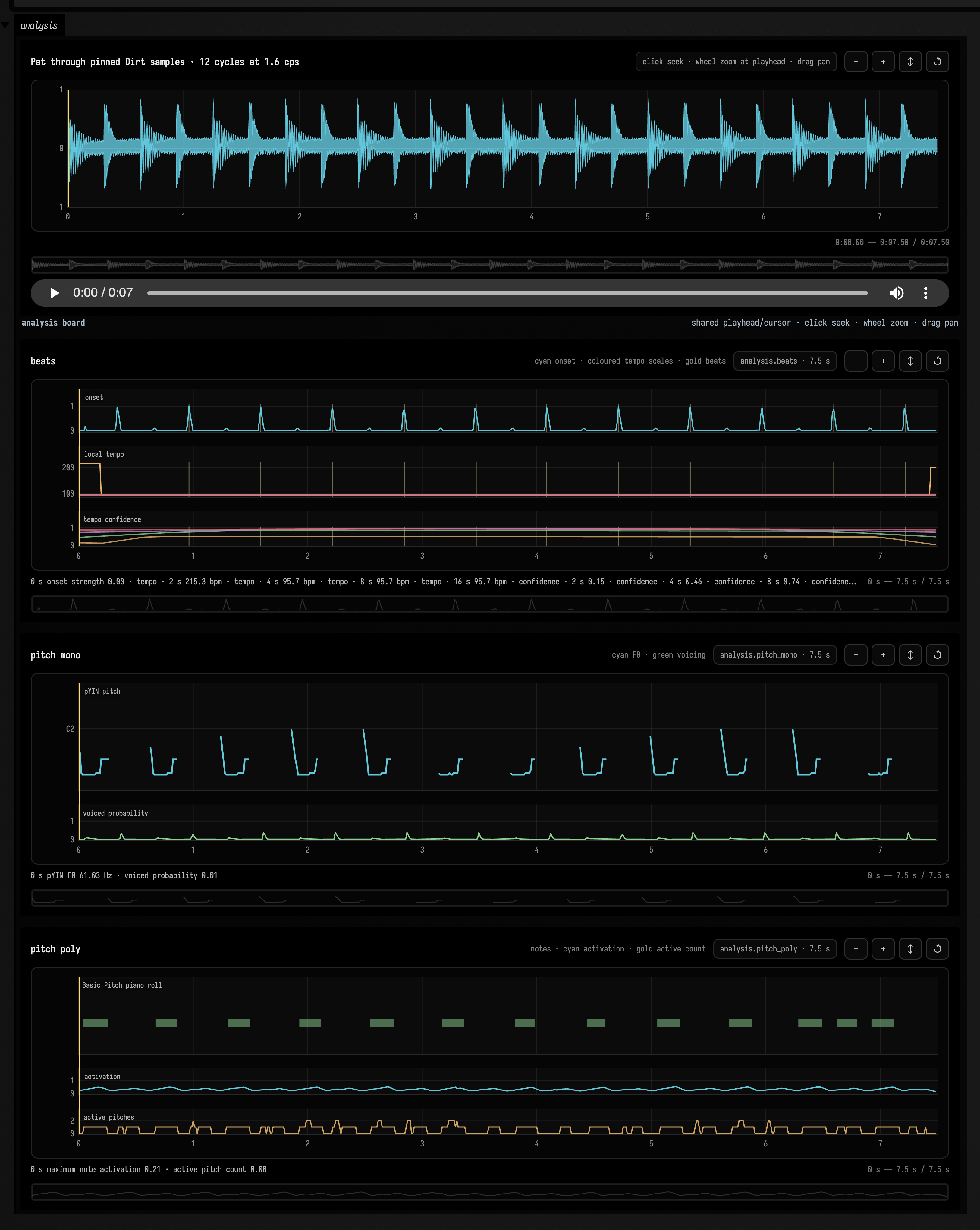
Listen to the Dirt render while comparing the analysis lanes.
The lanes share one cursor: playing the audio moves every lane's cursor, hovering a pitch or beat lane moves the waveform cursor, clicking any lane seeks the player, and zoom and pan apply to all of them.
Renderers
| Source in Field | Finite-file entry point | Execution |
|---|---|---|
| Pat's deterministic voice | renderPatWav(path, pattern, cycles, cps) |
Renders offline and returns the completed file synchronously. cycles sets the pattern span; cps sets cycles per second. |
| Pat through Dirt samples | renderDirtWav(path, pattern, cycles, cps) |
Renders offline using the available Dirt samples and returns synchronously. The render provenance records which samples matched. |
| Dough mono signal | renderDoughWav(path, signal, seconds) |
Evaluates a mono signal for the requested duration and returns the completed WAV synchronously. Use it for a finite study of a continuous signal. |
| Dough stereo node | renderDoughStereoWav(path, node, seconds) |
Renders a stereo node offline for the requested duration. Left and right channels remain separate in the returned file. |
| compiled Faust program | renderFaustWav(path, program, seconds) |
Renders an already compiled program offline and returns synchronously. Reuse the compiled program when varying render parameters. |
| Faust source text | renderFaustWavAsync(path, name, source, seconds) |
Compiles and renders in the background, returning a future for the completed file. Chain analysis with thenCompose to avoid blocking on compiler warm-up. |
| Sonic Pi source text | recordSonicPiWav(sonicPi(), path, source, seconds) |
Records a real-time performance and returns a future. Completion waits for recording to stop and the WAV to stabilize. |
| any existing Field WAV | RenderedAudioFile.existing(path, generator, provenance) |
Wraps an existing WAV with its generator name and provenance. It performs no synthesis; use it to send an earlier render through the same analysis pipeline. |
Every renderer writes to the path you give it. The example above uses the system temporary directory, since the uploaded copy is kept by the server; write beside your document instead when you want to keep the WAV yourself.
Choosing analyses and regions
standardAudioAnalyses(region) requests multi-scale beats, monophonic pYIN and polyphonic Basic
Pitch. Turn off the ones you do not need to make a run faster. This call analyses twelve seconds
starting at 4 s, beats only:
client.analyzeRenderedAudio(
    render,
    startSeconds = 4.0,
    durationSeconds = 12.0,
    requests = { region ->
        standardAudioAnalyses(
            region,
            requestedBy = "field:rhythm-only",
            includeMonophonicPitch = false,
            includePolyphonicPitch = false,
        )
    },
)
To request your own set of analyses, return NamedAudioAnalysis(label, operation) values from
requests. The result's analyses list keeps each label with its accepted job and final
AnalysisResult. Asking again for the same audio with the same parameters returns the cached
result.
Asynchronous renderers
Faust source compilation and Sonic Pi capture return CompletableFuture<RenderedAudioFile>, so they
chain straight into analysis without blocking Field. Here a Faust program is compiled, rendered
for 18 seconds and analysed:
renderFaustWavAsync(path, "voice", faustSource, seconds = 18.0)
    .thenCompose { render -> client.analyzeRenderedAudio(render) }
    .thenAccept { result -> display("analysis", result.visualizationHtml()) }
Sonic Pi's helper starts the recorder, evaluates the Ruby program, captures for the requested time, stops its jobs, waits for the saved file to stabilize, and only then imports it. It does not close the shared Sonic Pi daemon.
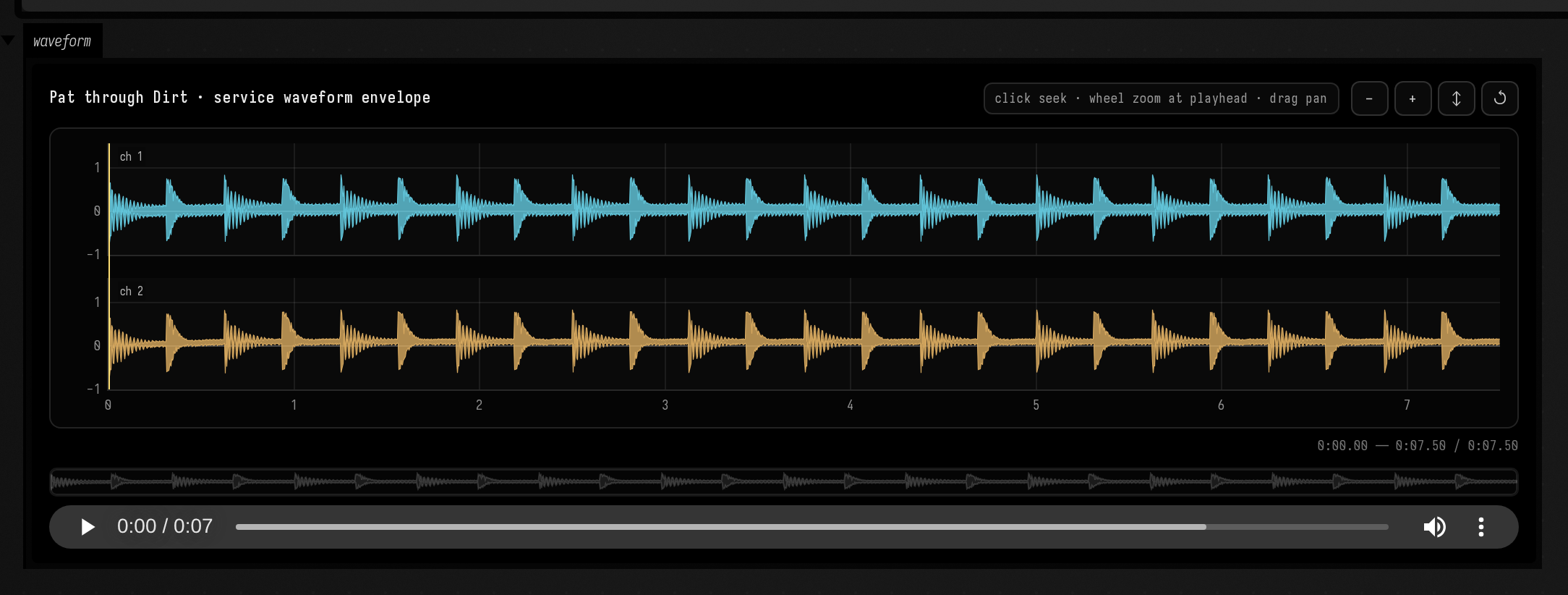
The service waveform
This view requests the same render through Field Audio's waveform-summary endpoint.