Neural reconstruction
Keep the same output size, and change how Field gets there. DLAA reconstructs the native-resolution image to smooth edges. DLSS Super Resolution starts with a smaller render and reconstructs it to the same output size. Both run inside Field's Vulkan renderer; neither needs ray tracing.
The neural_reconstruction Starting Point compares the original image, DLAA, Quality and Performance at 1920 × 1080, with Ultra Performance for pushing the source down to 360p. Its crossing rods, checkerboard surfaces and moving highlights make the differences easy to see. Switch to Abstract colors and particles to try less conventional imagery.
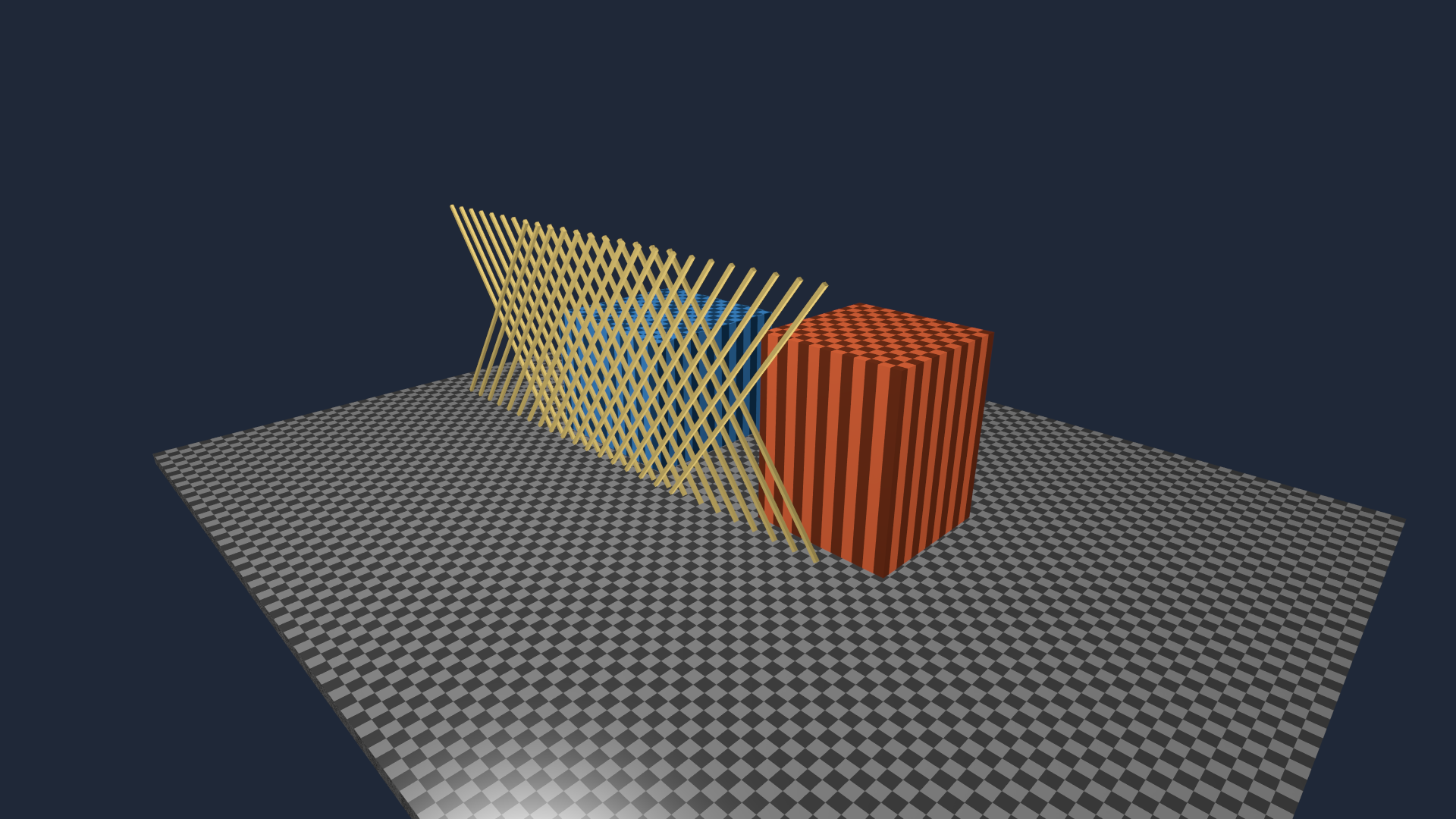
Open the experiment
On Field's welcome screen, search Starting points for neural_reconstruction and open an editable copy. Run the renderer box, then neural reconstruction. The controls appear in that box; the image appears in the native graphics window.
- 0: Source shows the unjittered native-resolution scene.
- 1: DLAA applies neural antialiasing at native resolution.
- 2: Quality renders at the SDK's recommended size and reconstructs to 1080p.
- 3: Performance uses a smaller input, again producing 1080p.
- 4: Ultra selects Ultra Performance: 640 × 360 → 1920 × 1080 on this machine, nine output pixels for each source pixel.
- Animate and Move camera let you separate changing shading from camera motion.
- Camera cut / reset jumps the scene forward and discards temporal history.
The mode control replaces the reconstruction context at a frame boundary. You can return to Source immediately. If NGX is unavailable, the scene opens in Source mode and prints the reason. Minimizing Field's window and restoring it keeps the loop responsive and resumes DLAA output where it left off.
Comparing the modes in motion
The following comparisons show consecutive rendered frames at 30 frames per second. Each includes a deliberate camera cut halfway through. All four modes use the same scene times and output size.
Top left: Source. Top right: DLAA. Bottom left: Quality. Bottom right: Performance. Open the video fullscreen to inspect the thin edges.
Neural reconstruction uses earlier frames. Geometric motion can describe a moving particle or camera, but cannot describe every changing fragment function. The abstract scene deliberately changes colors without moving their surfaces, so it is also a way to inspect the limits of reconstruction.
For imagery whose abrupt changes should remain abrupt, use Source or draw that layer after reconstruction. This example is opaque RGB only: it does not handle alpha coverage, translucent compositing or latent pigment channels. The adapter does not invent a velocity for changing colors.
Push the source smaller
Keep the output at 1080p and move the mode control to 4: Ultra. Its 640 × 360 source has only 11.1% of the output pixels, and 44.4% as many pixels as Performance's 960 × 540 input. The pinned SDK reports 640 × 360 as both the minimum and maximum for Ultra at this output size; 320 × 180 is outside its supported range. The box prints the runtime limit.
Switching creates a fresh context and resets history, so previous higher-resolution frames cannot carry the smaller source through the comparison.
Top left: native Source. Top right: Performance. Bottom left: Ultra. Bottom right: Ultra's own 360p input enlarged with nearest-neighbour scaling, without reconstruction. Each panel fills 1920 × 1080; its label gives the source dimensions. Watch the crossing rods and checkerboards, especially after the cut halfway through.
The abstract version stresses changing color and small particles as well as geometry. Stop Animate and Move camera to inspect how much improves with history, then use Camera cut / reset to discard it. The smaller-input measurements record the actual size limits, motion check and GPU timings.
Change it while it runs
Edit the vertex or fragment property of the scene box, then press Reload edited shaders. A compilation error keeps the last working image. A change to inputs, outputs or resource layout is rejected; create a new scene for that change. A successful compatible edit resets reconstruction history.
The reusable scene is also a small piece of ordinary Field code:
import afield.media.reconstruction.*

val experiment = ReconstructionDemo(
    renderer,
    ReconstructionMode.DLAA,
    ReconstructionSize(1920, 1080),
)
experiment.abstractScene = true
experiment.reset("material edit")

// The constructing box run owns this view; Stop or rerun closes it.
ReconstructionDemo registers with the constructing box run immediately. Stop or rerun
detaches its exact view and releases its resources. renderer comes from the parent renderer box. mode = null selects Source. The example contains the
controls and shader properties needed to keep editing, rather than requiring a separate launch script.
For Ultra Performance in your own experiment:
val outputSize = ReconstructionSize(1920, 1080)
val mode = ReconstructionMode.ULTRA_PERFORMANCE
val experiment = ReconstructionDemo(renderer, mode, outputSize)
You can also pass an explicit inputSize between the reported minimum and maximum. Unsupported
dimensions are rejected before scene images are allocated. DLAA still requires native resolution.
For your own image pipeline, query DlssReconstruction.recommend(renderer, outputSize, mode) first.
Create render targets at the returned input size, render with ReconstructionJitter.halton(...), then
call evaluate(command, ReconstructionInputs(color, depth, motion), frame) after the producer has
finished its render pass. Present output or use it in another Field pass. Keep the source for bypass.
Each input must follow these conventions:
| Input | Convention |
|---|---|
| Color | Opaque linear HDR RGB, explicit pre-exposure; UI added afterward |
| Depth | Vulkan 0–1, ordinary Z, background 1 |
| Motion | Current pixel → previous pixel, input-pixel units, X right/Y down, no jitter |
| Jitter | Projection displacement in input pixels, matching the rendered image |
| Reset | Camera cuts, live edits, new resources, skipped frames and context recreation |
For Field's direct-lighting motion texture, declare its current-minus-previous UV convention:
ReconstructionInputs(
    color,
    depth,
    motion,
    motionCurrentMinusPrevious = true,
    motionInPixels = false,
)
The adapter supplies the sign and input dimensions to NGX for both Super Resolution and Ray Reconstruction. The motion texture stays on the GPU and needs no conversion pass.
Inspect the input guides
This depth image uses logarithmic display scaling to make its structure visible:
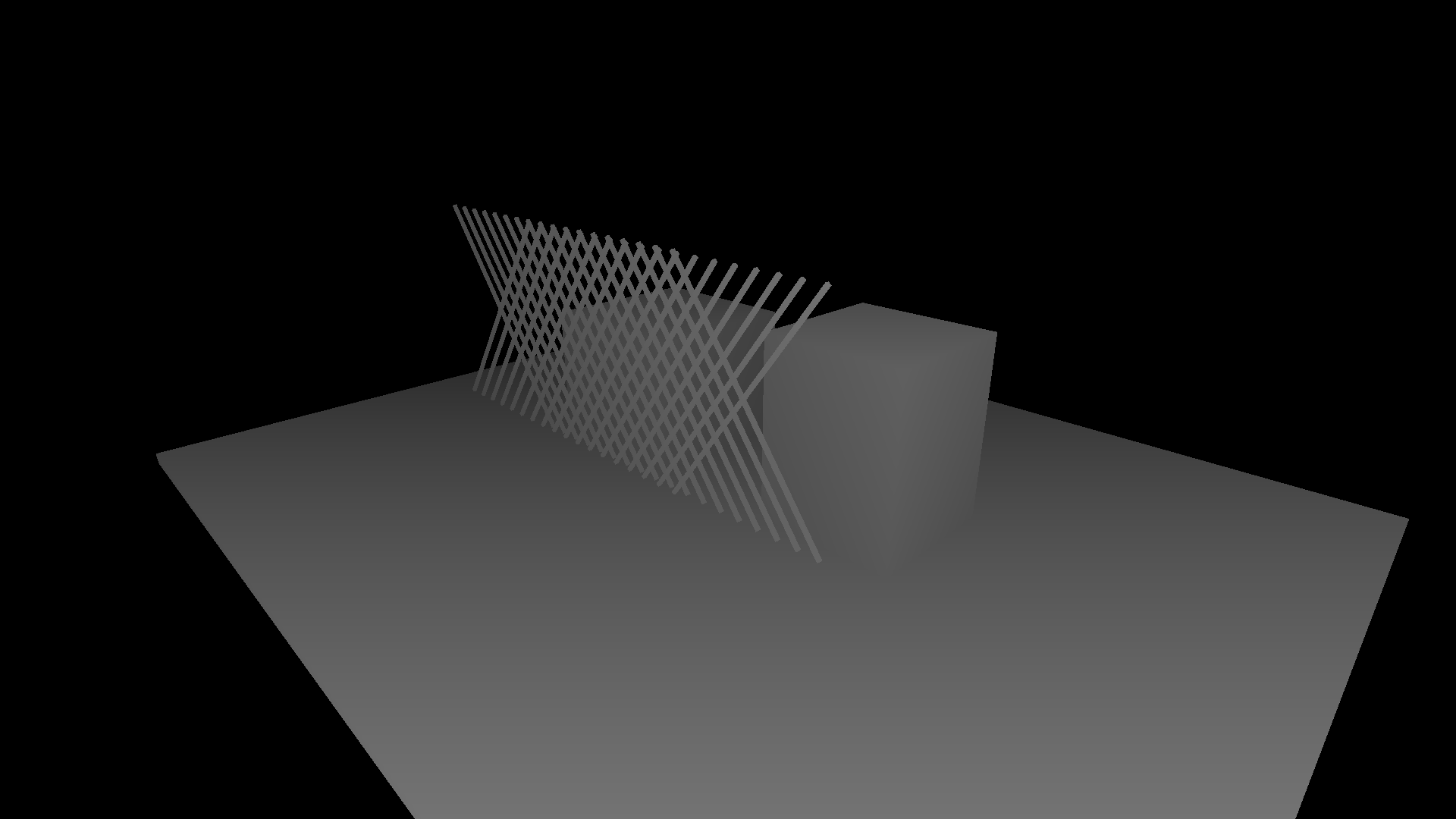
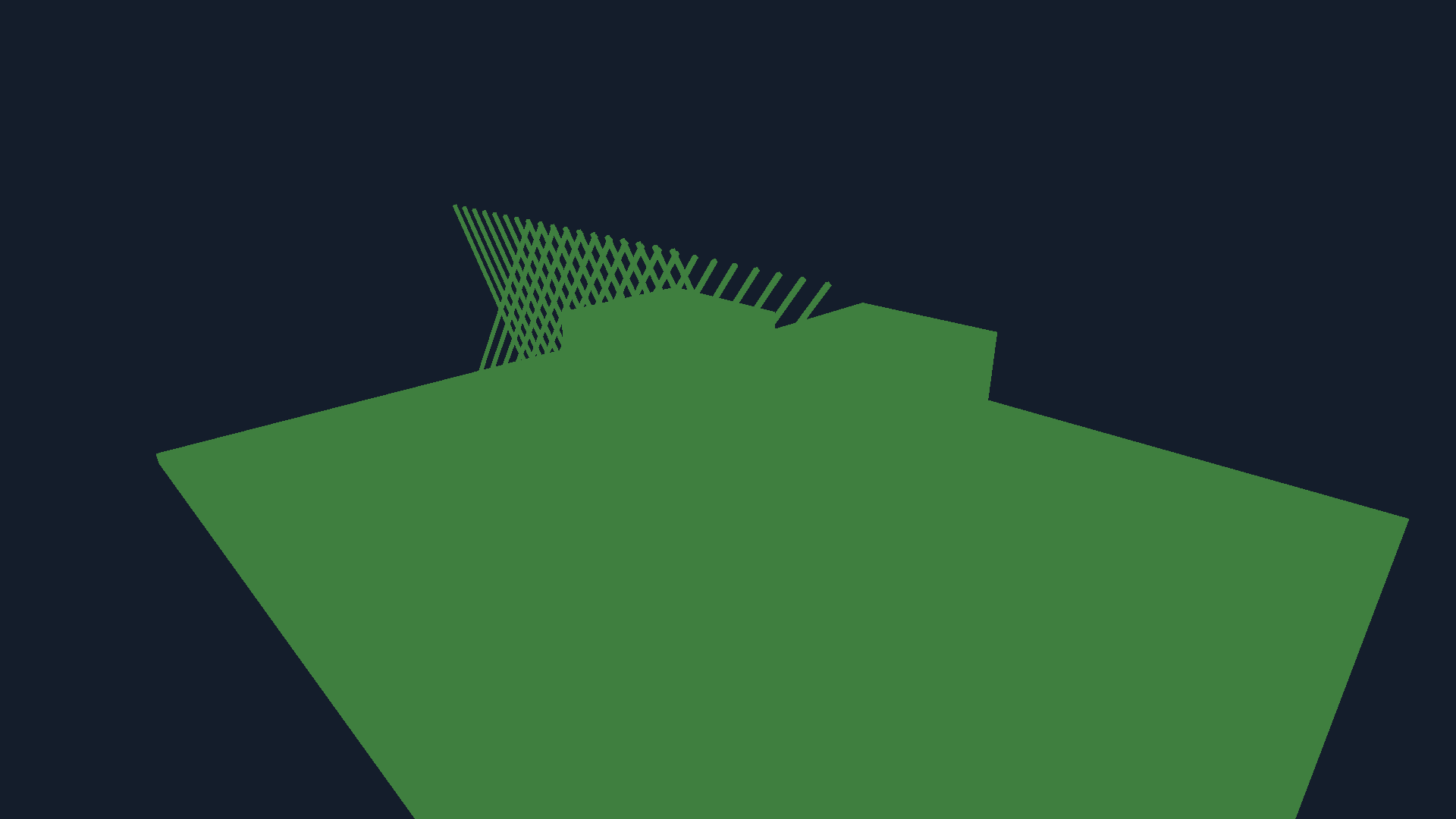
In the known-translation check, the whole scene moves four input pixels right. Its motion guide must point four pixels left. The colored foreground below encodes X/Y velocity; the maximum measured error was below 0.001 pixel. The background is a constant field with zero motion.
On the RTX 4090
On this Linux machine (RTX 4090, driver 610.43.02), 100 measurements after warm-up gave:
| Mode | Render → output | NGX median / 95th percentile |
|---|---|---|
| DLAA | 1920 × 1080 → 1920 × 1080 | 5.44 / 5.52 ms |
| Quality | 1280 × 720 → 1920 × 1080 | 4.92 / 5.01 ms |
| Performance | 960 × 540 → 1920 × 1080 | 6.23 / 6.30 ms |
| Ultra Performance | 640 × 360 → 1920 × 1080 | 5.25 / 5.29 ms |
Read that table across rather than down: Ultra takes one ninth of the output pixel count as input and does not cost a ninth as much to reconstruct. A mode named Performance does not promise a cheaper reconstruction pass either — the saving is in rendering the smaller source, which is yours.
On the crossing rods, against an independently rendered four-sample reference, static linear-RGB mean squared error fell from 0.000233 for Source to 0.0000708 for DLAA, a 69.6% reduction. That is a number about thin edges in this scene, and abstract imagery behaves differently.
Each 1080p reconstruction output allocation is 16.9 MiB on this driver. The SDK reported 89.7, 172.4 and 206.0 MiB of device allocations as DLAA, Quality and Performance were created in sequence; these figures include its retained device cache and must not be added together as independent per-view costs.
Every timing above is the NGX evaluation and its surrounding barriers, so add your own scene render to it to get a frame. The measurement report includes the device capability report, sample counts, memory and motion-vector errors; Ultra's row comes from the separate smaller-input run.
Optional installation
This experiment uses native Linux Vulkan NGX, with NVIDIA's public DLSS SDK pinned to
3749594, library version
310.9.1. The SDK is separately licensed; Field does not bundle its binaries. Ordinary builds and the
Source view work without it.
Build the optional adapter in a source checkout
Obtain that revision of NVIDIA/DLSS, then build Field's small wrapper:
FIELD_DLSS_ROOT=/path/to/DLSS bash tools/lighting/build_ngx.shLaunch Field with the same FIELD_DLSS_ROOT. The wrapper defaults to
build/native/field-ngx/libfield_ngx.so; FIELD_NGX_LIBRARY can select another location.
Configure these before creating the renderer, because NGX requires Vulkan extensions at creation.
FIELD_NGX_DISABLE=1 disables the adapter for fallback testing.
The next experiments are also Starting Points: Ray Reconstruction, hardware optical flow, and a learned shader function. Each has its own input contract and availability check.
For the complete editable pass graph—from moduleHere() and three render attachments to this adapter—continue with From modules to reconstruction and its reconstruction_plumbing Starting Point.