OSCQuery: controls other tools can find
OSC sends values to an address, but the sender has to know the address, the type and
the range in advance. OSCQuery lets a program publish that list itself. It serves its
parameters as JSON over HTTP, announces itself on the local network, and pushes changes to
anyone listening. TouchDesigner (the OSCQuery COMP), Max (oscquery packages), Chataigne, VDMX,
ossia score and the python and JavaScript libraries all speak it.
afield.io.osc.query does it in both directions. A box can publish parameters that those tools
list, show as controls and set. A box can also open another program's OSCQuery service and read,
set and follow its parameters.
The oscquery_demo starting point runs with nothing else
running: one box publishes, and two others connect back to it as a remote.
Publishing parameters
This box publishes a filter cutoff, an on/off switch and a scene menu, and keeps each in a variable that other programs can set:
import afield.io.osc.query.*

var cutoff = 1000.0
var on = true

val q = oscQuery("My piece")
q.float("/synth/cutoff", 20.0..20000.0, cutoff, "filter cutoff in Hz") { cutoff = it }
q.bool("/synth/on", on) { on = it }
q.menu("/scene", ["dawn", "dusk", "night"]) { scene -> markdown("scene: $scene") }
oscQuery(name) starts the service, or reuses it if it is already running. It serves HTTP on port
9020, takes OSC over UDP on 9021, and announces itself on the network as name. In TouchDesigner,
add an OSCQuery COMP; "My piece" appears in its list of servers, with a slider for the cutoff, a
toggle for on and a menu for the scene.
oscQuery(name, httpPort = 9030) uses another port, with OSC on the one above it unless you pass
oscPort. httpPort = 0 picks a free one; q.httpPort and q.oscPort say which. Every box asking
for the same port shares one service, so several boxes can each publish their own parameters to it.
What another program reads is plain JSON. Any HTTP client sees it, including one in a box. This one asks for a free port, so it does not collide with a service already on 9020:
import afield.io.osc.query.*
import java.net.URI
import java.net.http.*

val q = oscQuery("My piece", httpPort = 0)
q.float("/synth/cutoff", 20.0..20000.0, 1000.0, "filter cutoff in Hz") {}

val http = HttpClient.newHttpClient()
val req = HttpRequest.newBuilder(URI("http://127.0.0.1:${q.httpPort}/synth/cutoff")).build()
markdown("```json\n" + http.send(req, HttpResponse.BodyHandlers.ofString()).body() + "\n```")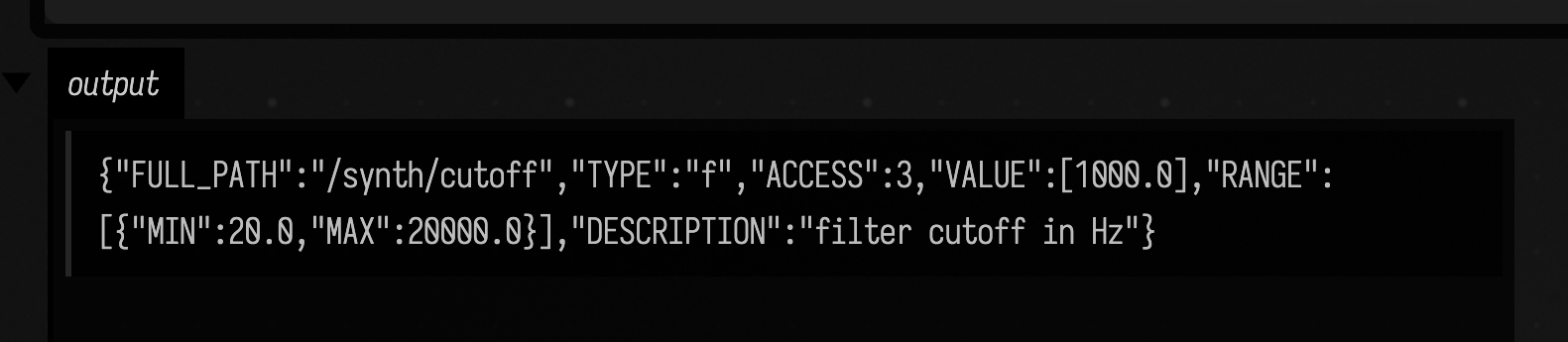
ACCESS 3 means other programs may both read and set the value; OscAccess.READ gives 1.
Each callback runs on Field's main loop, like the rest of the box, when another program sets the
parameter. Values arrive as the declared type and clipped to the range. An int sent to cutoff
arrives as a Double, and 30000 arrives as 20000.
| call | OSC type | shows up as |
|---|---|---|
float(path, range, initial) |
f |
a slider |
int(path, range, initial) |
i |
an integer slider |
bool(path, initial) |
T/F |
a toggle |
string(path, initial) |
s |
a text field |
menu(path, choices, initial) |
s with VALS |
a menu |
vector(path, listOf(x, y)) |
ff, fff, ... |
a 2D pad, a colour, ... |
param(path, type, initial, ...) |
anything else |
Every call also takes a description, which other programs show as a tooltip.
q.describe("/synth", "...") describes a folder. Re-running the box replaces the callbacks and
keeps the current values, so a value another program set is not reset when you edit the box.
Deleting the box removes its parameters, and connected programs see them disappear.
Sending values out
set changes a parameter from Field. Every program that is listening receives the new value
right away; the parameter's own callback does not run, because the change came from Field:
val level = q.float("/meter/level", 0.0..1.0, access = OscAccess.READ)
loop {
    level.set(0.5 + 0.5 * sin(AnimationClock.nowSeconds()))
    delay(30)
}
access = OscAccess.READ marks a value other programs may watch but not set. Use it for meters and
analysis results.
Field controls, published
controls builds a control group whose sliders and checkboxes are also OSCQuery
parameters, under one prefix:
import afield.io.osc.query.*

var gain = 0.5
var mute = false
val q = oscQuery("My piece", httpPort = 0)
q.controls("/surface") {
    slider("gain", 0.0, 1.0, initialValue = gain) { gain = it }
    checkbox("mute", mute) { mute = it }
}

val published = oscQueryRemote("127.0.0.1", q.httpPort).params.filter { it.path.startsWith("/surface") }
markdown(published.joinToString("\n") { "- `${it.path}` ${it.type} ${it.range}" })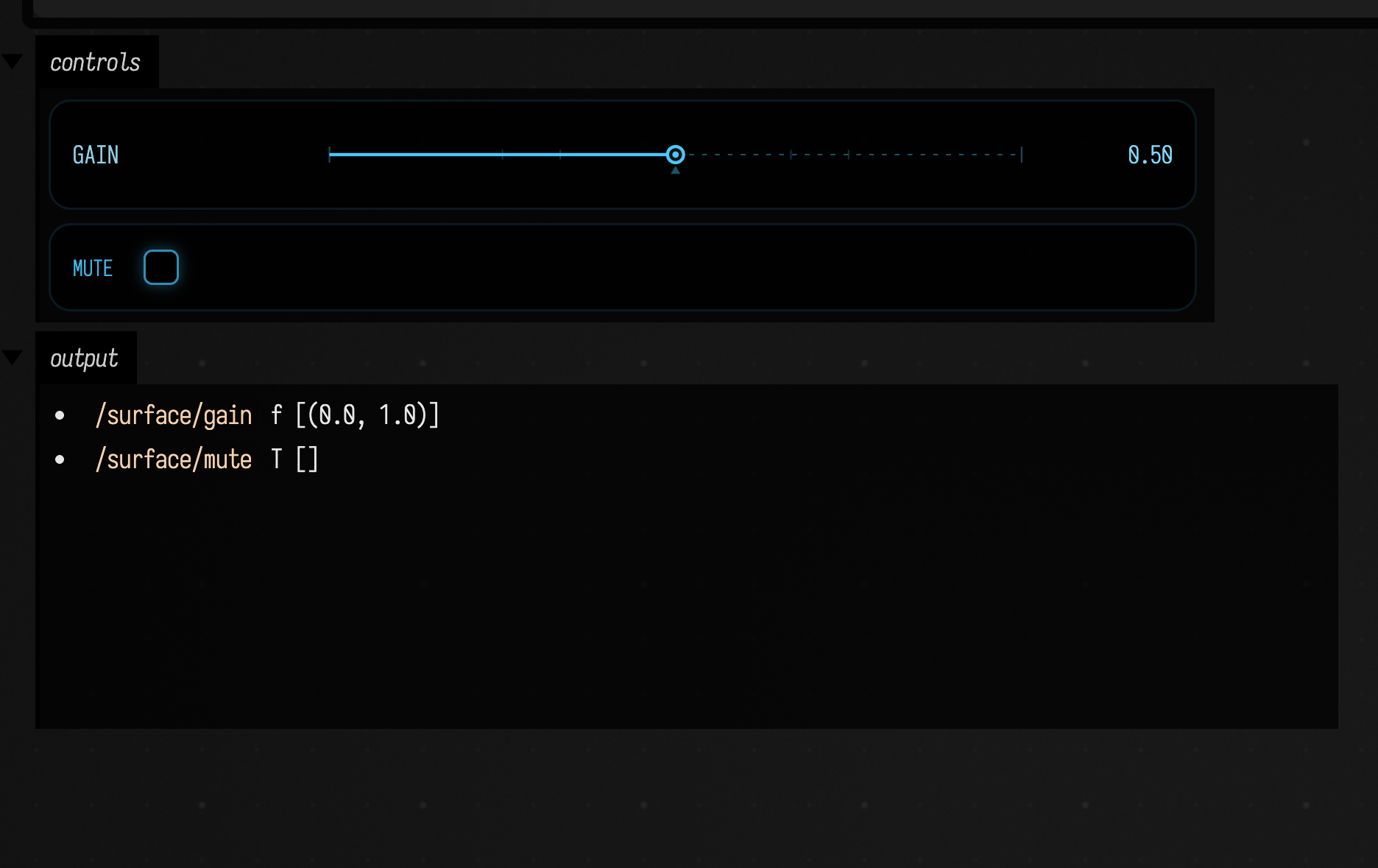
Dragging the slider in Field runs the callback and sends the new value to every listening
program. When TouchDesigner sets /surface/gain, the Field slider moves and the callback runs.
Using another program's parameters
oscQueryRemote(host, port) reads a service's parameters. The port is the HTTP port, the one
TouchDesigner shows next to its OSCQuery server:
val td = oscQueryRemote("127.0.0.1", 9000)
td["/project1/level"].set(0.5) // sent as OSC, as the type the server declares
td["/project1/level"].listen { v -> markdown("level: $v") }

markdown(td.params.joinToString("\n") { "- `${it.path}` ${it.type} ${it.range}" })
set sends the value as OSC to the port the service lists in its HOST_INFO, converted to the
parameter's declared type, so 0.5 goes out as a float. listen asks the service to push every
change over its WebSocket. Its callback runs on the main loop. number, value, range,
choices and description read what the service last reported; refresh() reads the list
again.
Pointed at Field's own service, a remote lists what the publishing box above declared:
import afield.io.osc.query.*

val q = oscQuery("My piece", httpPort = 0)
q.float("/synth/cutoff", 20.0..20000.0, 1000.0, "filter cutoff in Hz") {}
q.bool("/synth/on", true) {}
q.menu("/scene", ["dawn", "dusk", "night"]) {}

val self = oscQueryRemote("127.0.0.1", q.httpPort)
markdown(self.params.joinToString("\n") { "- `${it.path}` ${it.type} ${it.range}" })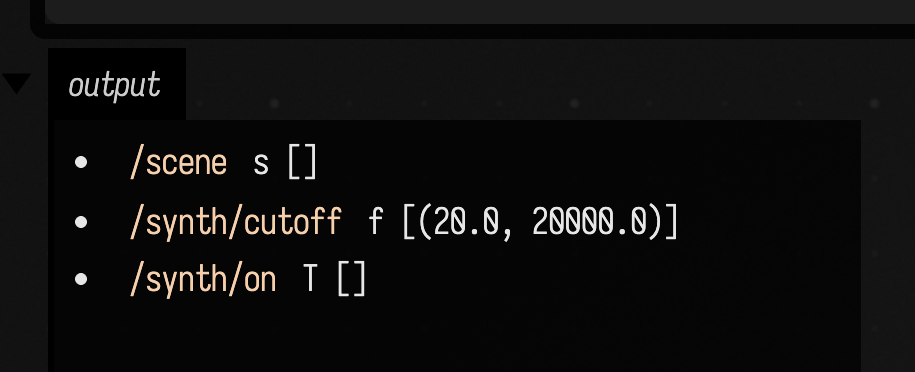
oscQueryMirror(remote) builds Field controls for all of them: a slider for each number and a
checkbox for each boolean. Each control sets the remote parameter when you move it, and moves
when the remote value changes. The optional third argument keeps only the parameters you want:
oscQueryMirror(td, "td") { it.path.startsWith("/project1/") }Finding services
oscQueryDiscover() lists the OSCQuery services that answer on the local network within a second
and a half:
val services = oscQueryDiscover()
markdown(services.joinToString("\n") { s -> "- **${s.instance}** at `${s.address}:${s.port}`" })

val chataigne = OscQueryRemote.find("Chataigne") // the first one whose name matches, or null
Field announces its own service the same way, as _oscjson._tcp with an _osc._udp entry
for the OSC port. Pass advertise = false to oscQuery to stay quiet. You can still connect to
host:9020 by hand.
Ports and the network
Like Field's other OSC inputs, the service listens on every network interface, so
another machine can browse and set it. That is what OSCQuery is for, but anyone on the network
can change those parameters. OscQueryServer(name, bindAddress = "127.0.0.1") keeps a service on
this machine only. OscQueryServices.closeAll() stops every service and remote connection.
Not supported
- No
TAGS,UNIT,CLIPMODE,EXTENDED_TYPEorCRITICAL;HOST_INFOlists them as unsupported, and remotes fall back to their defaults. - OSC over TCP is not offered; values arrive over UDP or as binary frames on the WebSocket.
PATH_RENAMEDis never sent; a rename is aPATH_REMOVEDand aPATH_ADDED.- Discovery does not resolve a name clash: two services with the same name on one network both appear, under the same name.
See also
- OSC, for sending and receiving plain OSC messages.
- MQTT, for sensors and devices that publish through a broker.
- Driving lights, for Art-Net and sACN output.
How this page was checked
Three fences are captured by the docs runner: the JSON fetched over loopback HTTP from inside a
box, the published controls with the paths the service lists for them, and the parameter list
a remote reads back from Field's own service. The rest are static. The behaviour is covered by
src/jvmTest/kotlin/afield/io/osc/query/OscQueryRoundTripTest.kt, over real loopback HTTP, UDP and
WebSocket. dev_docs/OSCQUERY_BRIDGE.md records what was tested against other
implementations.