Stereo video in a room
Put a stereo movie on a curved screen in VR, and move the screen around the room. The video_one starting point opens a bundled demo and gives you a scrubber, playback controls and screen placement. Choose a local movie whenever you like; the player currently handles video without audio. The desktop preview shows the same eye images as the headset. The movie keeps its source resolution through decoding.
Open the starting point and launch these boxes in order: 1 · Headset / preview / Field pane, 2 · Stereo screen placement, 4 · Video shader, 5 · Temporal accumulation shader, and 3 · Movie / transport. The supplied launch macro does this for you.
The demo starts automatically. To use your own movie, enter its path in Full SBS file and
press Load movie. The left half goes to the left eye; Swap left and right reverses that.
The screen starts at the native per-eye aspect ratio, (file width / 2) / height, with no
horizontal squeeze assumed. The file stays at its packed source resolution until the video shader
samples it.
Arc width sets the screen's width in metres, measured along the curve. Bend controls its horizontal angle: zero is flat, positive brings the edges forward. The displayed aspect ratio, center and yaw/pitch/roll are independent controls. Bring screen in front places the screen upright along the current horizontal gaze direction.
The scrubber pauses at the chosen time; Playing resumes. Decoding and seeking run in the background, and rapid seek requests are combined. Loading another file can briefly wait for the previous movie's GPU resources to clear.
Try the starting place
The demo is a three-second loop of three moving spheres over a floor grid, viewed from cameras 64 mm apart. It is a 1280 × 360 side-by-side movie at 24 fps, with ten-bit YUV 4:2:0 and a BT.709 colour matrix. Each eye receives 640 × 360 pixels. It is a small file for trying the player; larger movies keep their original resolution. Download the source movie.
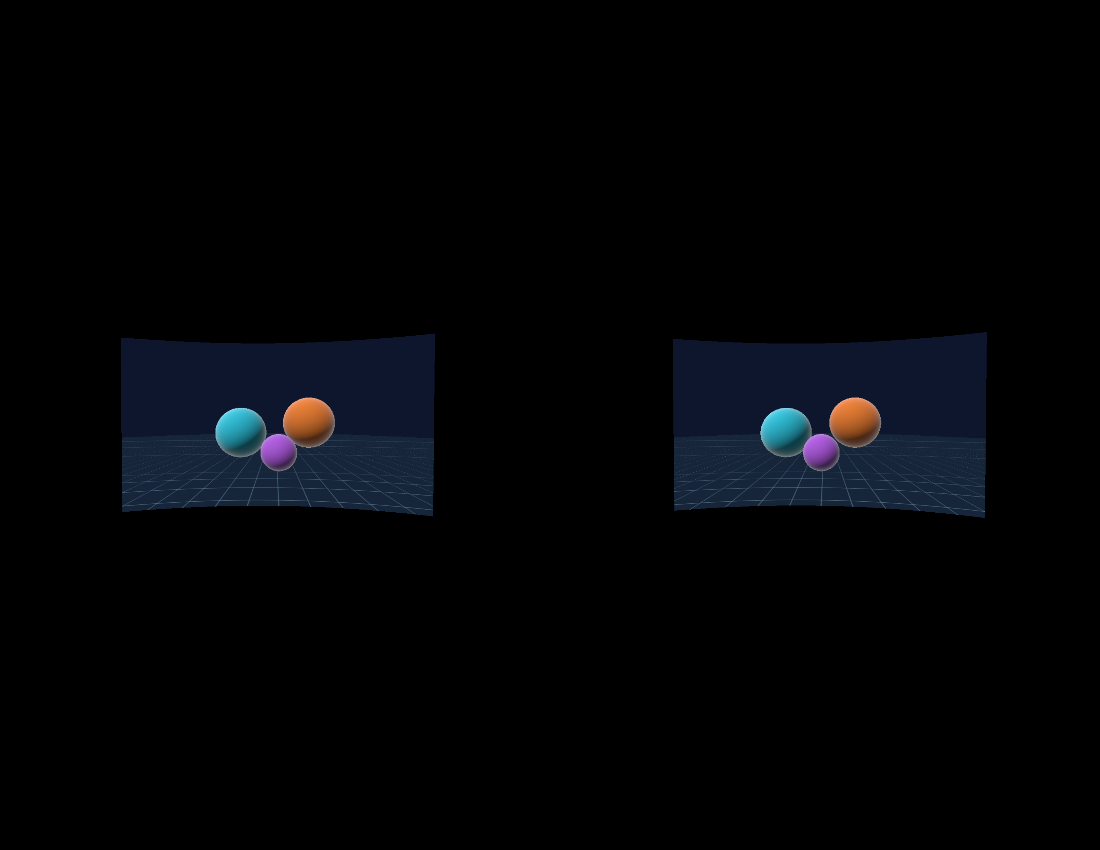
Try these controls in order:
| Gesture | Result |
|---|---|
| Pause and scrub | Select a source picture without moving the screen |
| Swap left and right | Reverse which packed half each eye sees |
| Bend, then Arc width | Curve and resize the room-locked screen |
| 8x blur | Increase movie speed and accumulate a moving exposure |
| Material: 12 fps | Hold the source material between ticks while the headset keeps rendering |
| 1x sharp | Return to ordinary speed with accumulation disabled |
The playback preview shows both eyes side by side as a simulated head moves through the room. The encoded recording shows the effect rather than measuring precision; in a headset the player uses the runtime's current predicted eye poses. The captures use the player's decoder, P010 uploads, movie shader and floating-point eye targets. The demo movie itself is made by generate_stereo_video_demo.py.
Headset and preview
For a headset, start a fresh Field process, connect WiVRn and set headsetMode = true in box 1
before launching the renderer. OpenXR supplies the eye dimensions, and the preview samples those
same eye images. Desktop-only mode uses a stereo camera and needs no headset.
With withFieldBrowser = true, Field's live browser appears in a companion window and on a
movable pane in the headset. It uses the same controller and keyboard/mouse support as
Field inside VR. The movie preview has its own window. The browser can be
hidden in the headset or omitted entirely by changing the setup flag.
1 · Headset, preview and browser controls
This box creates the renderer and eye targets. Set the headset and browser options before launching it:
import afield.graphics.vulkan.util.Options
import afield.media.browser.*

// Change before the first Renderer; switching desktop/OpenXR requires a fresh Field process.
val headsetMode = false
val withFieldBrowser = true // optional Field-in-headset and its desktop companion

Options.enableVR = headsetMode
Options.enableHDR = false // SDR content; high precision is independent of HDR output

prop<Window>(window) = Window("video_one · Field", initialDimensions = Rect(40.0, 50.0, 1100.0, 850.0))
val preview =
    if (withFieldBrowser) Window("video_one · headset preview", initialDimensions = Rect(1180.0, 50.0, 1100.0, 850.0))
    else null
preview?.bestEffortPresentation = true

prop<Renderer>(renderer) = Renderer(window, additionalWindows = listOfNotNull(preview))
val ownedRenderer = renderer

// Bootstrap OpenXR before reading its recommended eye dimensions.
if (headsetMode) {
    renderer.openXRHmdTarget = OpenXRHmdTarget(renderer)
    repeat(8) { if (renderer.openXRHmdTarget?.hasEyeViews == false) renderer.render() }
    check(renderer.openXRHmdTarget?.hasEyeViews == true) { "Connect WiVRn before launching OpenXR mode" }
} else renderer.render()

// The editor and the movie preview are separate desktop windows. In VR the editor is
// another module in the same projection layer, and stays sharp over the movie.
:::fold Browser panel, eye targets and desktop mirror
val workspace =
    if (withFieldBrowser)
        FieldVrWorkspace(
            renderer,
            FieldUiBrowserTexture.fieldDocumentUrl(thisBox),
            width = 2560,
            height = 1600,
            readyBoxUid = thisBox.id,
            withDepth = false,
            widthMeters = 1.6f,
            distanceMeters = 1.7f,
        )
    else null

val xr = renderer.openXRHmdTarget
if (xr != null)
    check(xr.highPrecisionSwapchain) {
        "The runtime selected an eight-bit eye format; inspect the offered OpenXR formats before continuing"
    }
val eyeSize = xr?.let { renderer.runOnQueueThread { it.sideBySideRTTParameters() } }
prop<MultiviewStereoTarget>(stereo) =
    workspace?.stereo
        ?: MultiviewStereoTarget(
            renderer,
            eyeWidth = eyeSize?.width?.div(2) ?: 1600,
            eyeHeight = eyeSize?.height ?: 1200,
            openXR = xr,
            withDepth = false,
        )
val ownedStereo = stereo

if (!headsetMode) {
    stereo.stereoCamera.base.at.set(0f, 0f, 0f)
    stereo.stereoCamera.base.target.set(0f, 0f, -1f)
}

workspace?.panel?.panel?.faceToward(vec(-2.3f, 0f, -1.6f), vec(0f, 0f, 0f))

var pairPreview = false
stereo.mirrorToScreen(windowIndex = if (preview != null) 1 else 0, name = "video-preview", stereoPair = { pairPreview })

controlGroup("preview") {
    checkbox("Both eyes side by side", initialValue = false) { pairPreview = it }
    checkbox("Desktop preview enabled", initialValue = true) { (preview ?: window).presentationEnabled = it }
}

// Hiding the panel also releases/drains its input, rather than clicking an invisible editor.
if (workspace != null) {
    val visibleBrowser = checkNotNull(renderer.renderList.preTargets["field-vr-browser"])
    val hiddenBrowser =
        afield.graphics.vulkan.Target { command, _ ->
            workspace.browser.prepareSampledImagesFor(command)
            workspace.headsetDevices?.poll(deliver = false)
        }
    controlGroup("Field browser") {
        checkbox("Show Field pane in headset", initialValue = true) { visible ->
            workspace.input.cancel()
            workspace.grab.cancel()
            workspace.companion.input.releasePointer()
            workspace.headsetDevices?.releasePointer()
            stereo.layered.modules.getValue(workspace.panel.name).current.enabled = visible
            renderer.renderList.preTargets["field-vr-browser"] = if (visible) visibleBrowser else hiddenBrowser
        }
        button("Bring Field pane in front") { down -> if (down) workspace.recenter() }
    }
}

:::endfold

fun eyeFormatName(format: Int?): String = when (format) {
    org.lwjgl.vulkan.VK10.VK_FORMAT_R16G16B16A16_SFLOAT -> "16-bit float"
    org.lwjgl.vulkan.VK10.VK_FORMAT_R16G16B16A16_UNORM -> "16-bit normalized"
    org.lwjgl.vulkan.VK10.VK_FORMAT_A2B10G10R10_UNORM_PACK32,
    org.lwjgl.vulkan.VK10.VK_FORMAT_A2R10G10B10_UNORM_PACK32 -> "10-bit normalized"
    null -> "not connected"
    else -> "8-bit/other (Vulkan format $format)"
}

displayOpen("preview")
displayOpen("Field browser")
display(
    "precision",
    "<div style='padding:12px'>${stereo.eyeWidth} × ${stereo.eyeHeight} per eye · scene format ${eyeFormatName(stereo.layered.parameters.format)} · XR format ${eyeFormatName(xr?.swapchainColorFormat)} · high-precision XR ${xr?.highPrecisionSwapchain ?: "not connected"}. WiVRn stream bit depth must be verified separately.</div>",
)

:::fold Window cleanup
// Playback owns the render loop. This scope owns windows, browser and eye targets.
loop { frame() }
    .end {
        workspace?.close()
        ownedRenderer.renderList.preTargets.remove("stereo-multiview", ownedStereo)
        ownedRenderer.openXRHmdTarget?.clearEyeSource(ownedStereo.layered)
        ownedRenderer.cleanup()
    }

:::endfold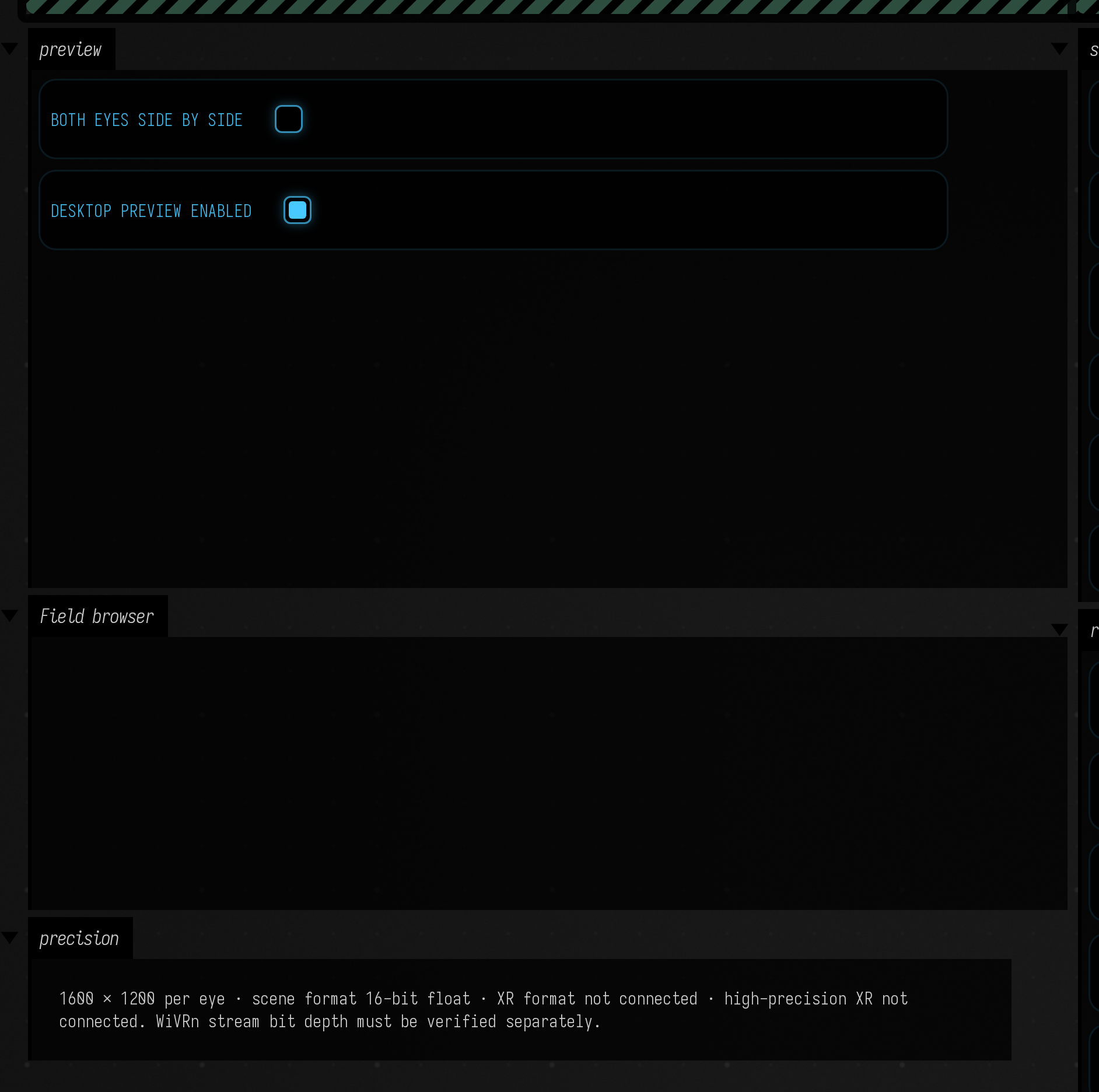
Colour precision
Movies decode to P010, retaining ten-bit luma/chroma in sixteen-bit storage. The shader uses the
file's colour matrix and range tags, and renders into floating-point eye images. The shared
OpenXR path prefers a floating-point or ten-bit swapchain over an eight-bit format, so
text_one and other multiview documents benefit too. The movie example reports the selected
format and refuses an eight-bit OpenXR swapchain rather than silently reducing precision.
The desktop preview can still quantize to the monitor's output format.
This is an SDR player, including ten-bit SDR material. Tagged PQ/HLG movies need an HDR display path and are refused. Unspecified SDR matrix/range tags default to BT.709/limited.
For ten-bit transport, configure a supported WiVRn encoder (AV1 or HEVC) with bit-depth: 10,
then check the negotiated encoder and decoder on the headset. A ten-bit request or floating-point
eye images alone cannot establish the precision of the whole path. Field submits the movie and
browser together in one projection layer, using WiVRn's direct projection path.
4 · Video shader contains editable vertex/fragment tabs and uses
moduleHere { +movie }. Reload Shader (⌥+R) reloads its current pipeline without
reopening the file; the push-constant comments appear in Kotlin completion.
The editable source and guide are in templates/video_one/. build_transcript.py --video
/path/to/movie.mp4 produces create/launch/stop macros for a local file. Add --headset to
select OpenXR and --no-browser to omit Field's browser pane.
The WiVRn 26.6.2 Quest client source selects an eight-bit sRGB eye swapchain after decoding, so ten-bit transport alone does not give you ten-bit final headset composition. A higher-precision client path needs to be negotiated and tested separately.
Screen placement controls
Use 2 · Stereo screen placement to shape the screen and place it in the room. The first control group changes the arc and aspect; the second sets its position and orientation. Recentring uses the current head pose and keeps the screen upright.
import afield.graphics.scene.video.*

// One movie owns decoding and uploads; box 4 owns its editable graphics pipeline.
prop<StereoVideoSurface>(movie) = StereoVideoSurface(renderer, stereo, automaticDrawing = false)
// Capture this launch's instance for cleanup if the inherited property is replaced.
val ownedMovie = movie

val screen = movie.placement
var screenDistance = 2.5f

// UI handles mirror programmatic recenter/aspect changes without re-firing callbacks.
prop<ControlValueHandle<Double>>(aspectControl)
:::fold UI handles for synchronizing the recenter controls
val poseMirrors = mutableListOf<Pair<ControlValueHandle<Double>, () -> Double>>()

fun ControlGroupBuilder.poseSlider(
    label: String,
    min: Double,
    max: Double,
    value: () -> Double,
    change: (Double) -> Unit,
) {
    poseMirrors += slider(label, min = min, max = max, step = .01, initialValue = value(), onUpdate = change) to value
}

:::endfold

// Flatten the gaze direction: recentering keeps the movie upright, even after a head tilt.
fun recenterScreen() {
    val head = Vector3f()
    val orientation = Quaternionf()
    val forward = vec(0f, 0f, -1f)
    if (renderer.openXRHmdTarget?.headPose(head, orientation) == true) orientation.transform(forward)

    forward.y = 0f
    if (forward.lengthSquared() < 1e-6f) forward.set(0f, 0f, -1f)
    forward.normalize()

    screen.center.set(head).fma(screenDistance, forward)
    screen.rotationDegrees.set(
        0f,
        Math.toDegrees(kotlin.math.atan2(-forward.x.toDouble(), -forward.z.toDouble())).toFloat(),
        0f,
    )

    poseMirrors.forEach { (control, value) -> control.set(value()) }
}
recenterScreen()

controlGroup("screen") {
    slider("Arc width (metres)", min = .2, max = 10.0, step = .01, initialValue = 3.0) {
        screen.widthMeters = it.toFloat()
    }
    slider("Bend (degrees)", min = -160.0, max = 160.0, step = .1, initialValue = 35.0) {
        screen.bendDegrees = it.toFloat()
    }
    aspectControl = slider("Displayed aspect ratio", min = .3, max = 4.0, step = .001, initialValue = screen.aspect.toDouble()) {
        screen.aspect = it.toFloat()
    }
    button("Use native per-eye aspect") { down ->
        if (down) {
            screen.aspect = movie.nativeAspect
            aspectControl.set(screen.aspect.toDouble())
        }
    }
    slider("Recenter distance (metres)", min = .5, max = 10.0, step = .01, initialValue = 2.5) {
        screenDistance = it.toFloat()
    }
    button("Bring screen in front") { down -> if (down) recenterScreen() }
}

:::fold Position and rotation sliders
controlGroup("room position") {
    poseSlider("Center X (metres)", -10.0, 10.0, { screen.center.x.toDouble() }) { screen.center.x = it.toFloat() }
    poseSlider("Center Y (metres)", -3.0, 5.0, { screen.center.y.toDouble() }) { screen.center.y = it.toFloat() }
    poseSlider("Center Z (metres)", -10.0, 2.0, { screen.center.z.toDouble() }) { screen.center.z = it.toFloat() }
    poseSlider("Yaw (degrees)", -180.0, 180.0, { screen.rotationDegrees.y.toDouble() }) {
        screen.rotationDegrees.y = it.toFloat()
    }
    poseSlider("Pitch (degrees)", -89.0, 89.0, { screen.rotationDegrees.x.toDouble() }) {
        screen.rotationDegrees.x = it.toFloat()
    }
    poseSlider("Roll (degrees)", -180.0, 180.0, { screen.rotationDegrees.z.toDouble() }) {
        screen.rotationDegrees.z = it.toFloat()
    }
}

:::endfold

displayOpen("screen")
displayOpen("room position")

// Transport drives renderer.render(); this box only owns the movie lifetime.
loop { frame() }.end { ownedMovie.close() }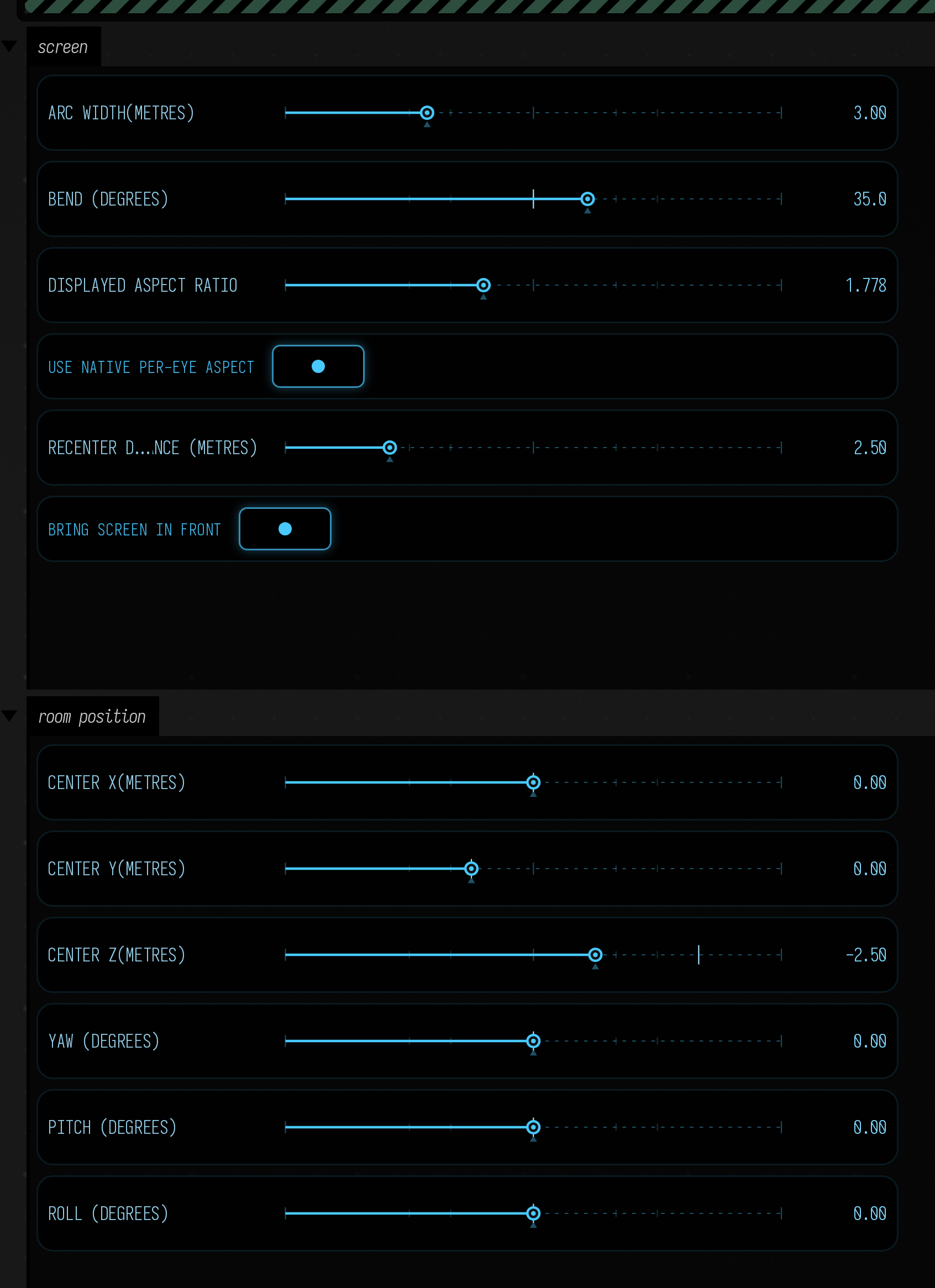
Speed and motion exposure
The transport's Speed control goes up to 8×. Above 4×, you can select alternate frames to reduce conversion and uploads: a 24 fps movie at 8× contributes up to 96 pictures per second. FFmpeg still decodes necessary reference pictures; optional non-reference skipping can reduce work further, depending on the codec. Headset rendering continues at the runtime refresh rate.
Accumulation mix, Persistence half-life (s) and Incoming frame weight control a full-resolution RGBA16F temporal exposure in linear light. Only newly selected source frames are added. The exposure lives in the movie's coordinates, so head motion and the rest of the scene stay sharp. Clear accumulation resets it; scrubbing, looping and file replacement also reset it. 8x blur and 1x sharp provide quick cuts between fast exposure and ordinary playback.
Edit the accumulation shader in 5 · Temporal accumulation shader and reload it with Field's usual shader command. Box 4 remains the final screen shader. The transport status shows decode timing, skipped queue samples and exposure sample counts. Playback speed depends on decode throughput; a bounded queue keeps old frames from piling up.
3 · Movie and transport controls
The box below shows the loaded movie, scrub position, speed, material cadence and temporal exposure. Its longer control and status code is folded.
// A local path, with ~ expansion; changing this field alone does not reopen the decoder.
// The checkout ships an original stereo calibration movie; an environment override selects yours.
var selectedFile =
System.getenv("FIELD_STEREO_VIDEO") ?: java.io.File("public/docs/assets/stereo_video/stereo-demo.mkv").absolutePath
:::fold UI handles
var scrubber: ControlValueHandle<Double>? = null
var playingControl: ControlValueHandle<Boolean>? = null
var speedControl: ControlValueHandle<Double>? = null
var persistenceControl: ControlValueHandle<Double>? = null
var mixControl: ControlValueHandle<Double>? = null
var eyeSwapControl: ControlValueHandle<Boolean>? = null
:::endfold
// Rebuild only on file change, when duration changes. Handles keep playback ticks out of
// the document edit log; seeks pause, and an explicit Playing gesture resumes.
:::fold All transport controls: speed, exposure, cadence, scrubbing and eye selection
fun showTransport() {
displayClear("transport")
controlGroup("transport") {
playingControl = checkbox("Playing", initialValue = movie.playing) { if (it) movie.play() else movie.pause() }
scrubber = slider(
"Seek (seconds)",
min = 0.0,
max = movie.duration.coerceAtLeast(.001),
step = .01,
initialValue = 0.0,
) {
movie.seek(it)
}
speedControl = slider("Speed", min = .1, max = 8.0, step = .01, initialValue = movie.speed) {
movie.speed = it
}
button("Material: unlimited") { down -> if (down) movie.materialFramesPerSecond = 0 }
button("Material: 24 fps") { down -> if (down) movie.materialFramesPerSecond = 24 }
button("Material: 12 fps") { down -> if (down) movie.materialFramesPerSecond = 12 }
checkbox("Alternate frames above 4x", initialValue = movie.selectiveDecode) { movie.selectiveDecode = it }
checkbox("Skip non-reference pictures", initialValue = movie.skipNonReferenceFrames) {
movie.skipNonReferenceFrames = it
}
mixControl = slider(
"Accumulation mix",
min = 0.0,
max = 1.0,
step = .001,
initialValue = movie.accumulationMix.toDouble(),
) {
movie.accumulationMix = it.toFloat()
}
persistenceControl = slider(
"Persistence half-life (s)",
min = 0.0,
max = 10.0,
step = .01,
initialValue = movie.accumulationHalfLife,
) {
movie.accumulationHalfLife = it
}
slider(
"Incoming frame weight",
min = 0.0,
max = 4.0,
step = .01,
initialValue = movie.accumulationInputWeight,
) {
movie.accumulationInputWeight = it
}
button("Clear accumulation") { down -> if (down) movie.clearAccumulation() }
button("1x sharp") { down ->
if (down) {
movie.speed = 1.0
movie.accumulationMix = 0f
speedControl?.set(1.0)
mixControl?.set(0.0)
}
}
button("2x sharp") { down ->
if (down) {
movie.speed = 2.0
movie.accumulationMix = 0f
speedControl?.set(2.0)
mixControl?.set(0.0)
}
}
button("2x blur") { down ->
if (down) {
movie.speed = 2.0
movie.accumulationMix = 1f
movie.accumulationHalfLife = 4.0
speedControl?.set(2.0)
mixControl?.set(1.0)
persistenceControl?.set(4.0)
movie.play()
}
}
button("8x blur") { down ->
if (down) {
movie.speed = 8.0
movie.accumulationMix = 1f
speedControl?.set(8.0)
mixControl?.set(1.0)
movie.play()
}
}
button("Back to start") { down -> if (down) movie.seek(0.0) }
eyeSwapControl = checkbox("Swap left and right", initialValue = movie.swapEyes) { movie.swapEyes = it }
button("Swap eyes") { down ->
if (down) {
movie.swapEyes = !movie.swapEyes
eyeSwapControl?.set(movie.swapEyes)
}
}
checkbox("Flip vertically", initialValue = false) { movie.flipVertically = it }
}
}
:::endfold
fun openMovie() {
if (movie.load(selectedFile)) {
aspectControl.set(movie.nativeAspect.toDouble())
showTransport()
movie.play()
}
}
controlGroup("movie file") {
stringInput("Full SBS file", initialValue = selectedFile) { selectedFile = it }
button("Load movie") { down -> if (down) openMovie() }
}
// Rerunning the transport refreshes controls without reopening the playing movie.
if (!movie.hasFrame && selectedFile.isNotBlank()) openMovie() else showTransport()
displayOpen("movie file")
displayOpen("transport")
displayOpen("status")
// Render at the runtime cadence; send inexpensive transport/status updates at four Hz.
:::fold Render loop and live status updates
var lastStatus = 0L
loop {
renderer.windows.forEach { it.pollEvents() }
renderer.render()
val now = System.nanoTime()
if (now - lastStatus > 250_000_000L) {
lastStatus = now
scrubber?.set(movie.timestamp)
playingControl?.set(movie.playing)
val label = movie.error ?: movie.path ?: "Choose a full-resolution SBS movie, then Load movie"
val safe = label.replace("&", "&").replace("<", "<").replace(">", ">")
display(
"status",
"<div style='padding:12px;width:430px'>$safe<br>${movie.width} × ${movie.height} packed · native per-eye aspect ${movie.nativeAspect}<br>${movie.timestamp.f2} / ${movie.duration.f2} seconds · ${if (movie.playing) "playing" else "paused"} · frame ${movie.uploadedFrameIndex}<br>${movie.speed}× · material ${if (movie.materialFramesPerSecond == 0) "uncapped" else "${movie.materialFramesPerSecond} fps"} · stride ${movie.selectedStride} · decode ${movie.decodeMicros / 1000.0} ms · queue drops ${movie.droppedFrames}<br>Material omissions ${movie.omittedMaterialFrames} · accumulated ${movie.accumulationSamples} frames · linear RGBA16F → floating-point eyes. No sound. Playback loops at the end. Scrubbing pauses.</div>",
)
}
frame()
}
:::endfold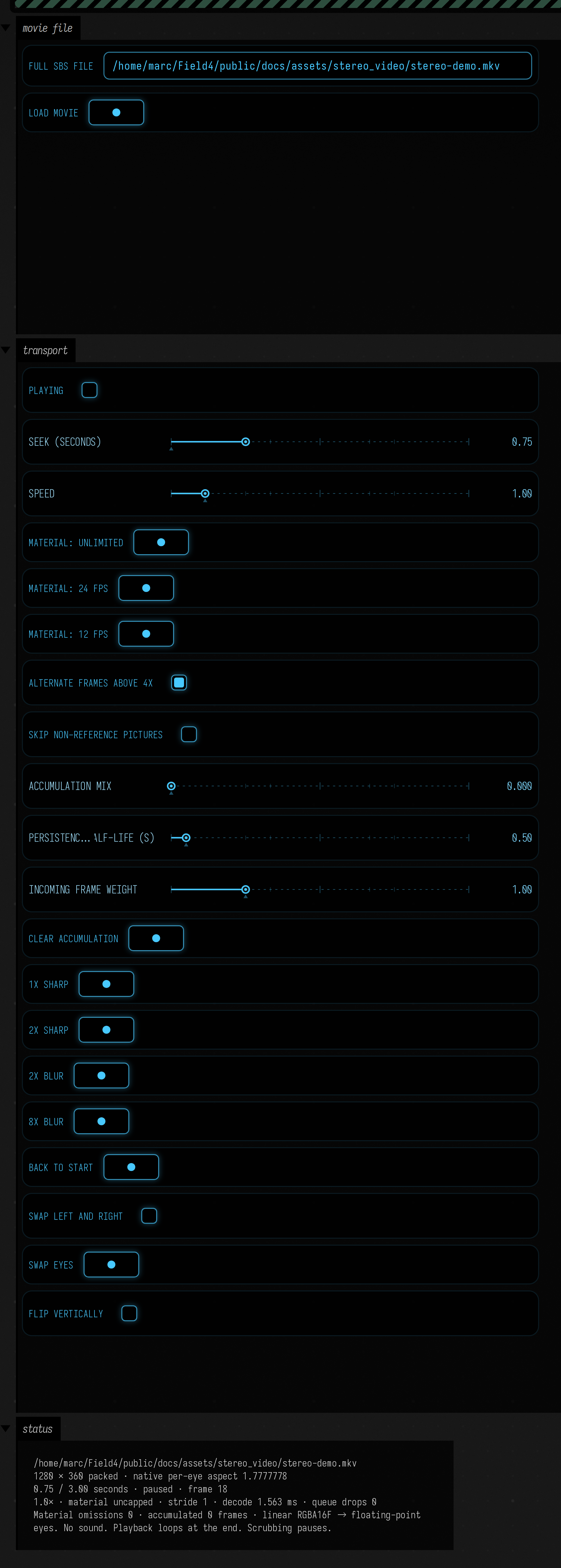
Material cadence
Material: unlimited, Material: 24 fps and Material: 12 fps set how often the movie image updates, independently of playback speed. Decode continues on the playback clock; at each capped tick the player uploads the newest ready picture and discards intermediate queued samples. At 8×/12 fps, a 24 fps movie advances approximately sixteen source frames per material tick. The status reports the selected cap.
The sharp texture and temporal exposure both hold between ticks. Accumulation adds each selected material frame once; persistence remains a real-time half-life. Headset rendering, screen placement and current eye poses stay at the runtime cadence. New files, scrubbing and clear requests take effect on the next permitted material tick. Display timing quantizes tick presentation; missed ticks are skipped. Selecting unlimited restores ordinary per-source-frame updates. The effect holds the movie image while VR keeps rendering at its usual rate; there is no optical-flow interpolation between source pictures.
Code and ownership
StereoVideoSurface is the reusable player. A document owns its editable draw pipeline with
moduleHere { +movie }; the movie supplies the eye targets and texture bindings. The source
image is uploaded once before either eye draws. movie.placement controls the screen, while
movie.play(), movie.pause(), movie.seek(seconds) and movie.speed control its transport.
movie.materialFramesPerSecond accepts 0, 12 or 24; zero is uncapped.
Stop the transport first and the context last: the screen box owns the movie, and the shader
boxes own their pipelines. The supplied stop macro follows that order. The starting point includes
a guide and editable source for each layer; templates/video_one/ holds the template sources
and transcript builder.
The editable shader boxes
4 · Video shader owns the screen pipeline. Its short Kotlin body installs the movie's
resources and attaches the resulting module. The vertex tab bends the strip and applies
the current eye transform; the fragment tab selects and converts one packed half.
// The box's vertex / fragment tabs are the shader source. moduleHere supplies Alt+R,
// Update Shader, and typed Kotlin accessors for its documented push constants.
val videoModule = moduleHere {
    +movie
}

movie.draw(videoModule)
The fragment shader is the full source from that tab. Its buffer and push-constant comments also appear as help in Kotlin completion.
#version 450
layout(binding = 0) uniform sampler2D luma; // full-resolution packed SBS P010 luma, R16_UNORM
layout(binding = 1) uniform sampler2D chroma; // half-resolution interleaved Cb/Cr, R16G16_UNORM
layout(binding = 2) uniform sampler2D accumulatedImage; // float16 linear-light running mean
layout(push_constant) uniform MoviePush {
    mat4 model; // screen-local metres to room space
    vec4 surface; // arc width, height, bend radians, strip count
    vec4 image; // packed source width/height, swap eyes, vertical flip
    vec4 colorimetry; // Kr, Kb, full-range flag, reserved
    vec4 accumulation; // processed mix, valid image, reserved, reserved
}
pc;
layout(location = 0) in vec2 uv; // per-eye image coordinates, top-left origin
layout(location = 1) flat in int eye; // current output eye: 0 left, 1 right
layout(location = 0) out vec4 color;
vec3 toLinear(vec3 c) {
    return mix(c / 12.92, pow((c + .055) / 1.055, vec3(2.4)), step(vec3(.04045), c));
}
void main() {
    int sourceEye = pc.image.z > .5 ? 1 - eye : eye;
    vec2 q = vec2((float(sourceEye) + uv.x) * .5, pc.image.w > .5 ? 1 - uv.y : uv.y);
    // Bilinear filtering must never sample the other eye across the middle seam.
    vec2 lower = vec2(float(sourceEye) * .5, 0), upper = vec2(float(sourceEye + 1) * .5, 1);
    vec2 qY = clamp(q, lower + .5 / pc.image.xy, upper - .5 / pc.image.xy);
    vec2 qUV = clamp(q, lower + 1 / pc.image.xy, upper - 1 / pc.image.xy);
    // P010 stores 10-bit codes in the high ten bits of normalized 16-bit texels.
    float codeY = texture(luma, qY).r * (65535.0 / 64.0);
    vec2 codeUV = texture(chroma, qUV).rg * (65535.0 / 64.0);
    bool full = pc.colorimetry.z > .5;
    float y = full ? codeY / 1023.0 : (codeY - 64.0) / 876.0;
    vec2 cbcr = (codeUV - 512.0) / (full ? 1023.0 : 896.0);
    float kr = pc.colorimetry.x, kb = pc.colorimetry.y, kg = 1 - kr - kb;
    vec3 rgb = vec3(y + 2 * (1 - kr) * cbcr.y,
    y - 2 * kb * (1 - kb) / kg * cbcr.x - 2 * kr * (1 - kr) / kg * cbcr.y,
    y + 2 * (1 - kb) * cbcr.x);
    // Display-referred SDR code values -> linear; float eyes retain linear light until
    // display/stream encoding.
    vec3 sharp = toLinear(clamp(rgb, 0, 1));
    vec3 blurred = pc.accumulation.y > .5 ? texture(accumulatedImage, qY).rgb : sharp;
    color = vec4(mix(sharp, blurred, pc.accumulation.x), 1);
}
5 · Temporal accumulation shader builds the exposure from movie frames. The movie supplies its ping-pong images and per-sample weights; the box owns the shader and the usual reload action. Headset images are not accumulated.
// This box's vertex / fragment tabs own the video-local accumulation shader.
// The movie provides ping-pong images and documented weights; Alt+R reloads the shader.
movie.accumulationModuleFactory = { configuration ->
    moduleHere(configuration)
}
Paired exposure cadence
Paired exposure cadence holds each accumulated image for two half-steps: the first can be softened and darkened, and the second shows the same exposure clear. At the default Exposure pairs / second = 12, each pair lasts 1/12 real second, even when source playback is 8×. The option starts off. Enable it alongside 8x blur, or leave it enabled while a score cuts between sharp and accumulated sections. Sharp sections bypass it automatically.
Soft-half blur sigma (px) controls a Gaussian in original video pixels; Soft-half blur mix blends it with the full-resolution held exposure. Zero sigma or zero mix preserves the full-resolution image. Soft-half darkening removes a fraction of linear-light brightness: 0.08 removes eight percent. The default sigma is 2 pixels, mix 1 and darkening 0.08.
The exposure continues accumulating selected source frames normally. Only its displayed copy is held for each pair; the separate Material: 12 fps control limits source contributions and is not required for this effect. Pause freezes both the held exposure and its current half; seek, clear and loop wrap start a fresh exposure. Missed pairs are skipped, never queued.
A full-resolution RGBA16F snapshot and two Gaussian passes are prepared before the eye draws, once per pair (and when the blur radius changes). Every tap stays inside its source eye. There is no previous headset image, readback or extra queued GPU frame: current eye poses still draw at the headset rate. Holding the material is the intentional apparent-framerate effect. The extra images are allocated lazily and retained until movie replacement or close; 3840 × 1080 uses about 55 MiB beyond the temporal accumulator.
The API is movie.exposureCadenceEnabled, exposurePairsPerSecond, exposureBlurSigma,
exposureBlurMix and exposureDarkening. Box 4's accumulatedImage is the held full-resolution
exposure while enabled, and softenedImage is its Gaussian version. pc.accumulation.z is the
soft-half blur blend; .w is its linear darkening. Both are zero during the clear half.
When changing speed, background playback re-anchors its clock to the image currently displayed. A decoder that fell behind at 8× therefore slows immediately when you select 1×, without racing to repay the old clock gap. Already-decoded future pictures wait for their presentation times; material caps discard only intermediate pictures that are already due.
See also
See Body and hand tracking for live OpenXR poses and the gaze marker for placing a point in world space.