Properties that re-run boxes
A parent box can publish a value for the boxes beneath it. With an ordinary prop, a child reads
the latest value when you run it. But what if you want the child to update as soon as the value
changes, or want a missing value to run the box that supplies it?
The reactive properties do that for you. Each declares an inherited property, just as
prop<Int>(bpm) does; the difference is when Field runs the boxes:
| Declare | What it adds |
|---|---|
propDown<T>(name) |
Changing the value reruns every box that read it. |
propUp<T>(name) |
Reading a value nobody has set yet runs the box that sets it first. |
propUpDown<T>(name) |
Both. |
You read and write these just like prop. For how Field finds an inherited value, see
property inheritance.
Any of them can be assigned where it is declared, propDown<Int>(bpm) = 120, and any of them takes
a default for when no box up the graph has a value yet: with prop<Int>(runs, 0), a first
runs += 1 reads 0 rather than failing. propUp runs the supplier first and falls back to the
default only if that still finds nothing.
A change reruns the boxes that read it
Tempo declares bpm with propDown and sets it:
propDown<Int>(bpm) = 120Beat is connected beneath Tempo (select Tempo, then Beat, and press g). It reads bpm like any
inherited property, and counts its own runs in a box property so we can see them:
prop<Int>(runs, 0)
runs += 1
display("main", "<p>bpm $bpm: a beat every ${60000 / bpm} ms (run $runs)</p>")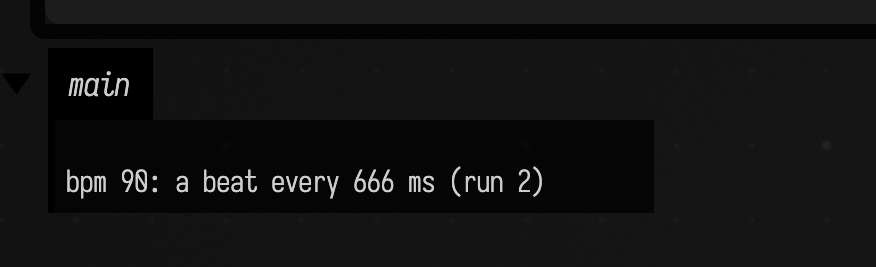
Both boxes ran once. Then Tempo's code was changed to propDown<Int>(bpm) = 90 and only Tempo was run. Beat
says 90 and "run 2": the change reran it.
What decides who reruns:
- Only boxes that read the value. Field records which box read which property from whom (the
record is kept with the document, in
dependencies.edn, so it survives a restart). A box beneath Tempo that never readsbpmis left alone. - Only a change. Assigning the value it already has (by
equals) reruns nothing. - After the writing run. A change made while Tempo runs waits until that run finishes, and is
dropped if the run fails. A change made outside a run (a slider, a
frames {}loop) goes at once. - In dependency order, once each. If Beat and a second box both read
bpm, and a third reads from both of them, the third reruns once, after the other two. - The writer's declaration decides. Put
propDownin the box that sets the value. A child that merely readsbpmgets the declaration from its parent and needs none of its own.
A value changed every frame reruns its readers every frame. That is what propDown promises, but it
is rarely what you want from a frames {} loop; keep such values in plain prop.
A control reruns the boxes that read it
A control bound with syncToProperty writes into a box property. When that
property is declared with propDown, moving the control reruns its readers, the same as an
assignment in code. Gain declares gain and binds a slider to it:
propDown<Double>(gain)
syncToProperty("gain", 0.5, min = 0.0, max = 1.0)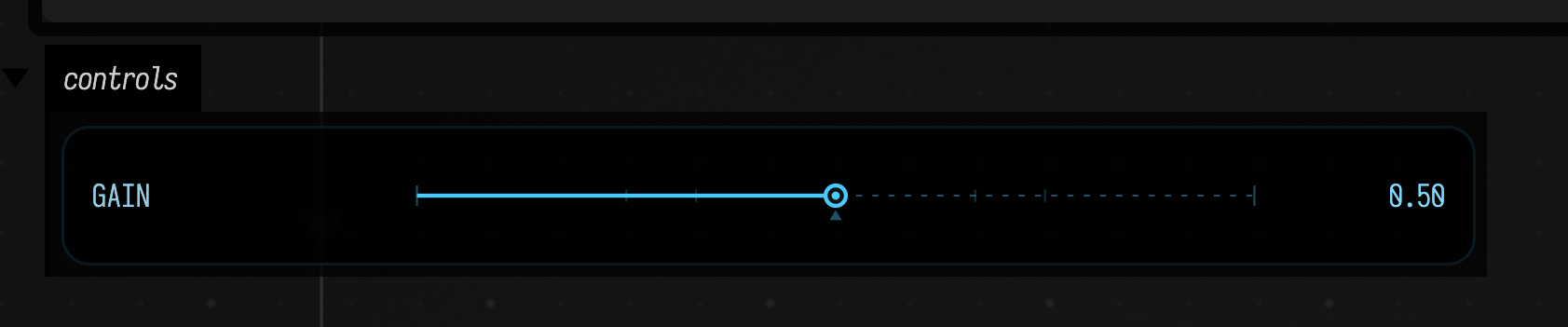
Meter, beneath it, draws a bar gain long:
val width = (gain * 300).toInt()
display("main", "<div style='width:${width}px;height:14px;background:#4a90d9'></div><p>gain ${gain.f2}</p>")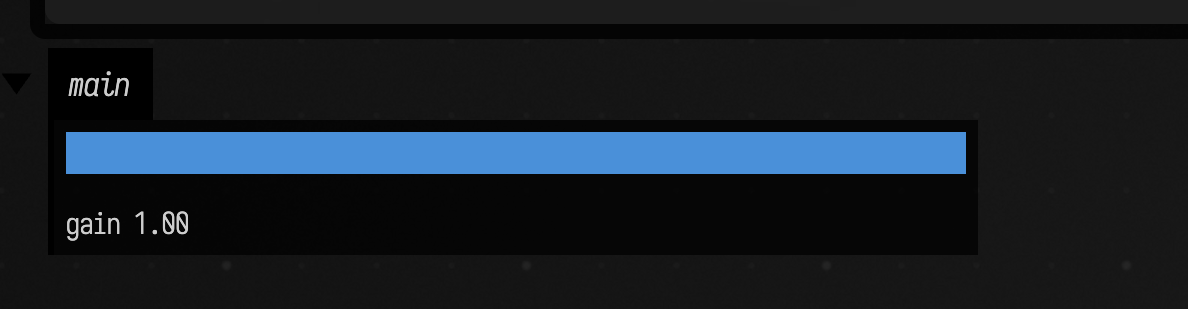
Drag Gain's slider and Meter redraws as you go; there is no need to run Meter yourself.
Agents: the slider capture
Meter's capture is taken after a real pointer drag of Gain's slider
(reactive_props_slider_drag.yaml), which fails if the slider does not move.
ReactivePropsTest.aRawWriteToADeclaredDownPropertyIsAChange pins the
control's write as a change.
A missing value runs its supplier
propDown covers a value that changes. propUp covers a value that is not there yet: you open a
document and run a box near the bottom of a chain before the boxes above it. Scale sets scale
and counts its runs:
propUp<Double>(scale)
scale = 2.5
prop<Int>(runs, 0)
runs += 1Plot, beneath it, also declares propUp<Double>(scale), and only Plot is run:
propUp<Double>(scale)
prop<Int>(runs, 0)
val s = scale
// Use the box graph lookup; bare named() selects a script-value reference here.
val ran = thisBox.named("Scale").runs
display("main", "<p>scale = $s (Scale has run $ran time)</p>")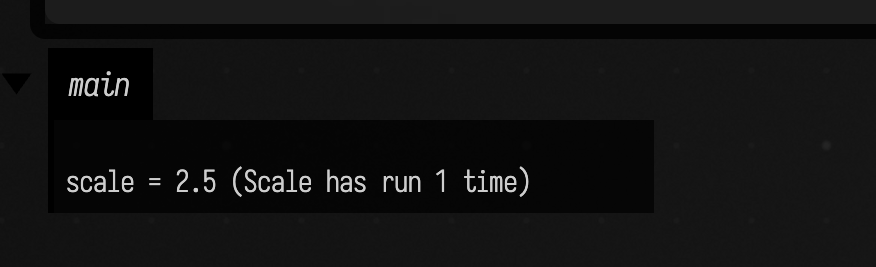
Plot's read of scale found nothing, ran Scale inside the read, waited for it, and carried on with
2.5. A chain unwinds the same way: a leaf that reads from B, which reads from A, runs B, which runs
A, in that order, each once.
- The reader declares it. Up is decided by the reading box's declaration. A box that only reads a
parent's
propUpvalue compiles against the parent's declaration even before the parent has run. - Which box supplies it. The box asked, then the box whose declaration the reader inherited, then boxes that supplied the name before, then any ancestor whose code declares it, nearest first.
- A value that is present is just read. Nothing runs when the walk finds a value.
- Cycles fail. If A's read pulls B and B's read needs A, the read fails and the message names the cycle.
While a pull runs, other boxes' frames {} loops and a native graphics window keep advancing.
A supplier that blocks the thread (Thread.sleep, a busy loop) blocks everything for as long as it
blocks.
propUpDown is both: a missing value runs its supplier, and a changed one reruns its readers.
rootPropUp, rootPropDown and rootPropUpDown do the same for a document-wide rootProp slot,
read and written as root.name; the box whose code declares it is the supplier.
Seeing who reads what
The palette's Toggle Dependency Layer draws, over the canvas, one arrow from each box that
supplied a value to each box that read it, labelled with the names that flowed. Here Tempo supplies
bpm and key; Beat and Harmony, beneath it, read one each; Accent, beneath Beat, reads both:
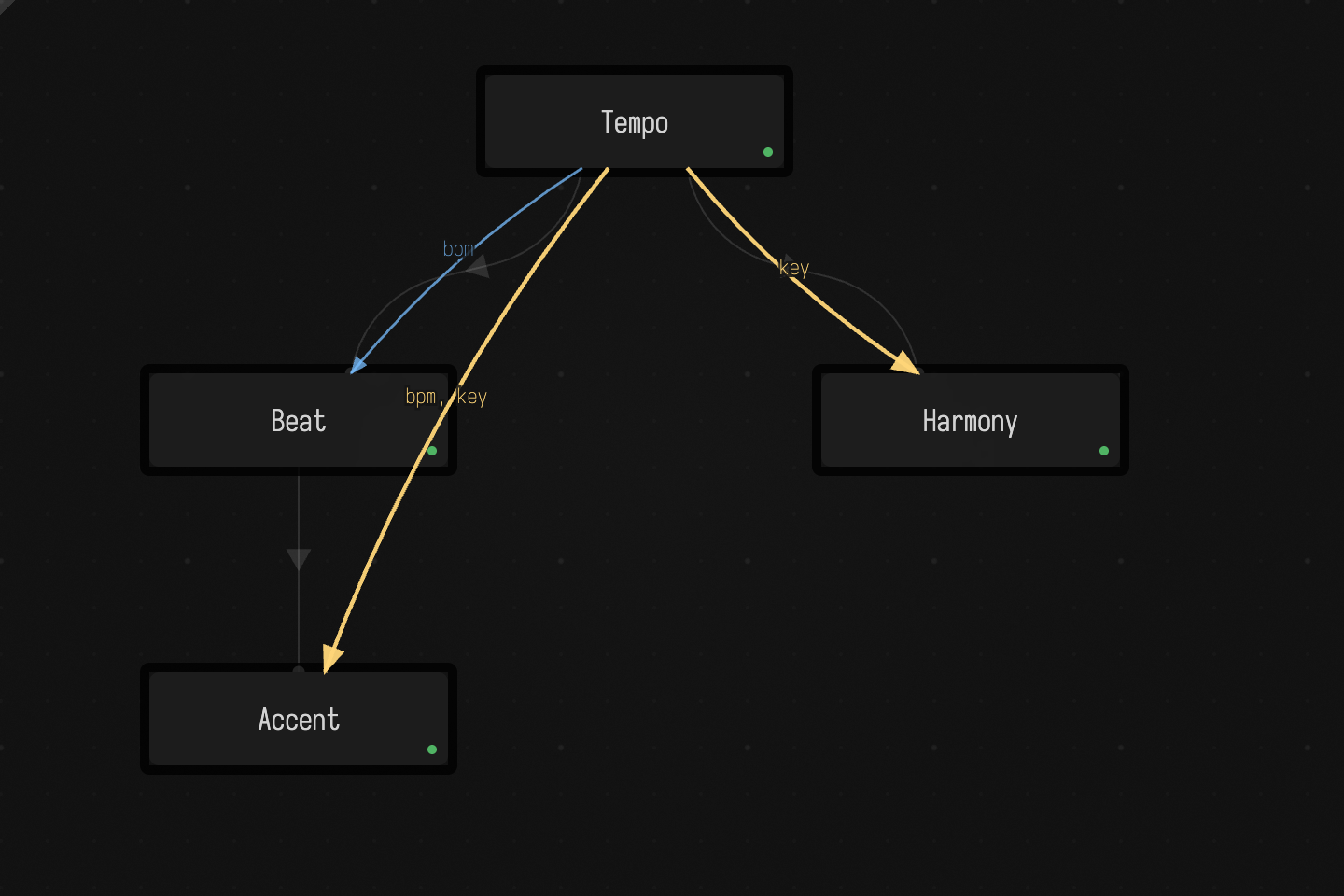
Accent's arrow starts at Tempo, the box that holds the inherited value. An arrow is bright (amber)
for a couple of seconds after a read, solid for a read seen since Field started, and faint and
dashed for one only remembered from an earlier session. A
read that found nothing puts a red ? name tag on the reader. Clear Dependency Record forgets
what the document has recorded.
Seeing what ran
ReactiveRuns.recentEvents() lists every start, end, pull and cascade, in order. Print it from any
box: after the Tempo example it shows Tempo's run, changed Tempo.bpm by Tempo, cascade Beat, and
Beat's second run; after the Plot example, pull Scale for Plot.scale with Scale's whole run
inside Plot's.
To ask where a value came from rather than what ran, use why.
See also
- Running code in a box:
prop,rootProp, and how a child's preamble gathers its parents' declarations. - Why does this value resolve here?: which box supplied a value, and which it shadowed.
- Controls and
syncToProperty. - Box output:
displayand output channels. - The design notes, with every guard and known limit: PROPERTY_DEPENDENCIES.md.