Hear a screen between you and a sound
Put a wooden screen between a listener and a hi-hat. In the first recording the screen is slid off to the right, leaving the direct path clear. In the second it crosses that path. The source, listener and input are the same in both. Listen on headphones for the source ahead and to the right. In the second take, listen for the loss of level and the softer high end.
Compare the two takes
Clear path
Screen across the path
Open the starting point
Fetch Field's pinned Steam Audio library and Dirt samples once for this checkout:
./gradlew fetchSteamAudioNatives fetchDocsDirtSamplesOpen Steam Audio screen study from Welcome → Starting points and run A screen between source and listener. Open the clear reference and screen take panels to play them in turn. The Screen offset (m) slider moves the screen sideways and regenerates only the second take. Play it again after moving the slider.
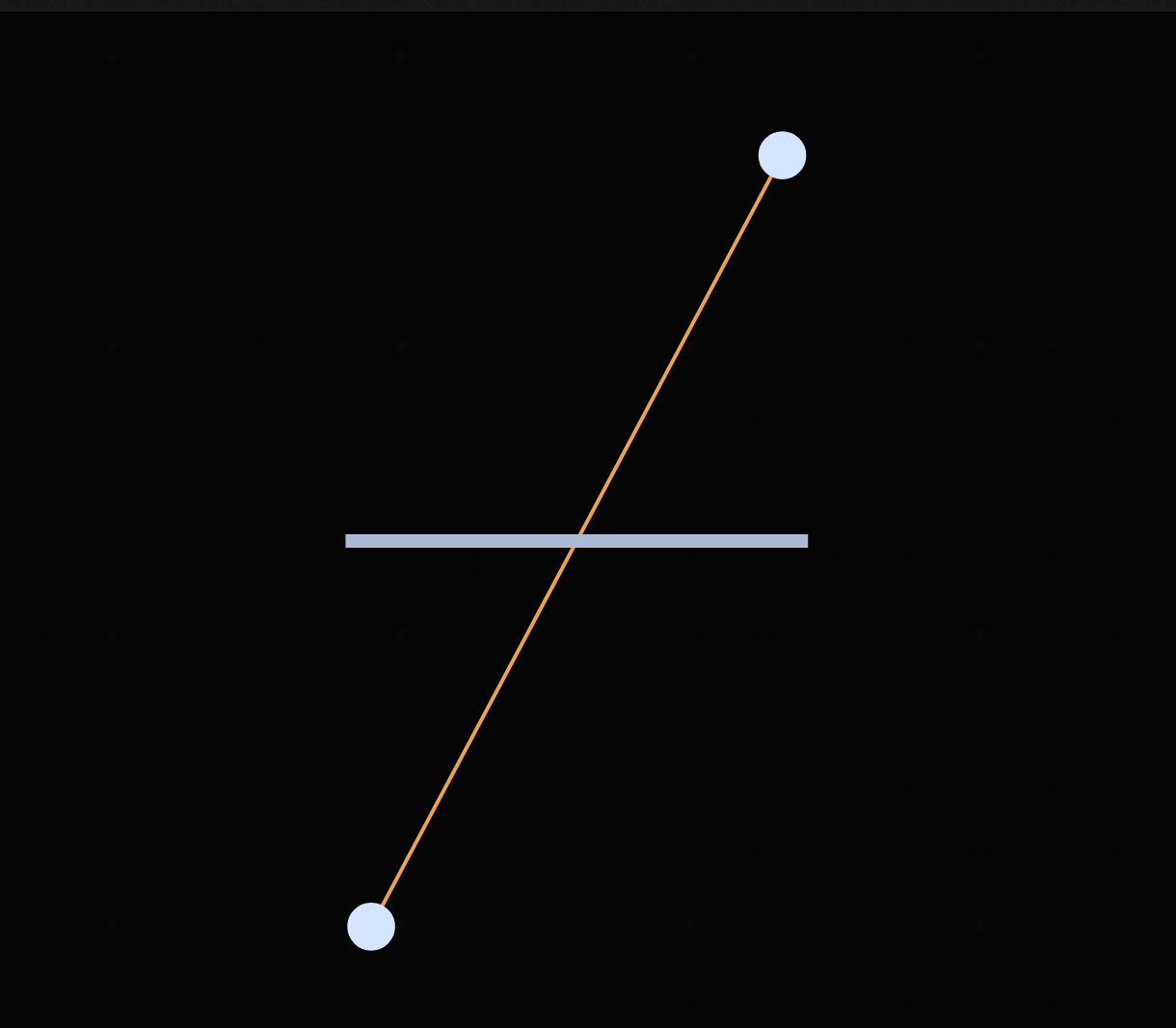
The plan shows the listener at the bottom, the hi-hat ahead and to the right, and the screen between them. The ray turns orange where the screen blocks it. Here occlusion is Steam Audio's visibility value. A value of 1 means clear and 0 means fully covered. The sound can still get through a covered path, with transmission gains for the low, middle and high bands.
Try changing Material.WOOD to Material.CURTAIN or Material.ANECHOIC in the box. Keep the
screen centred and compare what reaches the listener. This study uses one ray, so crossing the
edge makes an abrupt change. Steam Audio also supports volumetric occlusion for a source whose
visibility should change gradually as it comes out from behind an edge.
How the signal reaches the headphones
The measurement and audio render are separate operations. First add the screen mesh to the
Scene and commit it. Give that scene to a Simulator, add its source, commit the simulator,
and set the source and listener poses. Positions are in metres, with +X to the right, +Y up and
−Z ahead.
A direct simulation computes distance attenuation, visibility and transmission for the source and listener. Copy its result into a mono direct effect and choose which parts of the result the effect should apply:
simulator.runDirect()
source.getOutputs(SimulationFlags.DIRECT, outputs)
outputs.copyDirectInto(directParams)
directParams.flags =
    DirectEffectFlags.APPLY_DISTANCE_ATTENUATION or
        DirectEffectFlags.APPLY_OCCLUSION or
        DirectEffectFlags.APPLY_TRANSMISSION
directParams.transmissionType = TransmissionType.FREQUENCY_DEPENDENT
Then process blocks of samples through the direct effect and the binaural effect. The first shapes the mono signal. The second turns it into stereo using a head-related transfer function (HRTF) in the listener-relative direction. The native buffers are reused for every block:
dry.writeChannel(0, block)
direct.apply(directParams, dry, shaped)
binaural.apply(binauralParams, shaped, stereo)
stereo.readChannel(0, left, offset)
stereo.readChannel(1, right, offset)
The walkthrough renders the ordinary audio blocks offline and plays the resulting WAV in the box. The two WAVs use one fixed playback gain, so their level difference survives export. In a real-time patch, run the scene updates and direct simulation outside the audio callback, then apply the latest completed result in the block render.
Add arrivals from around the room
- Place music in space. A pattern in space shows
patSpatial, the shorter path from a pattern to binaural playback with optional head tracking. - Hear reflections.
./gradlew caveDemorendersbuild/demo/cave.wav. The cave adds a reflected field to the direct signal.ReflectionEffecttakes mono audio to Ambisonics, a representation of the sound arriving from different directions.AmbisonicsDecodeEffectdecodes that field to headphones. Cave demo source - Hear around a corner.
./gradlew pathingDemorendersbuild/demo/pathing.wav. It bakes a network of probes and renders indirect paths throughPathEffect. Pathing demo source
When adding reflections to a live patch, run the blocking reflection simulation on its own worker. Keep the same Ambisonic order in the simulation, reflection effect, buffers and decoder. The decoder uses the listener orientation when turning the reflected field into a stereo pair.
API reference
Scene and meshes, Simulator and source, Direct effect, Audio buffers, and Ambisonic effects. Valve’s Steam Audio programmer’s guide covers the corresponding native API. The screen study source contains the complete render.