Csound
Csound is Barry Vercoe's language for sound, which grew out of the Music N family. An orchestra of instruments is written as lines of opcodes, and a score says when each instrument plays. Field runs Csound in-process, through its C library, in two ways:
- as a box language: set a box's Main Language to Csound, and its children hold
.csdtext. The editor highlights it and completes opcodes with their signatures. Launching a box plays it, and alt/option-Enter sends single instruments and score lines to the running Csound. - from Kotlin:
csound(orchestra, score)andCsoundInstancehold a Csound inside a Kotlin box, for when the Kotlin side is doing most of the work.
Either way, Csound plays through Field's audio engine, the same one Faust and Pure Data use. Data
goes both ways: control and string channels, invalue/outvalue, score events, function tables,
MIDI, and audio, as Field signals into Csound and Csound's channels back out as Field signals.
Building libcsound
Field does not ship a Csound binary. Build one once:
./gradlew buildCsoundNativeThis needs cmake, flex, bison and libsndfile (brew install libsndfile, or
apt install libsndfile1-dev), and the network the first time. It downloads the Csound 6.18.1
source, checks it against a pinned checksum, and builds the library into build/field-csound/.
The command-line programs, audio drivers and plugin opcodes are left out. An installed Csound
(/Library/Frameworks/CsoundLib64.framework, or libcsound64.so.6.0 on Linux) works too, and
-Dafield.csound.library=<path> or AFIELD_CSOUND_LIBRARY points Field at any other one.
A Csound box
Make a box, choose Set Main Language: Csound from its command palette, and connect new boxes
under it. Each child holds a .csd:
<CsoundSynthesizer>
<CsInstruments>
chn_k "cutoff", 1, 3, 2400, 200, 8000

instr Pluck                       ; p4 MIDI note, p5 level in dBFS
  icps  =         cpsmidinn(p4)
  asig  pluck     ampdbfs(p5), icps, icps, 0, 1
  kcut  chnget    "cutoff"
  asig  butterlp  asig, kcut
  aenv  linsegr   1, p3, 1, 0.3, 0
  outs      asig * aenv, asig * aenv
endin
</CsInstruments>
<CsScore>
i "Pluck" 0   0.5  57  -12
i .       +   .    60  .
i .       +   1.5  64  -9
</CsScore>
</CsoundSynthesizer>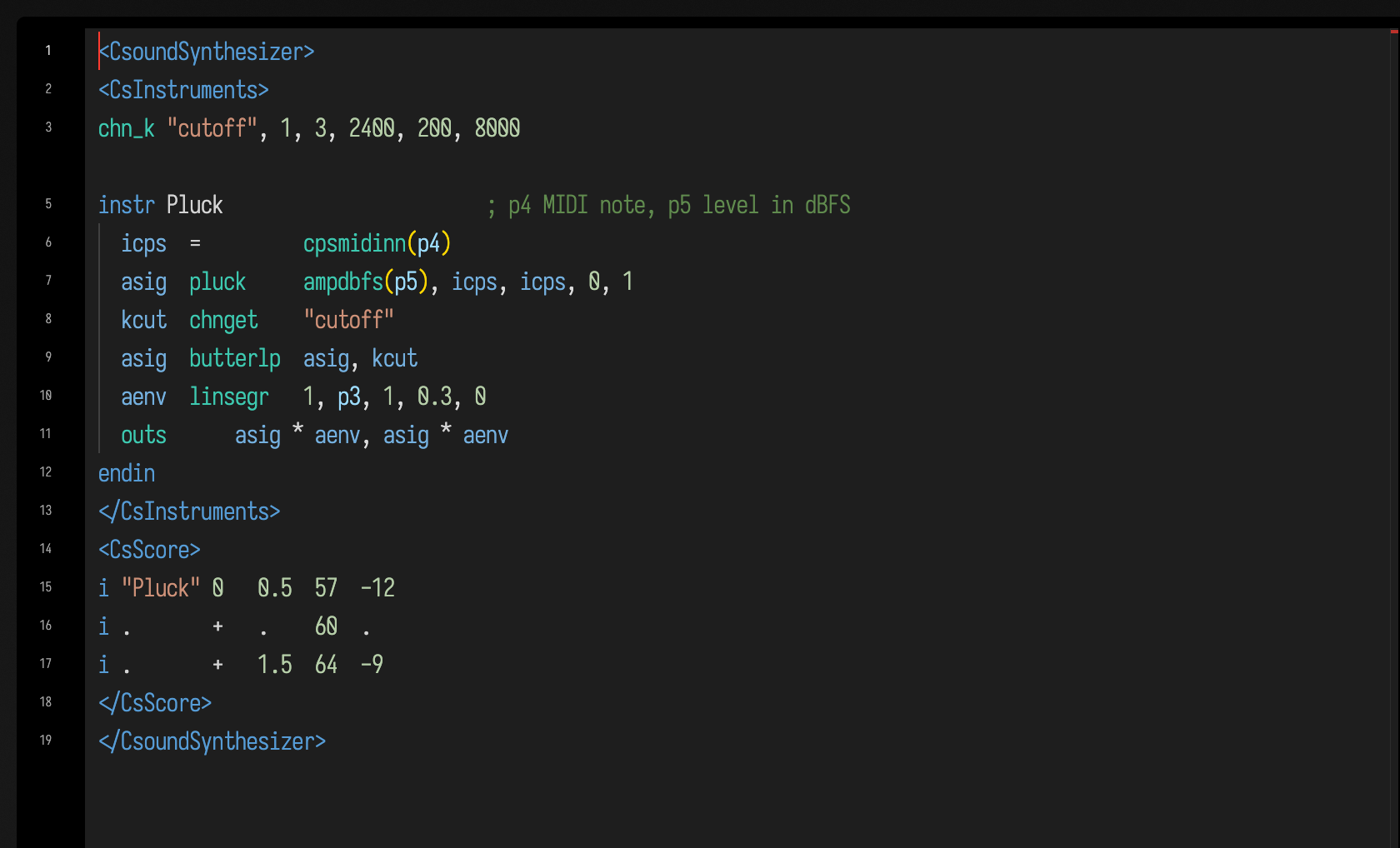
The rate header (sr, ksmps, nchnls, 0dbfs) comes from Field: the audio engine's sample rate,
ksmps = 32, two outputs and 0dbfs = 1. A Csound sample of 1.0 is full scale in Field too.
Leave the header out; one in the orchestra is overridden. <CsOptions> is read, except for the
flags that pick a device or a file (-o, -i, -+rtaudio, -M and the like), because Field's
audio engine is the device. Text without <CsInstruments> is read as a bare orchestra with no score.
A chn_k channel starts at the default it declares: above, chnget "cutoff" reads 2400 until
something writes the channel. Other Csound hosts may start it at 0, which makes this butterlp silent there.
The keys
| Key | Where | What it does |
|---|---|---|
| alt/option-0, Run, Launch | anywhere | Compiles the orchestra and score into a new Csound of the box's own and plays it, replacing any earlier one. The box runs until it is stopped or the score ends. f 0 z in the score keeps Csound running with nothing scheduled. |
| alt/option-Enter | a line inside instr … endin |
Recompiles that whole instrument into the running Csound (csoundCompileOrc). Notes already sounding finish with the old definition, and the next event uses the new one. |
| alt/option-Enter | a selection of whole instruments | Compiles the selection as it is. |
| alt/option-Enter | an orchestra line outside any instrument | Compiles that line (or selection) as global code, which runs once: a new ftgen table, a chn_k declaration. |
| alt/option-Enter | a score line or selection | Reads it into the running Csound now (csoundReadScore). Start times count from this moment, so i "Pluck" 0 1 69 -9 sounds at once. |
| alt/option-Enter | <CsOptions> |
Sends nothing. The box says that options apply at the next launch. |
| Stop | Ends the performance and frees the Csound. |
alt/option-Enter needs the box to be playing, and says so if it is not. Errors from any of these, Csound's own messages, are marked on the box line they belong to.
Completion
Ctrl-Space offers Csound's opcodes under the heading Csound opcodes. Each row shows the
manual's shortest syntax line for it, named the way the manual names arguments. The panel beside
the list shows the manual's one-line description, every syntax line, the arguments with a
sentence each, the manual section and a link to the page. An opcode the manual does not describe
shows libcsound's signature instead, in Csound's type letters: a audio, k control, i init,
S string, x audio or control, with bracketed optional arguments and their defaults. Inside a
quoted string after chnget, chnset, invalue or outvalue, it offers the orchestra's channel
names. In the score it offers instrument numbers and names.
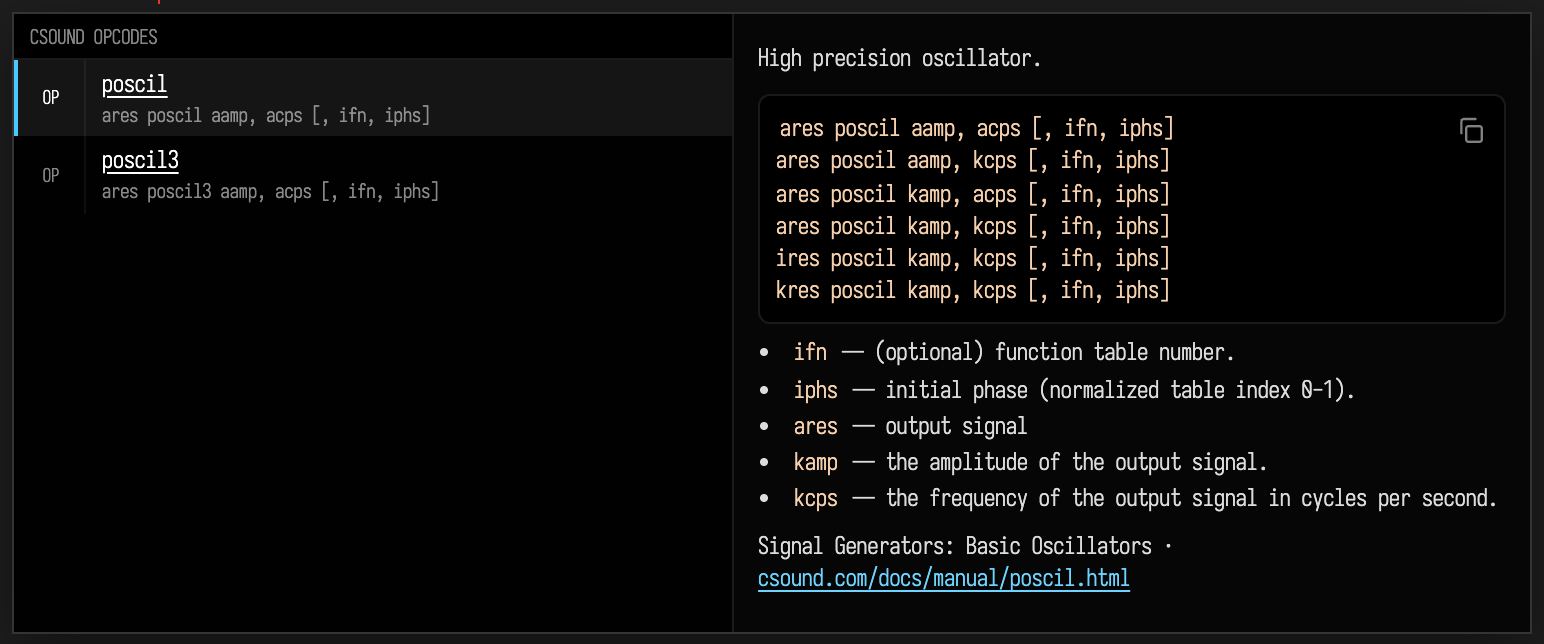
The opcode list comes from libcsound itself, so it holds every opcode your build has compiled in.
The descriptions, syntax lines and arguments come from the Csound Reference Manual. The few opcodes
the manual does not describe, mostly deprecated ones such as maxtab and mp3sr, show their
signatures alone. The editor's highlighting reads the same list.
Hovering on an opcode in the editor shows its description and syntax, and links to its page in the
manual, for example butterlp.
The descriptions are the Csound Reference Manual's: © 1986, 1992 Massachusetts Institute of
Technology (Barry L. Vercoe) and the manual's contributors, distributed under the GNU Free
Documentation License 1.2 or later. The licence and notice ship beside the vocabulary as
csound-manual-COPYING.txt.
Line notes
Rest the cursor on a line to see its note:
- on an
instrline, how manyistatements in the box's score play it, and on which lines; - on a score
iline, which instrument it plays and where that is defined, or that this orchestra has no such instrument; - on a line that declares or uses a channel (
chn_k,chnget,chnset,invalue,outvalue), the channel's value in the playing Csound, read live.
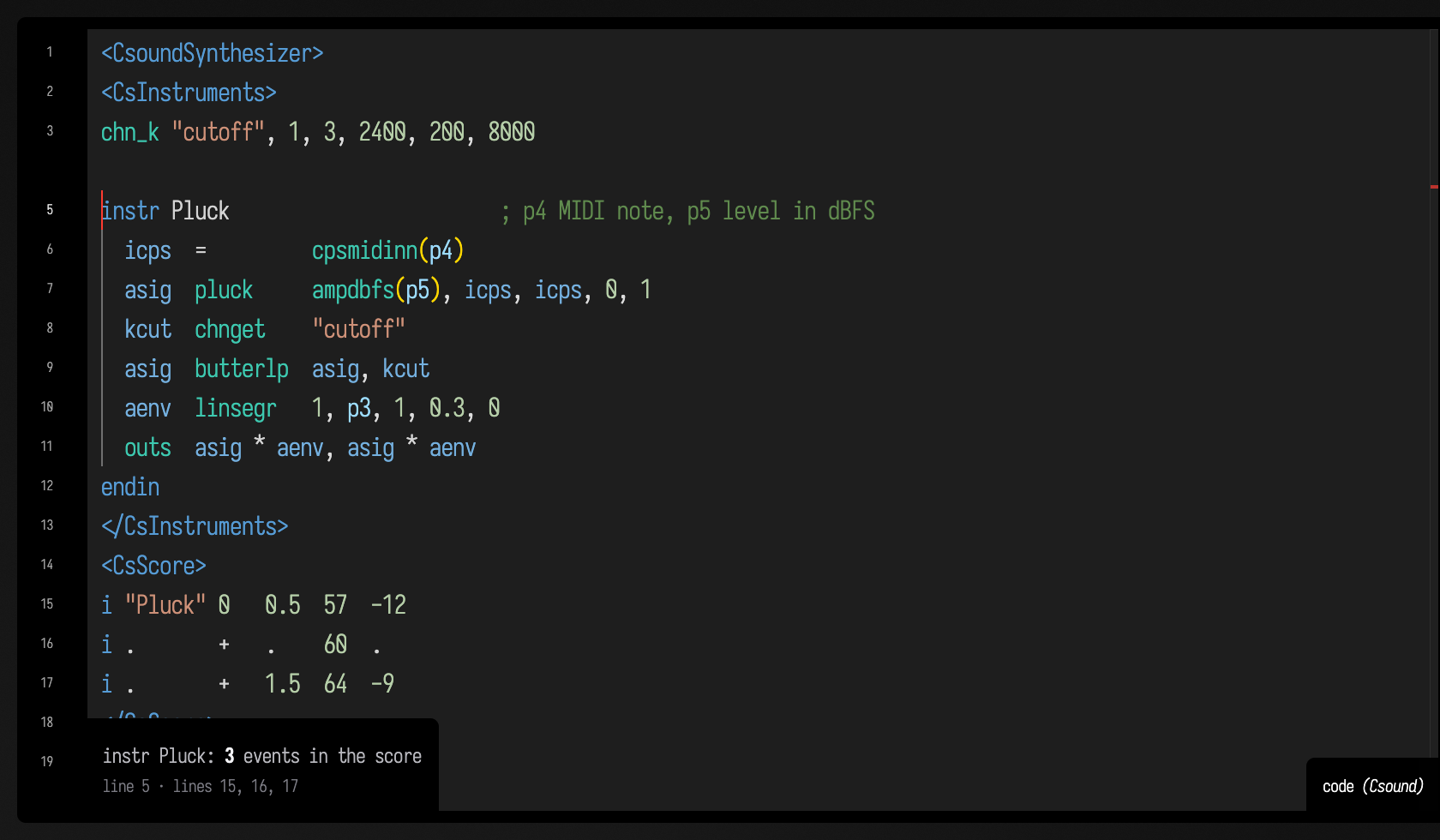
With the cursor on instr Pluck, the note at the editor's foot counts the score's events for it:
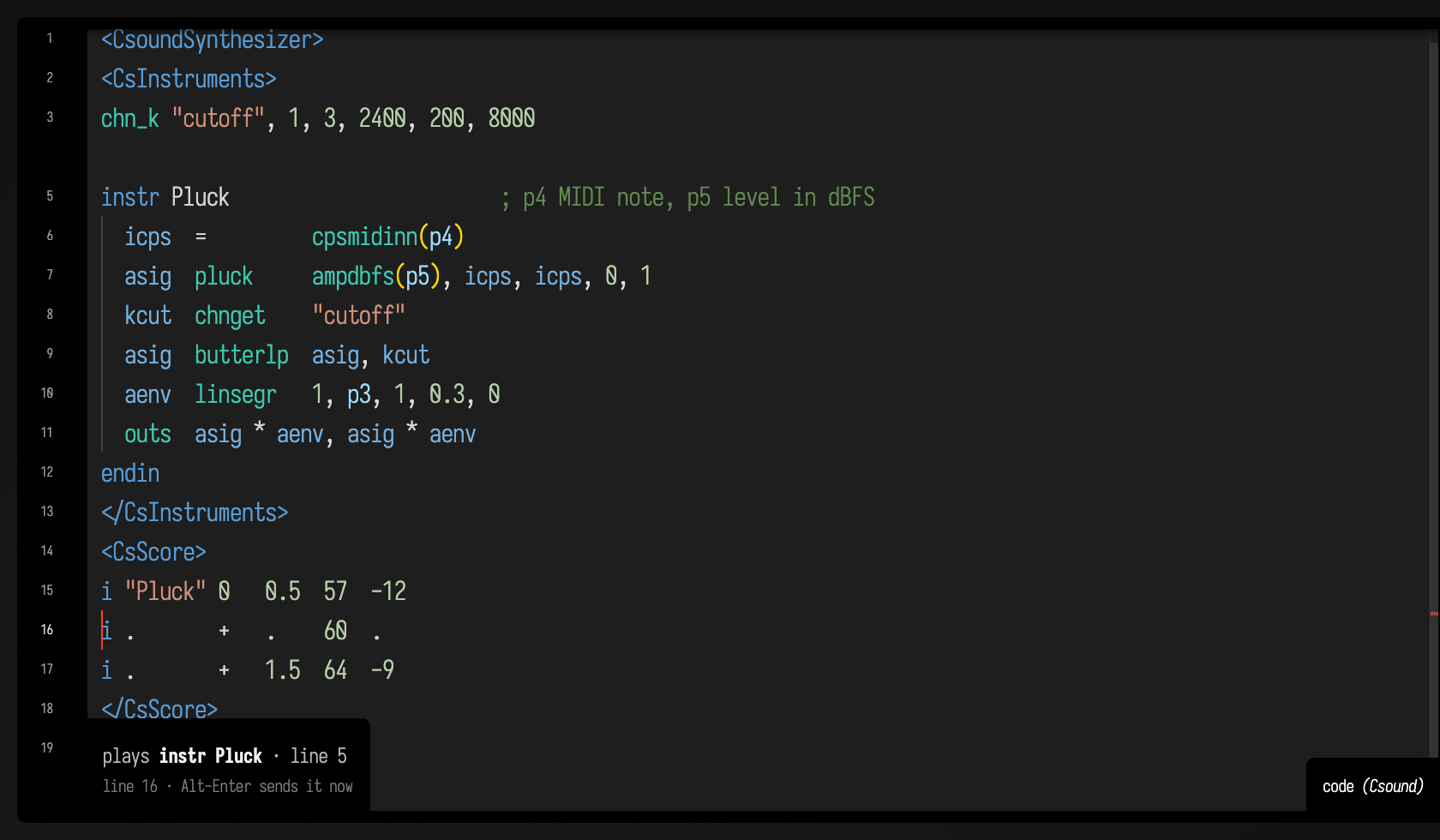
On a score line it names the instrument the line plays and where that is defined. The . on line
16 carries "Pluck" down from the line above:
Errors
<CsoundSynthesizer>
<CsInstruments>
instr Beep
  asig  oscilx  0.2, 440
  outs    asig, asig
endin
</CsInstruments>
<CsScore>
i "Beep" 0 1
</CsScore>
</CsoundSynthesizer>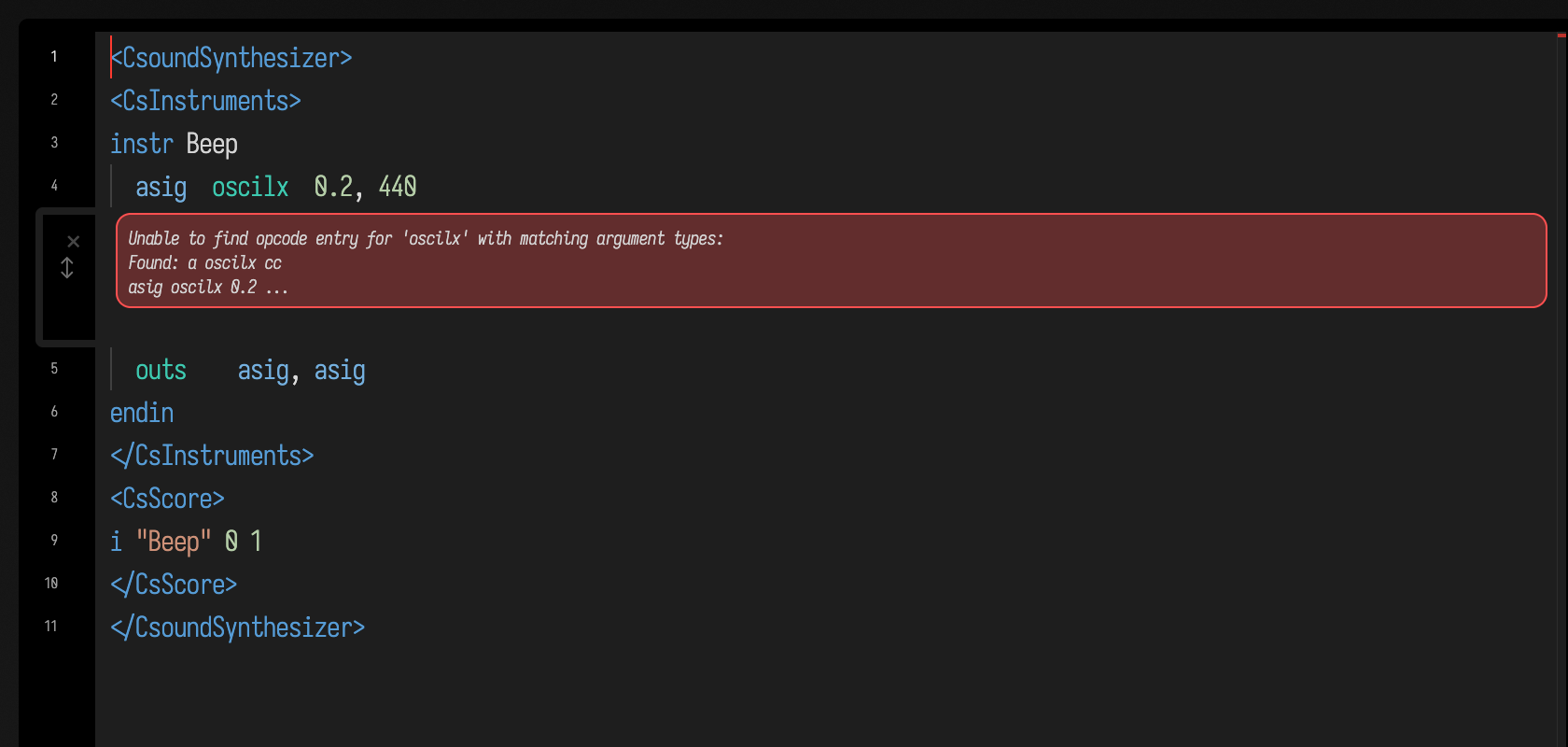
Talking to a playing Csound box from Kotlin
csoundOf("name") finds the playing Csound box of that name in the document. Its csound is the
running CsoundInstance, and its node is that Csound's place in Field's audio graph:
val pluck = csoundOf("pluck").csound

pluck.setChannel("cutoff", 900) // chnget "cutoff" sees it on the next k-cycle
pluck.setStringChannel("voice", "from Kotlin") // an S channel
println(pluck.channel("level")) // what chnset last wrote

[57, 60, 64, 69].forEachIndexed { k, note ->
    pluck.event("i \"Pluck\" ${k * 0.5} 0.5 $note -12") // p-fields from Kotlin values
}

// The orchestra can keep playing after this controlling box stops.
val run = requireNotNull(afield.runtime.lifecycle.RunScope.current())
run.own(pluck.onOutvalue("level") { v -> println("Reverb rms $v") }) // outvalue "level", krms
pluck.setInvalue("gain", 0.5) // invalue "gain"
pluck.noteOn(0, 64, 90) // MIDI, to massign'ed instruments
Here's how those calls work, and which thread they use:
- Control and string channels.
setChannel,channel,setStringChannelandstringChannelread and write Csound's channel bus directly. Csound locks the bus itself, so they are safe from any thread.hints("cutoff")returns the default and range achn_kdeclared, which is wherecsoundControlsgets its slider ranges. outvalueandinvalue. Csound calls Field on its rendering thread, the audio thread when live. Field stores the value there and runs your callback on the main thread, never on the audio thread. A k-rateoutvalueruns every control cycle, 1500 times a second, so its callback runs once per frame, and only when the value changed. A stringoutvalueis delivered each time it changes.invaluereads numbers only: Csound does not tell the host how large aninvaluestring buffer is, so send strings withsetStringChanneland read them withchnget.- Score events.
eventqueues a score line, delivered at the start of the next audio block. - MIDI.
noteOn,noteOff,controlChangeandmidi(status, d1, d2)queue bytes that Csound's host-MIDI input reads on the next block.massign,notnum,velocandmidic7work as they do with a device. - Tables.
table(n)reads function tablen.writeTable(n, values)overwrites it (csoundTableCopyIn), and the next block plays the new contents.tableLength(n)is its size.
Audio in both directions
Field signals go into Csound through a-rate channels, and Csound's channels and outputs come back out as Field signals:
val fx = csoundOf("fx")
fx.node.connect("in", SawOsc(Param(110f)) * Param(0.15f)) // ain chnget "in"
fx.node.audioOut("wet").pan(-0.5f) // chnset aL, "wet"
node.outL and node.outR are Csound's outs as two Field signals. All of these are rendered on
the audio thread as part of the Csound node's own block, so they stay sample-aligned with the rest
of Field's graph. Two things to know about timing:
- Csound performs whole
ksmpsblocks, 32 frames here. Audio into Csound, throughconnectorins, is delayed by exactly one block, 32 frames or 0.67 ms at 48 kHz, so that every block has a whole control period of input whatever size the engine's buffer is. - Audio out of Csound is not delayed further. It is in step with the block Field asked for.
The same holds offline. renderSignalsOffline advances any number of signals through the same audio
blocks, without a device, which is how this box measures a Csound filter on a Field sine:
val cs =
    afield.audio.csound.CsoundInstance(
        """
instr Filter
  ain   chnget    "in"
  alow  butterlp  ain, 500
        chnset    alow, "low"
endin
""",
        "i \"Filter\" 0 z",
    )
val node = cs.node(audioIn = mapOf("in" to SineOsc(Param(1000f))))
val (dry, low) = renderSignalsOffline(0.5, SineOsc(Param(1000f)), node.audioOut("low"))
cs.close()

// Gain from the second half, once the filter has settled; then 4 ms of both as lines.
fun rms(a: FloatArray) = kotlin.math.sqrt(a.drop(a.size / 2).sumOf { it * it.toDouble() } / (a.size / 2))
val gain = rms(low) / rms(dry)
fun wave(a: FloatArray, tint: Vec4) = FLine().apply {
    for (i in 0 until 192) {
        val x = i * 3.0
        val y = -a[a.size / 2 + i] * 80.0
        if (i == 0) moveTo(x, y) else lineTo(x, y)
    }
    color = tint
    thickness = 1.5
}
markdown(
    "gain",
    "Csound `butterlp` at 500 Hz on a 1 kHz sine: measured gain **${gain.f4}**, Butterworth predicts **${(1 / kotlin.math.sqrt(17.0)).f4}**",
)
lines(wave(dry, vec(0.6, 0.6, 0.6, 1.0)), wave(low, vec(0.3, 0.8, 1.0, 1.0)), w = 640.0, h = 220.0, fitToSize = true)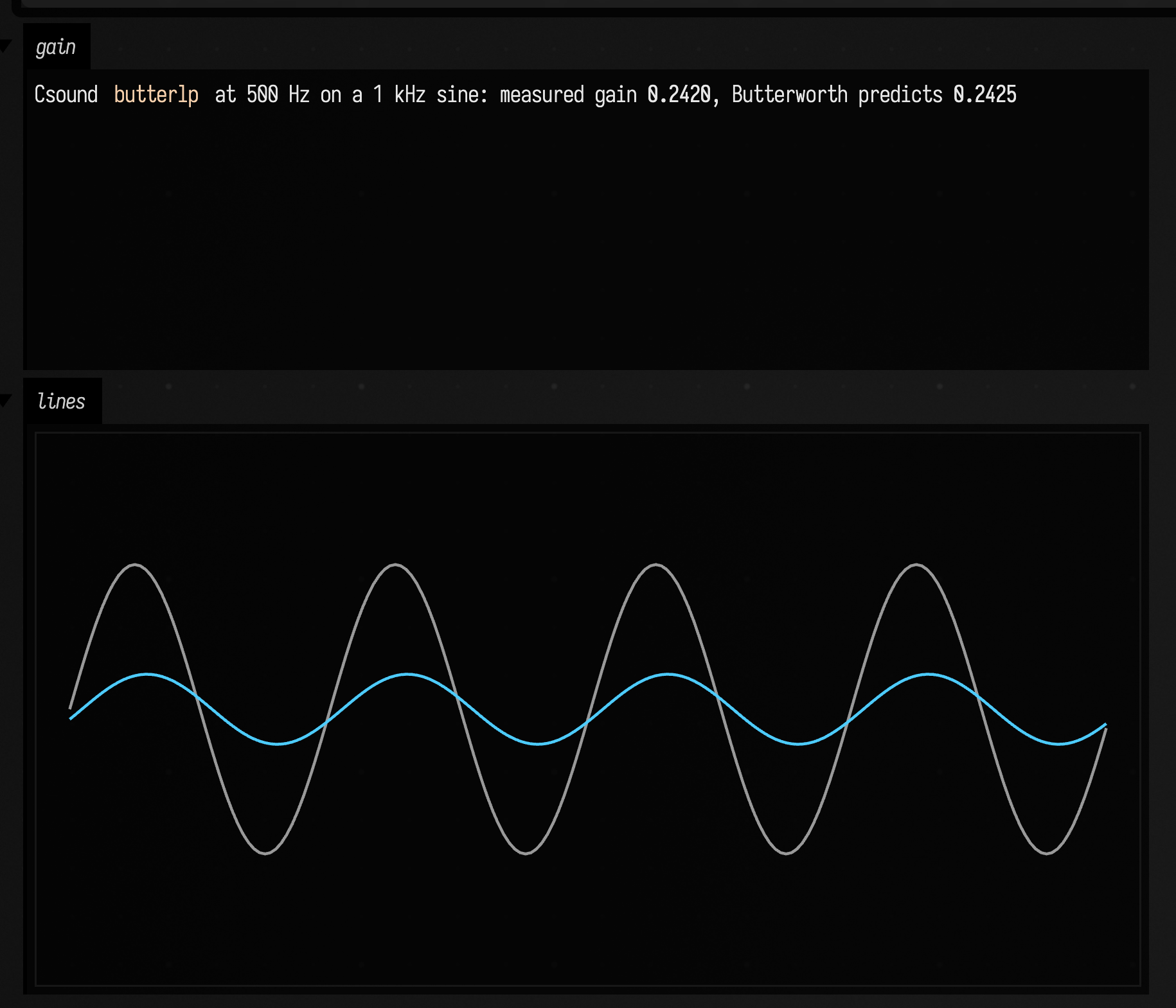
The ratio of their RMS levels is the filter's gain. A second-order Butterworth lowpass passes a signal at twice its cutoff with gain 1/√(1 + 2⁴) = 0.2425.
Csound inside a Kotlin box
When the Kotlin is the larger part, csound compiles an orchestra and score inside a Kotlin box and
returns a CsoundLaunch. Return it as the box's last expression to hear it:
val drone = csound(
    """
chn_k "pitch", 1, 2, 110, 55, 440
chn_k "cutoff", 1, 2, 1200, 200, 6000
instr 1
  kf chnget "pitch"
  kc chnget "cutoff"
  kf port kf, 0.05
  kc port kc, 0.05
  a1 vco2 0.12, kf
  a1 moogladder a1, kc, 0.3
  outs a1, a1
endin
""",
    "i1 0 z",
)
csoundControls(drone)
drone
csoundControls makes one slider per input chn_k channel, using the range Csound itself recorded
for it. csound(..., audioIn = mapOf("in" to signal)) feeds Field signals in. launch.audioOut,
outL and outR take Csound's audio back out, and every(seconds) { event(...) } writes a score
from Kotlin on the main loop. csoundOffline(orchestra, score) renders with no audio device and
shows a player and a waveform.
The demo
Open csound_demo from the welcome screen's starting points. It is a Csound root with three Csound boxes (pluck, fx, typo) and five Kotlin boxes that use each of the directions above.
See also: Faust and Pure Data, the other languages that play through the same audio engine, and How to make sound in Field.
Agents: how the captures and numbers on this page are made
The two editor figures and the completion popup are captured by the docs runner against a
real Field. The editor figures are gated on requires="csound", so a machine without a built
libcsound keeps the committed images. CsoundDocsFencesTest renders every data-lang=csound
fence on this page offline and fails on a silent one, or on an expect-error fence that
compiles. The opcode vocabulary is regenerated by ./gradlew generateCsoundVocabulary into
src/commonMain/resources/csound-vocabulary.json, and tests fail when it drifts from the
library or the pinned manual. The quoted gain and latency come from CsoundDataPlaneTest.