Connecting boxes
A box on its own keeps its variables to itself: nothing you write in one box changes what another box sees. To let boxes work together, connect one beneath another. The upper box is the parent, the lower one its child, and a child can read the values its parent publishes. Most documents bigger than a sketch are built this way: one box holds the settings, the window or the data, and the boxes beneath it use them.
Connect two boxes
Click the box that should be the parent, shift-click the child, and press g. A line now runs from
the parent down to the child:
The line follows the boxes when you move them. To disconnect them, select both and press u.
A box can have several parents and several children. The connections are part of the document and
are saved with it.
A parent publishes, a child reads
This example uses two boxes, named Palette and Swatch, with Swatch connected beneath
Palette. prop declares a value that children can read. Palette declares petals, an Int, and
sets it:
prop<Int>(petals) = 5Swatch, connected beneath Palette, can now use petals:
markdown("A flower with $petals petals: " + "✿".repeat(petals))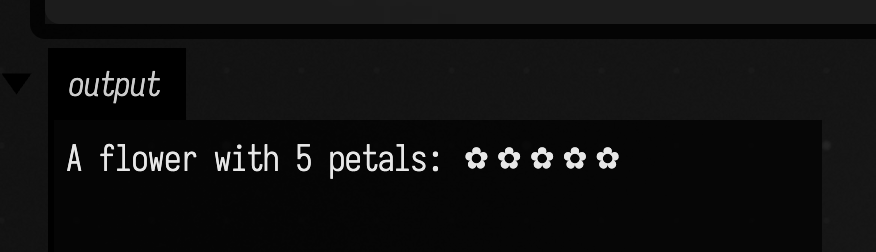
Run Palette, then Swatch. Swatch never set petals; reading it walks up the connection to the
nearest box that has a value, here Palette. If Swatch assigned petals itself, its own value would
win for Swatch and for anything beneath it. A box that is not connected beneath Palette cannot
compile the name at all.
Run the parent, watch the child
With plain prop, the child sees a new value the next time it runs: change Palette to 8 and run
it, and Swatch still says 5 until you run Swatch too. Declare the value with propDown instead,
and running the parent reruns every box that read it:
propDown<Int>(petals) = 8Swatch's code is unchanged. Here Palette was first run with 5, Swatch ran once, and then Palette was changed to 8 and run on its own:
markdown("A flower with $petals petals: " + "✿".repeat(petals))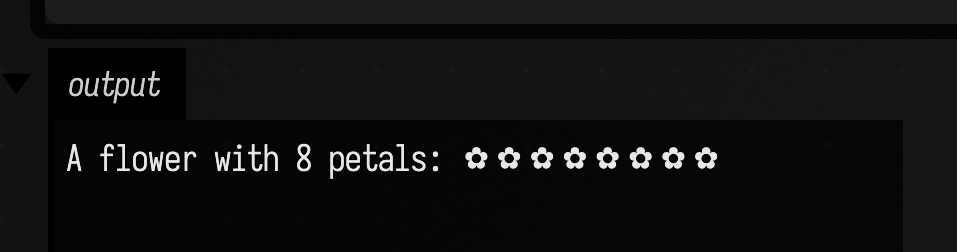
Swatch reran because it had read petals from Palette and the value changed. A box beneath
Palette that never reads petals is left alone.
Why it matters
The value a parent publishes can be anything Kotlin can hold: a number, a list, a function, a
loaded dataset. Graphics work the same way: the box that opens a window publishes renderer, and
every box connected beneath it draws with that renderer without looking it up.
See also:
- Why does this value resolve here?, for asking Field which box supplied a value when
there are several candidates, and for values found by type with
fromContext(). - Properties that re-run boxes, for
propDown,propUpandpropUpDownin full, and the layer that draws who reads what. - Property inheritance,
for the mechanism underneath
prop.
Next on the Tour, Graphics on the GPU puts a box beneath a renderer, and the box draws into a native window.