Javascript in a browser tab
A Javascript box runs in a browser tab instead of in Field's JVM. You write ordinary browser
Javascript in Field's editor, run it the way you run any box, and it executes in a page that Field
serves and keeps connected. That page can sit right on the canvas next to your code, in a second
browser window, or on a phone or headset. Printing, errors, launch and Stop, output channels and
sliders all work the way they do in a Kotlin box.
We'll start by sketching on a desktop. You can also use that browser page for WebXR on a phone or headset; see RemoteJS and WebXR.
A Javascript box in three steps
- Make a box to be the root, right-click it and choose Set Main Language: Javascript. Its children run as Javascript from then on.
- Give the root this one line of code and run it. The root stays Kotlin;
remoteAr()opens the browser page, which Field calls the head, in the root's output, connected and ready. - Connect a new box under the root and write Javascript in it.
remoteAr(width = 480, height = 270)Here is a first Javascript box. It prints, logs to the console, and ends on a value:
print("hello from the browser")
console.log(`the head is ${window.innerWidth} pixels wide`)
const shapes = ["circle", "square", "triangle"]
shapes.map(s => s.toUpperCase())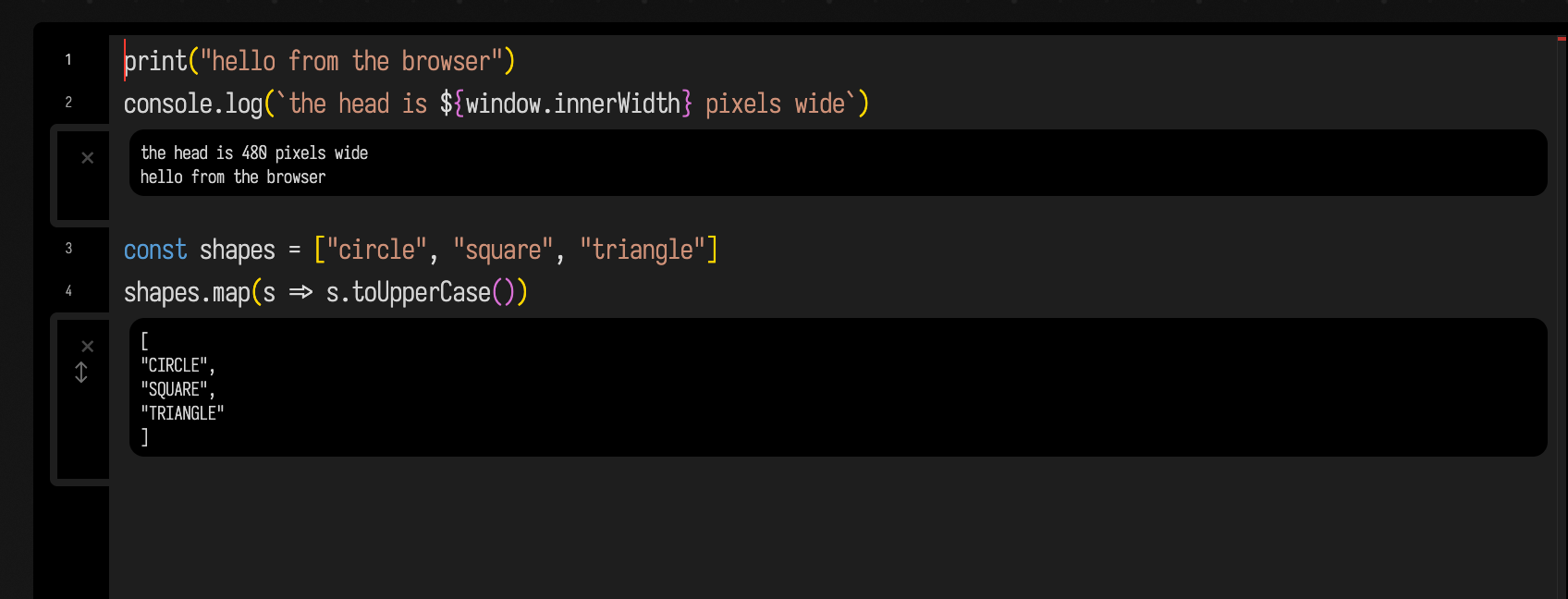
print and console.log (and console.info, warn and error) appear beside the line that
called them; the browser's own console gets console.log too. When the box does not print, the
value of its last line is shown, here the upper-cased array. The editor gathers output from
neighbouring lines into one block, which is why lines 1 and 2 share one.
The code runs in a real page, so window, document, setTimeout, fetch, JSON and THREE
are there as they are in any page script. Each box keeps its own variables between runs: run a box
twice and what it defined the first time is still there.
The head need not be the one on the canvas. Any browser that opens
https://FIELD_HOST:9092/extensions/remote_ar/index.html connects the same way and runs every
Javascript box you run, so a second window on another screen works. Typed into a browser beside a
running Field, with FIELD_HOST the machine Field runs on; it is not a link on this site. If no
head is connected, running a Javascript box is an error that says so.
Errors land on the line that raised them
An error is marked beside the line where it happened, even when that line is inside a function the
box defined. Here the first call to mean prints 2; the second fails inside mean, on line 2,
and that is where the marker goes:
function mean(values) {
  return values.reduce((a, b) => a + b) / values.length
}

print(mean([1, 2, 3]))
print(mean([]))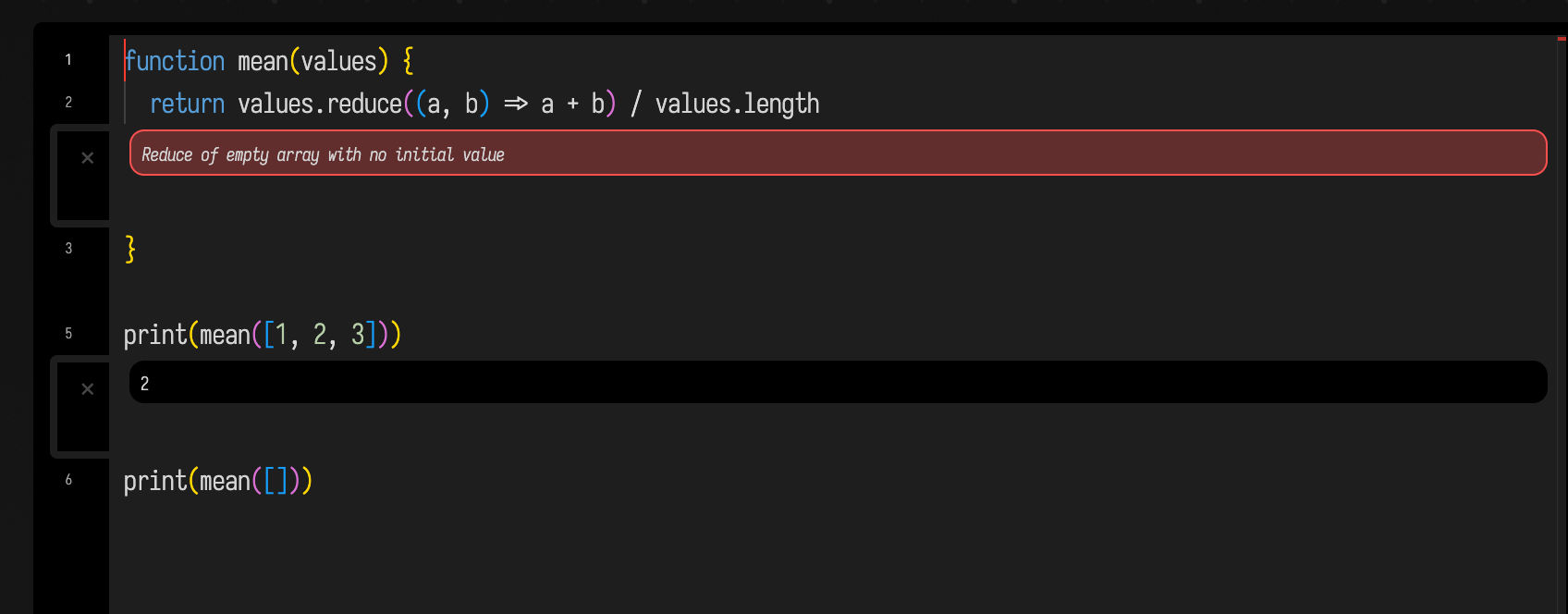
Syntax errors are marked the same way, and so is an error thrown later, from a timer, an event handler or an animation frame.
Drawing and animation
The head is a Three.js scene, drawn by A-Frame. The quickest way to put something in it is an
FLine, a path you build with moveTo and lineTo (and cubicTo) and then assign into stage.
Assigning to the same name again replaces what is drawn; delete stage.square removes it.
launch(fn, name, false) runs fn on every frame of the head until you press Stop. This box fills
an orange square and turns it about its centre. A line multiplied by rotate(angle, x, y) is a
rotated copy that keeps its colour and fill:
const square = new FLine()
square.moveTo(-0.3, 1.3, -1.5)
square.lineTo(0.3, 1.3, -1.5)
square.lineTo(0.3, 1.9, -1.5)
square.lineTo(-0.3, 1.9, -1.5)
square.lineTo(-0.3, 1.3, -1.5)
square.color = vec(1.0, 0.55, 0.2, 1.0)
square.filled = true
stage.square = square

let angle = 0
launch(() => {
  angle += 0.02
  stage.square = square * rotate(angle, 0, 1.6)
}, "turn", false)
print("turning")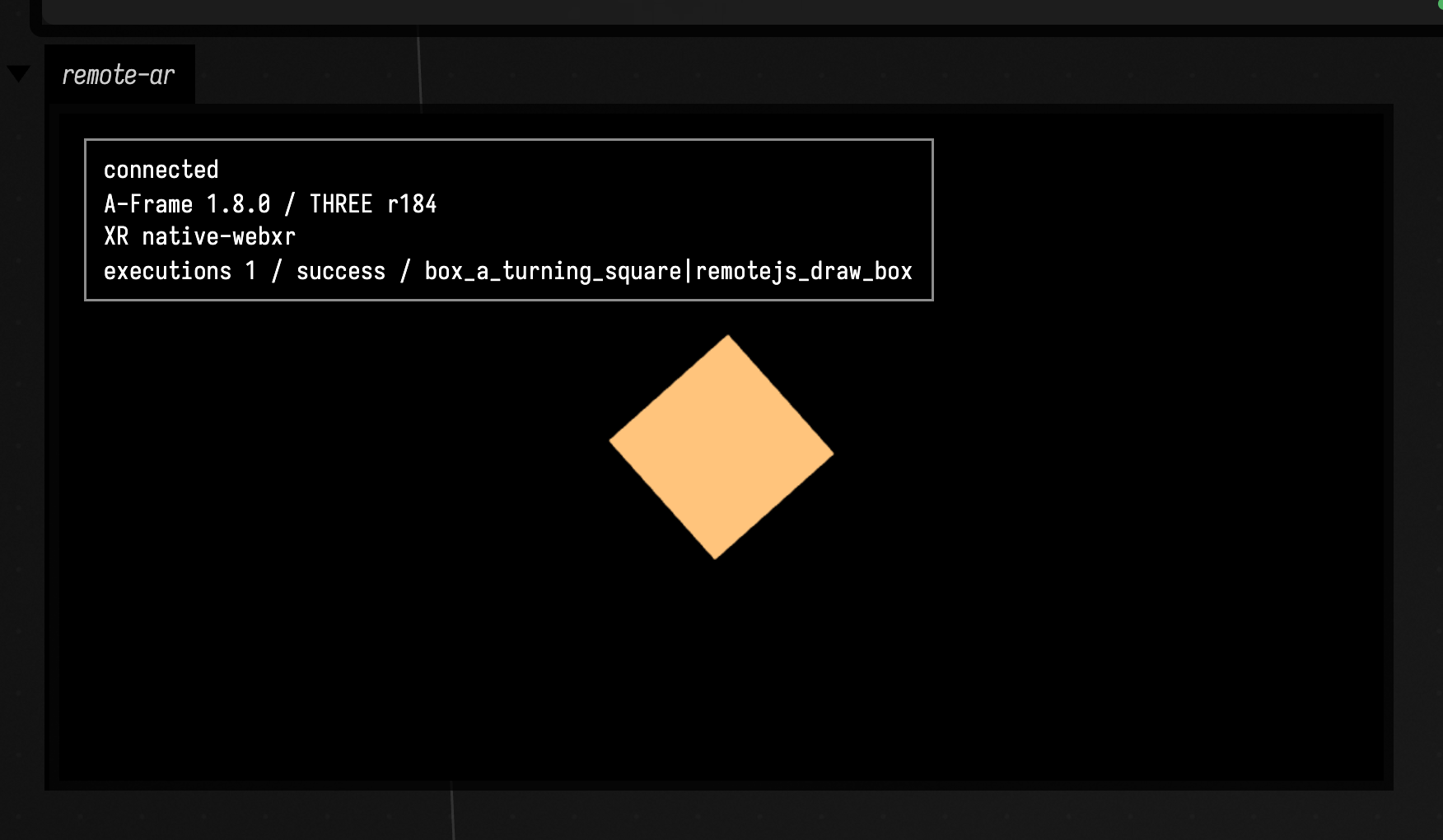
Coordinates are in metres, with the camera at head height (about 1.6 m) looking down the negative
z axis, which is why the square sits at z = -1.5. Stop ends every loop the box started, its
launch loops included.
Other ways to draw:
- Three.js directly.
THREEand the scene are there;addBox,addPlane,addImagePlane,loadGLTFand the rest are listed in RemoteJS and WebXR. - A plain canvas or the DOM.
documentis the head's page, so a 2D canvas or an SVG appended to it draws over the scene. over(seconds, name, fn)runsfnwith a value going from 0 to 1 over a duration, for one-off transitions.
Controls and output channels
display(channel, html) fills one of the box's output channels, and slider and checkbox draw
the same controls a Kotlin box's slider(...) and checkbox(...) draw. Their callbacks run in the
head, so a slider can steer whatever the head is drawing. This box keeps a little state, redraws
its main channel whenever a control moves, and starts with both controls at their defaults:
const state = {speed: 3.0, outline: false}

function redraw() {
  const style = state.outline ? "outlined" : "filled"
  display("main", `<b>${style}</b> square, turning at ${state.speed.toFixed(1)} rpm`)
}

slider("speed", v => { state.speed = v; redraw() }, {min: 0, max: 10, step: 0.1, value: 3.0})
checkbox("outline", v => { state.outline = v; redraw() })
redraw()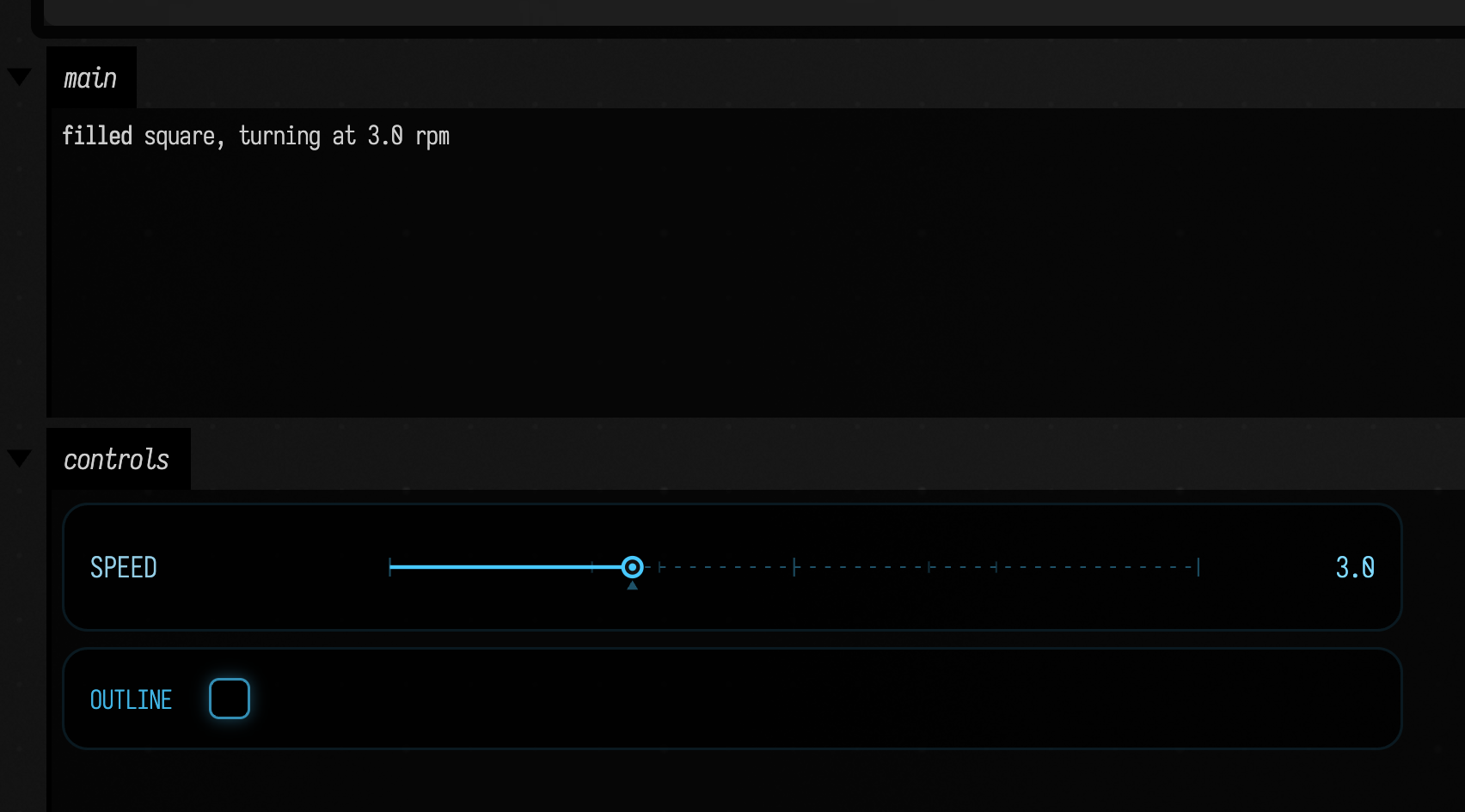
The options object takes min, max, step, value and channel (controls go to a controls
channel unless you name another). A control you have moved keeps its value when the box runs again.
When to use Javascript, and when Kotlin
Use a Javascript box when the result belongs in a browser: a page, a web API, a Three.js or WebXR scene, something you will open on a phone or put in front of someone else's screen. It is also the quickest way to try a browser library, since anything a page can load, a box can call.
Use Kotlin when the work is Field's own: the Vulkan renderer, audio,
reading and writing other boxes, inherited properties and fromContext(), or anything heavy.
Javascript boxes run in the head, so they cannot see other boxes' properties, and they are as fast
as the browser they run in.
If you want the browser but would rather write Kotlin, Kotlin in the Head compiles a box's Kotlin to Javascript and sends it to the same head. The controls box above, in Kotlin, is the same calls with Kotlin lambdas:
// {{ remoteAR }}
var speed = 3.0
var outline = false

fun redraw() = display("main", "<b>${if (outline) "outlined" else "filled"}</b> square, turning at $speed rpm")

slider("speed", min = 0.0, max = 10.0, step = 0.1, initialValue = 3.0) {
    speed = it
    redraw()
}
checkbox("outline") {
    outline = it
    redraw()
}
redraw()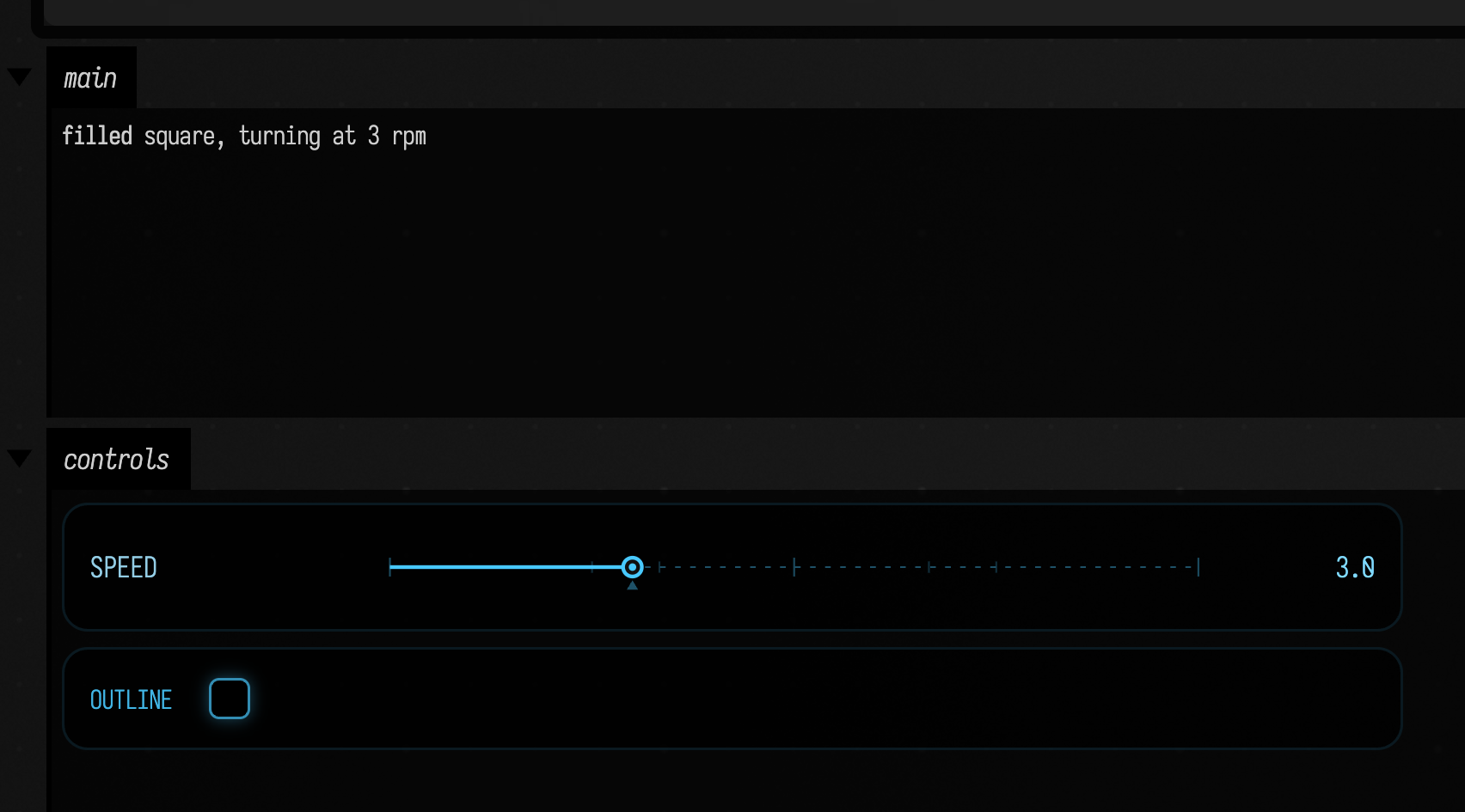
print, console.log, errors, output after the run and Stop behave as they do here. For a Three.js scene that
stays on the JVM side, see Field's 3D Output.
See also
- RemoteJS and WebXR: the head on Android, headsets and the Endrun iOS app, hit testing, pointer callbacks, assets and the head's self-test.
- Kotlin in the Head: Kotlin compiled to Javascript for the same head.
- The remotejs_box_parity document: one box for each thing on this page, ready to run.