Ray Tracing Examples
These four examples build up a ray-traced image in Field, from a ray-generation shader writing
into a storage image to procedural spheres reflected in a traced floor. Along the way you'll set
up image bindings, acceleration structures, shader groups and dispatch using Vulkan's
VK_KHR_ray_tracing_pipeline.
The figures are 1024 × 1024 captures from Field on Linux with an RTX 4090. The examples
require an enabled VK_KHR_ray_tracing_pipeline; Field checks device features, independently
of the operating system or GPU brand. The path tracer also has a compute
BVH backend for devices without hardware ray tracing.
Agents: capture and test provenance
Captured on 25 September 2026, NVIDIA driver 610.43.02. RayTracingGpuAudit
exercises these four captures with GPU pixel assertions, alongside the path tracer's two
backends. It reports unsupported pipeline captures as skipped; pass --require-pipeline
to require them. The capture harness throws on unavailable hardware or shader failure.
Reproduction commands and results are in dev_docs/RAY_TRACING_AUDIT.md.
The shape of a Field ray tracing example is:
val outputImage: ImageView = /* rgba8 storage image in GENERAL layout */
val topLevelAS = /* optional TLAS, needed once shaders call traceRayEXT */

val module = RayTracingModule(
    Parameters(
        renderer = renderer,
        raygen = raygenSource,
        miss = missSource,
        closesthit = closestHitSource,
        imageResolver = { outputImage },
        accelerationStructureResolver = { topLevelAS },
        name = "my ray tracing module"
    )
).pointer()

module += "dispatch" to RayTracingDispatch(module, width = 1024, height = 1024)
renderer += "my ray tracing module" to module
The shader bindings in these examples are minimal:
layout(set = 0, binding = 0, rgba8) uniform image2D outputImage;
layout(set = 0, binding = 1) uniform accelerationStructureEXT topLevelAS;
layout(set = 0, binding = 2) uniform RayCamera {
    /* origin, right, up, forward, fov, aspect */
} rayCamera;
Binding 0 is the storage image that gets read back for the docs. Binding 1 appears only in examples that trace against a TLAS. Binding 2 is the camera block seedRayCameraUniforms fills, and only Mirror Balls uses it; the other three hard-code their camera in the raygen shader.
UV Gradient (raygen only)
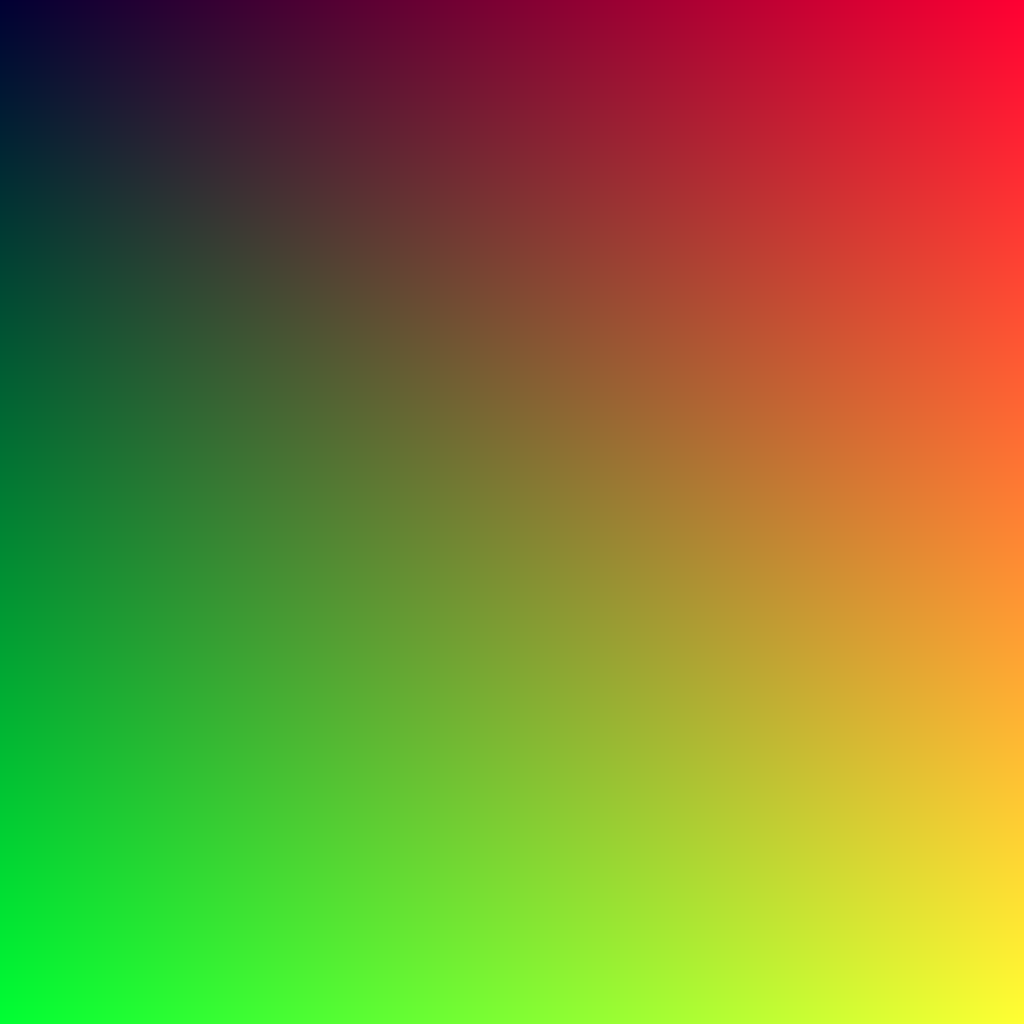
This is the smallest useful ray tracing pipeline: a single raygen shader writes directly to a storage image. It does not call traceRayEXT, so no BLAS, TLAS, miss shader, or hit shader is involved. If this fails, the ray tracing module did not compile, bind its image, or dispatch at the requested size.
The module setup is just a raygen stage plus an image resolver:
val module = RayTracingModule(
    Parameters(
        renderer = renderer,
        raygen = uvGradientRaygen,
        imageResolver = { outputImageView },
        name = "rt-uv-gradient",
    ),
).pointer()

module += "dispatch" to RayTracingDispatch(module, 1024, 1024)
renderer += "rt-uv-gradient" to module
The raygen shader behaves a lot like a compute shader with ray tracing launch IDs:
#version 460
#extension GL_EXT_ray_tracing : require

layout(set = 0, binding = 0, rgba8) uniform image2D outputImage;

void main() {
    ivec2 px = ivec2(gl_LaunchIDEXT.xy);
    vec2 uv = (vec2(px) + 0.5) / vec2(max(gl_LaunchSizeEXT.xy, uvec2(1)));
    imageStore(outputImage, px, vec4(uv, 0.2, 1.0));
}
RayTracingDocsHarness.renderUvGradient runs exactly this, at 1024 by 1024, and reads the storage image back to a PNG.
Triangle Scene (full pipeline)
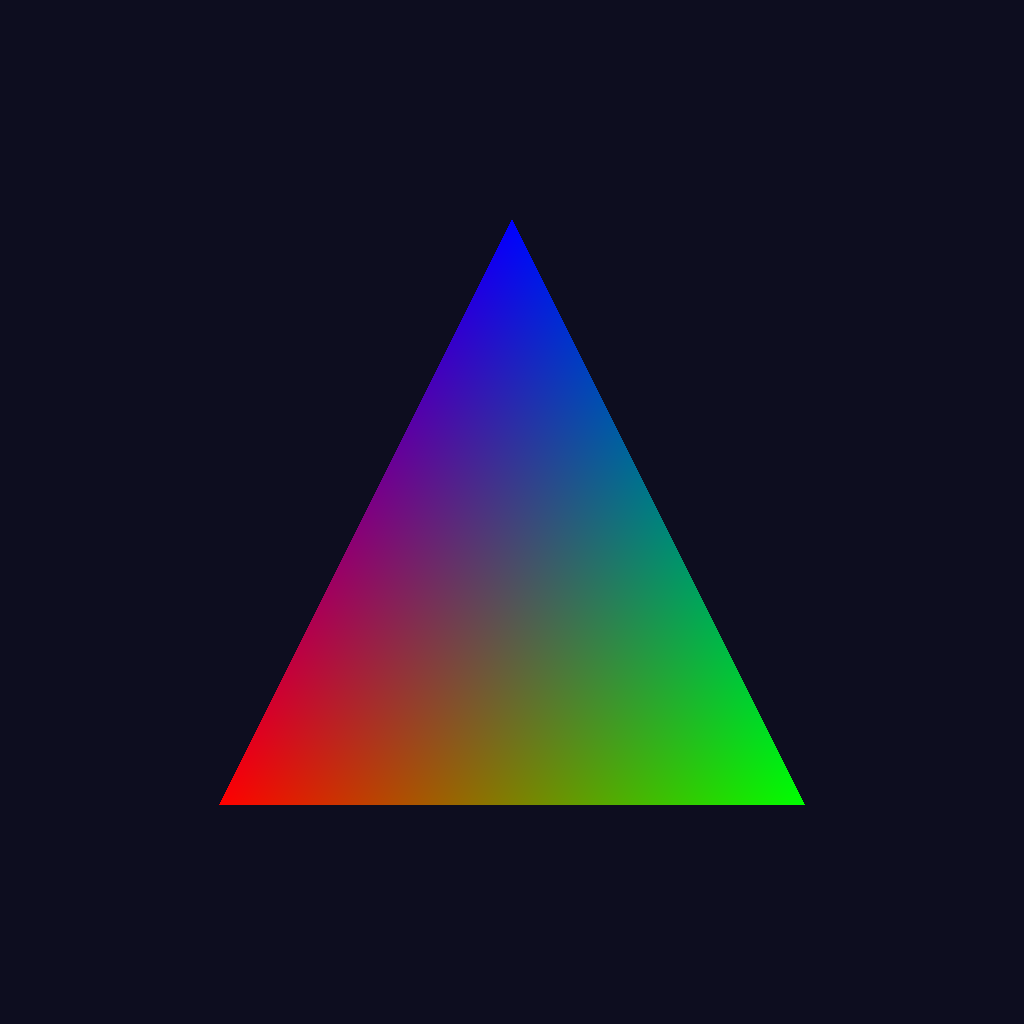
This is the first complete ray tracing path: raygen -> miss -> closesthit. The scene is one triangle in a BLAS, then one instance of that BLAS in a TLAS. The raygen shader shoots a camera ray per pixel. The closest-hit shader colors the triangle by barycentric coordinates; the miss shader fills the background.
Building the acceleration structures is most of the work:
val vertices = floatArrayOf(
    -0.5f,
    -0.5f,
    0.0f,
    0.5f,
    -0.5f,
    0.0f,
    0.0f,
    0.5f,
    0.0f,
)

val vertexBuffer = VulkanBuffer(
    renderer = renderer,
    requestedSize = vertices.size * 4L,
    usage =
        VK_BUFFER_USAGE_ACCELERATION_STRUCTURE_BUILD_INPUT_READ_ONLY_BIT_KHR or
            VK_BUFFER_USAGE_SHADER_DEVICE_ADDRESS_BIT,
    reqMask = VK_MEMORY_PROPERTY_HOST_VISIBLE_BIT or VK_MEMORY_PROPERTY_HOST_COHERENT_BIT,
    needsDeviceAddress = true,
)
vertexBuffer.mapAndWrite_bytes { asFloatBuffer().put(vertices) }

val blas =
    AccelerationStructure(renderer, "triangle-blas")
        .buildBottomLevelNow(
            triangles = [
                AccelerationStructureTriangles(
                    vertexBuffer = vertexBuffer,
                    maxVertex = 2,
                    primitiveCount = 1,
                ),
            ],
        )

val tlas = AccelerationStructure(renderer, "triangle-tlas").buildTopLevelNow(instances = [RayTracingInstance(blas)])
Once the TLAS exists, the module connects shader source to the output image and acceleration structure:
val module = RayTracingModule(
    Parameters(
        renderer = renderer,
        raygen = triangleRaygen,
        miss = triangleMiss,
        closesthit = triangleClosestHit,
        imageResolver = { outputImageView },
        accelerationStructureResolver = { tlas },
        name = "rt-triangle",
    ),
).pointer()
module += "dispatch" to RayTracingDispatch(module, 1024, 1024)
renderer += "rt-triangle" to module
The closest-hit shader receives triangle barycentric coordinates through hitAttributeEXT:
#version 460
#extension GL_EXT_ray_tracing : require

layout(location = 0) rayPayloadInEXT vec3 payload;
hitAttributeEXT vec2 baryCoord;

void main() {
    float w = 1.0 - baryCoord.x - baryCoord.y;
    payload = vec3(w, baryCoord.x, baryCoord.y);
}
The raygen shader writes the payload returned by either miss or closest-hit:
layout(location = 0) rayPayloadEXT vec3 payload;
layout(set = 0, binding = 0, rgba8) uniform image2D outputImage;
layout(set = 0, binding = 1) uniform accelerationStructureEXT topLevelAS;

void main() {
    ivec2 px = ivec2(gl_LaunchIDEXT.xy);
    vec2 uv = (vec2(px) + 0.5) / vec2(max(gl_LaunchSizeEXT.xy, uvec2(1)));

    vec3 origin = vec3(0.0, 0.0, -1.25);
    vec3 dir = normalize(vec3((uv * 2.0 - 1.0) * vec2(0.7, -0.7), 1.0));

    payload = vec3(0.05, 0.05, 0.12);
    traceRayEXT(topLevelAS, gl_RayFlagsOpaqueEXT, 0xFF, 0, 0, 0,
    origin, 0.001, dir, 100.0, 0);
    imageStore(outputImage, px, vec4(payload, 1.0));
}
renderTriangleScene builds that BLAS and TLAS and dispatches over them.
Shader-Generated Tiles (full pipeline)
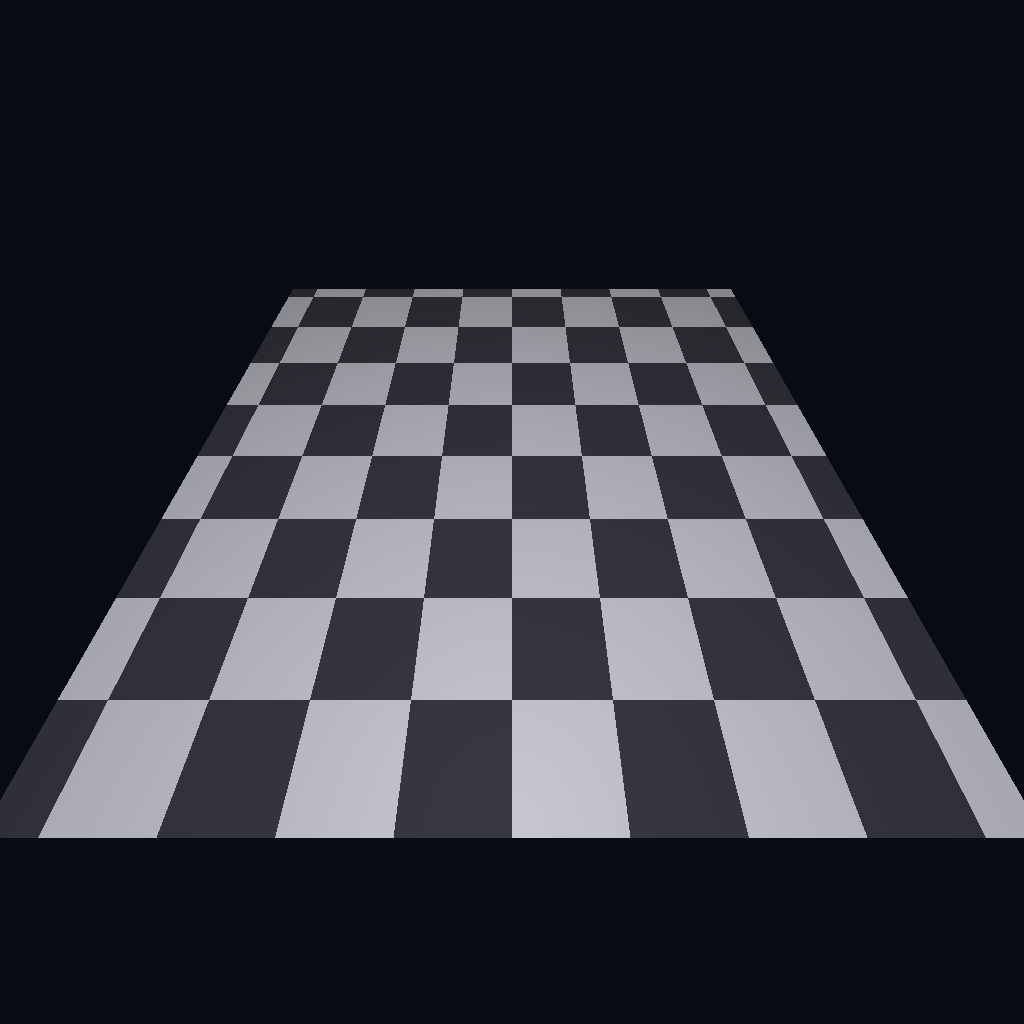
This example traces against ordinary triangle geometry: one quad made from two triangles. The tile pattern comes from the closest-hit shader, computed from the world-space hit position, so tile density and colour are shader constants rather than mesh detail.
The BLAS contains only six vertices:
val half = 1.25f
val y = -0.2f
val zNear = 0.0f
val zFar = 2.3f

val vertices = floatArrayOf(
    -half,
    y,
    zNear,
    half,
    y,
    zNear,
    half,
    y,
    zFar,
    -half,
    y,
    zNear,
    half,
    y,
    zFar,
    -half,
    y,
    zFar,
)
After those vertices are written into a device-addressable buffer, the BLAS is built as two triangle primitives:
val blas =
    AccelerationStructure(renderer, "shader-tiles-blas")
        .buildBottomLevelNow(
            triangles = [
                AccelerationStructureTriangles(
                    vertexBuffer = quadVertexBuffer,
                    maxVertex = 5,
                    primitiveCount = 2,
                ),
            ],
        )
The pattern itself:
#version 460
#extension GL_EXT_ray_tracing : require

layout(location = 0) rayPayloadInEXT vec3 payload;
hitAttributeEXT vec2 baryCoord;

void main() {
    vec3 worldHit = gl_WorldRayOriginEXT + gl_HitTEXT * gl_WorldRayDirectionEXT;
    float tileScale = 3.6;
    float checker = mod(abs(floor(worldHit.x * tileScale)) +
    abs(floor(worldHit.z * tileScale)), 2.0);

    vec3 lightTile = vec3(0.78, 0.78, 0.82);
    vec3 darkTile = vec3(0.22, 0.22, 0.26);
    vec3 tileColor = mix(lightTile, darkTile, checker);

    float vignette = clamp(1.0 - 0.13 * length(worldHit.xz), 0.6, 1.0);
    payload = tileColor * vignette;
}
renderShaderTileScene traces the one quad; the checkerboard is entirely shader-side.
Mirror Balls (procedural spheres + reflections)
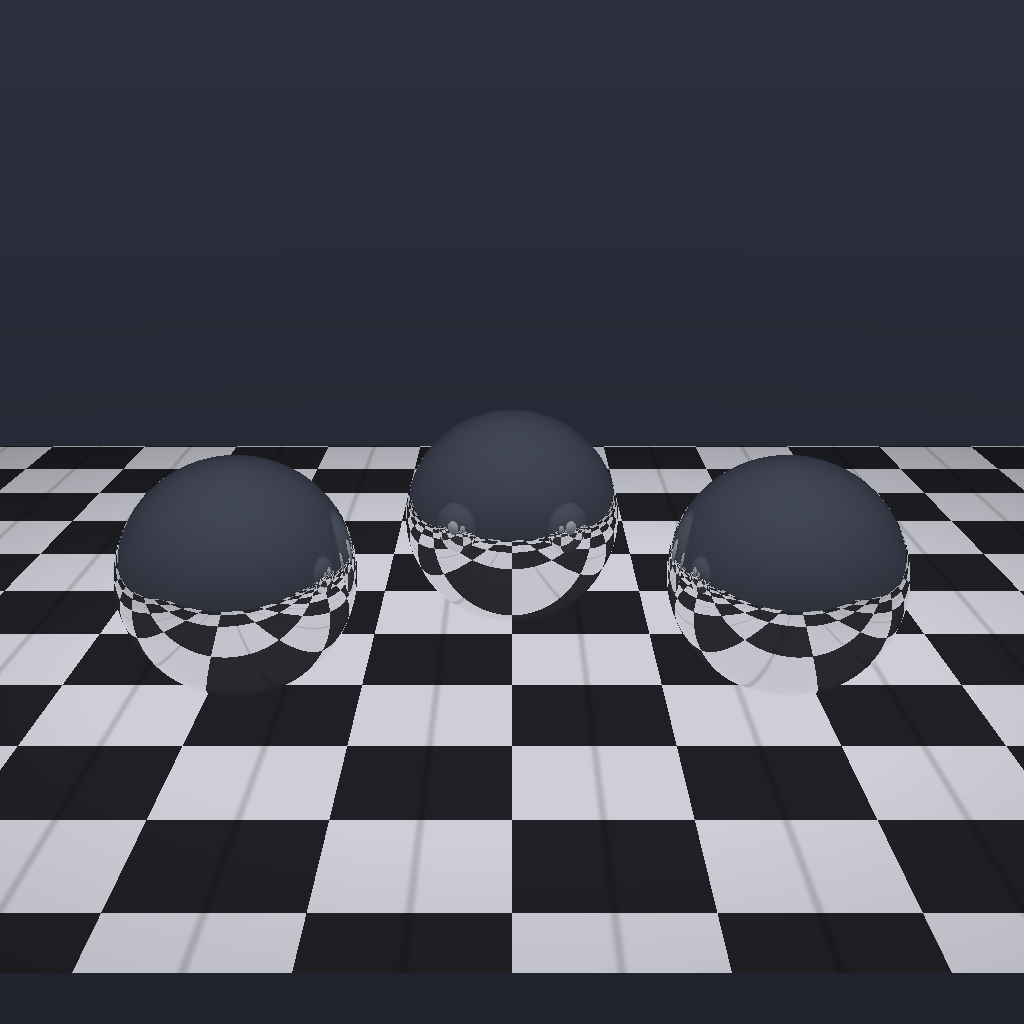
This scene combines two kinds of hit group. The checker floor is regular triangle geometry. The three spheres are procedural AABB geometry, each resolved by an intersection shader. The sphere instances use a different shader binding table record offset so they select the procedural-sphere hit group rather than the floor hit group.
The TLAS carries one floor instance and three sphere instances:
val floorBlas =
    AccelerationStructure(renderer, "mirror-floor-blas")
        .buildBottomLevelNow(
            triangles = [
                AccelerationStructureTriangles(
                    vertexBuffer = floorVertexBuffer,
                    maxVertex = 5,
                    primitiveCount = 2,
                ),
            ],
        )

val sphereBlas =
    AccelerationStructure(renderer, "mirror-sphere-blas")
        .buildBottomLevelNow(
            aabbs = [
                AccelerationStructureAabbs(
                    aabbBuffer = sphereAabbBuffer,
                    primitiveCount = 1,
                ),
            ],
        )

val instances = [
    RayTracingInstance(floorBlas, shaderBindingTableRecordOffset = 0),
    RayTracingInstance(sphereBlas, transform = sphereA, shaderBindingTableRecordOffset = 1),
    RayTracingInstance(sphereBlas, transform = sphereB, shaderBindingTableRecordOffset = 1),
    RayTracingInstance(sphereBlas, transform = sphereC, shaderBindingTableRecordOffset = 1),
]

val tlas = AccelerationStructure(renderer, "mirror-balls-tlas").buildTopLevelNow(instances = instances)
Because there are two hit groups, the module uses explicit RayTracingGroups instead of the single-hit-group shortcut in Parameters:
val groups = RayTracingGroups(
    raygen = RayTracingShaderStage("raygen", ShaderKind.RAYGEN_SHADER, raygenSource),
    miss = mutableListOf(
        RayTracingShaderStage("miss", ShaderKind.MISS_SHADER, missSource),
    ),
    hit = mutableListOf(
        RayTracingHitGroup(
            name = "checker-floor",
            closestHit = RayTracingShaderStage(
                "floorClosestHit",
                ShaderKind.CLOSEST_HIT_SHADER,
                floorClosestHitSource,
            ),
        ),
        RayTracingHitGroup(
            name = "mirror-spheres",
            closestHit = RayTracingShaderStage(
                "sphereClosestHit",
                ShaderKind.CLOSEST_HIT_SHADER,
                sphereClosestHitSource,
            ),
            intersection = RayTracingShaderStage(
                "sphereIntersection",
                ShaderKind.INTERSECTION_SHADER,
                sphereIntersectionSource,
            ),
        ),
    ),
)

val module = RayTracingModule(
    Parameters(
        renderer = renderer,
        rayTracingGroups = groups,
        maxRayRecursionDepth = 3, // reflection bounces + 1 for the primary ray
        imageResolver = { outputImageView },
        accelerationStructureResolver = { tlas },
        name = "rt-mirror-balls",
    ),
).pointer()
The procedural sphere intersection shader solves a ray/sphere quadratic in object space, then reports the hit:
#version 460
#extension GL_EXT_ray_tracing : require

hitAttributeEXT vec3 sphereNormal;

void main() {
    vec3 origin = gl_ObjectRayOriginEXT;
    vec3 dir = gl_ObjectRayDirectionEXT;

    float a = dot(dir, dir);
    float b = 2.0 * dot(origin, dir);
    float c = dot(origin, origin) - 1.0;
    float disc = b * b - 4.0 * a * c;
    if (disc < 0.0) return;

    float rootDisc = sqrt(disc);
    float t0 = (-b - rootDisc) * (0.5 / a);
    float t1 = (-b + rootDisc) * (0.5 / a);
    float t = t0 > 0.001 ? t0 : t1;
    if (t <= 0.001) return;

    vec3 hit = origin + t * dir;
    sphereNormal = normalize(hit);
    reportIntersectionEXT(t, 0);
}
The sphere closest-hit shader then reflects a ray back into the same TLAS. The raygen shader starts the payload with two bounces in hand, so the module requests recursion depth 3 — two reflections plus the primary ray. This excerpt is abridged: the shader that runs also tints the metal, computes a Fresnel term, and mixes the returned colour back over a base metal colour after the trace returns.
struct Payload {
    vec3 color;
    int bouncesLeft;
};

layout(location = 0) rayPayloadInEXT Payload payload;
layout(set = 0, binding = 1) uniform accelerationStructureEXT topLevelAS;
hitAttributeEXT vec3 sphereNormal;

void main() {
    vec3 worldHit = gl_WorldRayOriginEXT + gl_HitTEXT * gl_WorldRayDirectionEXT;
    vec3 normal = normalize(vec3(gl_ObjectToWorldEXT * vec4(sphereNormal, 0.0)));
    vec3 reflected = reflect(gl_WorldRayDirectionEXT, normal);

    if (payload.bouncesLeft <= 0) {
        payload.color = vec3(0.72, 0.74, 0.78);
        return;
    }

    payload.bouncesLeft -= 1;
    traceRayEXT(topLevelAS, gl_RayFlagsOpaqueEXT, 0xFF, 0, 0, 0,
    worldHit + normal * 0.01, 0.001, reflected, 100.0, 0);
}
renderMirrorBallsScene puts all of it together: the triangle floor hit group, the procedural sphere hit group, and two reflected bounces. It is also the only example here that drives its camera from a uniform rather than a literal, via seedRayCameraUniforms.
Keep the mirrors live
In a box connected to a running renderer, install the scene once under a name, then edit its instances or animate them. Re-evaluating the installation replaces that named scene safely.
import afield.graphics.scene.fabricated.RayTracingDocsHarness

prop<RayTracingDocsHarness.LiveMirrorBallsScene>(mirrors)
mirrors = RayTracingDocsHarness.installMirrorBallsSceneInWindow(
    renderer,
    name = "mirror-study",
    width = 1536,
    height = 1024,
)
val rest = mirrors.sphere(1)
mirrors.animate { seconds, scene ->
    scene.setSphere(1, rest.x, rest.y + 0.3f * sin(seconds * 2.0).toFloat(), rest.z)
}
mirrors.clearAnimation() holds the current pose. mirrors.setSphere(index, x, y, z, scale)
edits a sphere; mirrors.useCamera(camera) connects your camera. mirrors.cleanup() retires the
scene. Changed instance transforms build a fresh small TLAS while retaining the static BLASes;
old GPU resources remain alive until earlier frames finish. This example does not deform geometry.
For geometry generated entirely by your own GPU compute shader, see Computed ray geometry.