Code Diff Player
A code block on a docs page can be two versions of the same code with a play control between them. Press it and the block animates from the first version to the second, one insertion or deletion at a time, so a reader watches the edit happen rather than comparing two listings. That is the diff player, and you get one by writing a fence.
Quick start
- Use the
difffence for animated before/after, anddiffstaticfor a single snippet. - The fence-upgrade script rewrites these into the player markup automatically, then
CodeDiffPlayer.mountAll()binds them. - Nothing else is needed on the page: the docs build ships the player site-wide, styled to match the dark theme's gutter and line numbers.
Example animated fence:
:::before
lines.clear()

loop {
    var f = FLine()

    while (stereo.controllerState().triggerValue > 0.0) {
        val at = stereo.controllerState().position
        f.lineTo(at)
        lines["ourLine"] = f
        frame()
    }

    frame()
}
:::after
lines.clear()

loop {
    var f = FLine()

    while (stereo.controllerState().triggerValue > 0.0) {
        val at = stereo.controllerState().position
        f.lineTo(at + vec(0, 0, 0.1))
        lines["ourLine"] = f
        frame() // Yield while held, so input updates and Stop can be processed.
    }

    frame()
}
Example static fence:
:::static
fun greet() {
    println("hello")
}
An animated fence, with comments
:::before
lines.clear() // clear the list of lines to draw

loop { // do this forever (or until we stop this box)
    var f = FLine() // make a new line for our drawing

    while (stereo.controllerState().triggerValue > 0.0) { // while the trigger is down
        var at = stereo.controllerState().position // get its position
        f.lineTo(at) // extend the drawing to this position
        lines["ourLine"] = f // put this line onto the screen under the name "ourLine"
        frame() // WAIT for a frame to come out of the screen
    }

    while (stereo.controllerState().triggerValue <= 0.0) { // while the trigger isn't down
        frame() // WAIT for a frame to come out of the screen
    }
}
:::after
lines.clear() // clear the list of lines to draw

loop { // do this forever (or until we stop this box)
    var f = FLine() // make a new line for our drawing

    while (stereo.controllerState().triggerValue > 0.0) { // while the trigger is down
        var at = stereo.controllerState().position // get its position
        f.lineTo(at + vec(0, 0, 0.1)) // extend the drawing to this position
        lines["ourLine"] = f // put this line onto the screen under the name "ourLine"
        frame() // WAIT while held so controller updates and Stop can be processed
    }

    while (stereo.controllerState().triggerValue <= 0.0) { // while the trigger isn't down
        frame() // WAIT for a frame to come out of the screen
    }

    frame() // WAIT for a frame to come out of the screen
}
A static fence, run as a test
:::static
val greet = { name: String ->
    println("Hello, $name")
}

greet("Field4")
What the fence turns into
- Set
data-languageto any highlight.js language key (e.g.,python,javascript). - For static blocks use only a
data-state="before"block (ordata-state="single") to reuse the same styling without animation; the play control hides automatically. - Multiple players on one page are supported;
mountAll()binds everything with thecode-diff-playerclass. - The component lazy-loads highlight.js if it is not already present on the page.
- Source
<pre>blocks are hidden after upgrade, so the page remains readable when JavaScript is disabled.
Screenshot runner
diffstatic_runner uses the same rendered code block, but during the docs build it also runs the snippet through tools/field_backdoor.py and saves a screenshot.
diff_runner does the same thing for animated diff fences, except it executes only the :::after section for the screenshot while leaving the rendered block as a normal before/after diff.
Use screenshot="..." to choose where the image lands, relative to the current markdown file. The build runs the snippet in a scratch session, waits, and then captures whichever of the box, the editor, the browser window or the renderer window the fence asked for.
FIELD_DOCS_RUNNER_MODE decides how much of that actually happens, from never through incremental and strict to always. Building the Docs & Running the Tests lists the four with a column for when each is the right one.
For both diff and diff_runner, if :::before is omitted, Field will inherit it from the previous block's effective result: the previous :::after for a diff, or the full contents of the previous diffstatic.
Runner attributes, by what they decide. Hyphenated names also answer to an underscored spelling, and public/docs_hooks.py is the list that settles an argument.
What comes out. At least one of screenshot, video or audio is required.
screenshot="assets/example.png"— where the still lands, relative to this markdown file.video="assets/example.mp4"— an H.264/MP4 clip, instead of a still or alongside one.audio="assets/example.wav"— a rendered scene; needsaudio-specas well.audio-spec="<scene>"— which sceneaudiorenders.duration="5"— video length in seconds.fps="30"— video frame rate.embed=true— puts the result below the code block. Without it the capture still runs, but nothing of it reaches the page.alt="..."— alt text for the embedded image.hidden=true— renders the figure without the fence above it.
What is photographed.
capture="box"— the default: just the box that ran the code.capture="window",capture="window-editor",capture="editor"— the browser window, with or without the editor pane, or the editor pane alone.capture="native-window"— a Field 4 renderer window.capture="ui"— runs the fence body as adrivetranscript scripting the live editor through Playwright.region="window-editor"— what auicapture is clipped to:box,window,window-editor(the default) oreditor.clip-selector="#some-id"— clips auicapture to a CSS selector instead, for an overlay that no box owns. A selector that matches nothing fails the capture.clip="x,y,w,h"— on auicapture, clips the recording and the still to this rectangle of the page, in CSS pixels, for a frame no single element owns (a box and its editor). On other captures it crops the finished screenshot.viewport="760x560"— lays the page out at this size for auicapture, then puts it back. Field's layout follows the window, so a smaller one shows a box and its editor together at a readable scale.hide-toasts=true— hides Field's toasts for auicapture. They stay on screen once shown, and in a smallviewport=window they stack over the canvas being recorded.padding="16"— insets aboxoreditorcrop.scale="4"— on aboxstill, rasterises the shot at this many device pixels per CSS pixel instead of the default 3. The page shows every capture at 1.5 times its size in Field whatever its scale (the still records it), so a higher one only adds pixels, for a narrow panel that is shown stretched to the column.trim=true— crops the uniform background off any finished capture.trim-native=true— the older, narrower form of the same thing, and only for anative-windowgraphics capture.
When the shutter opens.
execution="run"— the default: run the code, wait, capture.execution="launch"— wait for the box to start, sleep forwait, capture, then sendstop.wait="0.75"— seconds to sleep before capturing.wait-output=true— wait for real output rather than for a delay to elapse.wait-output-kind="display"— which output counts:display(the default),inlineorall.wait-output-channel=,wait-output-contains=— narrow it further, to a channel or to a substring.native-wait-frames="30"— waits on rendered frames rather than on seconds.timeout="45"— bounds the whole backdoor call.force=true— re-capture whatever the cache thinks.
Where the code runs.
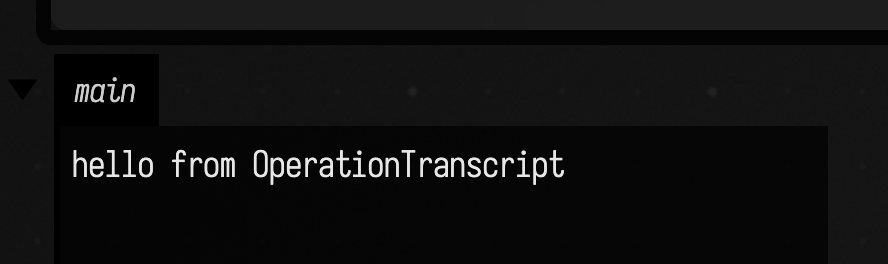
name,x,y,w,h,document,property— name and place the scratch box, and say which property the code goes in.fresh-document=true— runs in a new document named afterdocumentplus a random suffix, rather than in a scratch session. A scratch session never saves, so a figure of what saving makes (backups, document history) needs one.graphics-context=true— asks for a Field with a live Vulkan renderer, which is what anynative-windowcapture needs.macro-file="../../dev_docs/agents/transcripts/hello_display.yaml"— replays anOperationTranscriptbefore the fence runs.macro-name,macro-selection— pick a macro and a box selection inside that transcript.capture-box="agent_hello_display"— the box to crop after the replay.source-box=,source-box-properties="vertex,fragment"— take the code from a committed box underassets/instead of from the fence.open-outputs— true unless you say otherwise.with-editor— implied bycapture="window-editor".
Reach for capture="editor" when the subject is the Monaco pane itself: inline visualizers such as the histogram and piano-roll decorations.
diff_runner example:
Plain diff shorthand works the same way:
The same fence with the runner attached, so the image below it is a real capture:
:::static
display("main", "<div style=\"padding:24px\">hello from Field!!!</div>")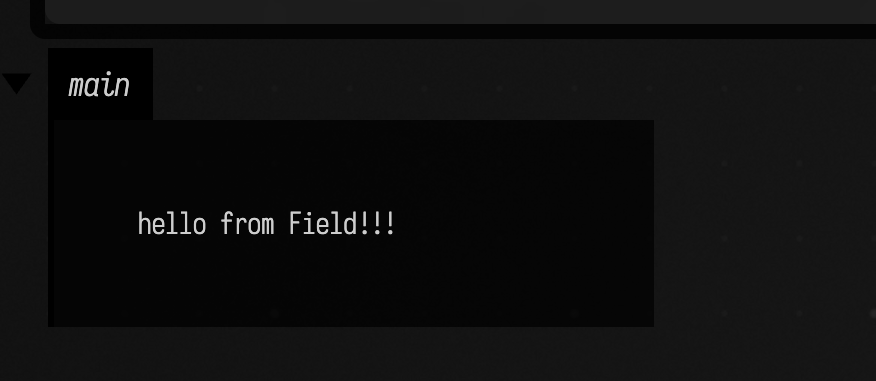
The same capture, from a reusable YAML macro rather than a box built inline in the fence:
// This capture is generated by dev_docs/agents/transcripts/hello_display.yaml.
// The fence body documents the macro path; OperationTranscript creates and runs the box.